
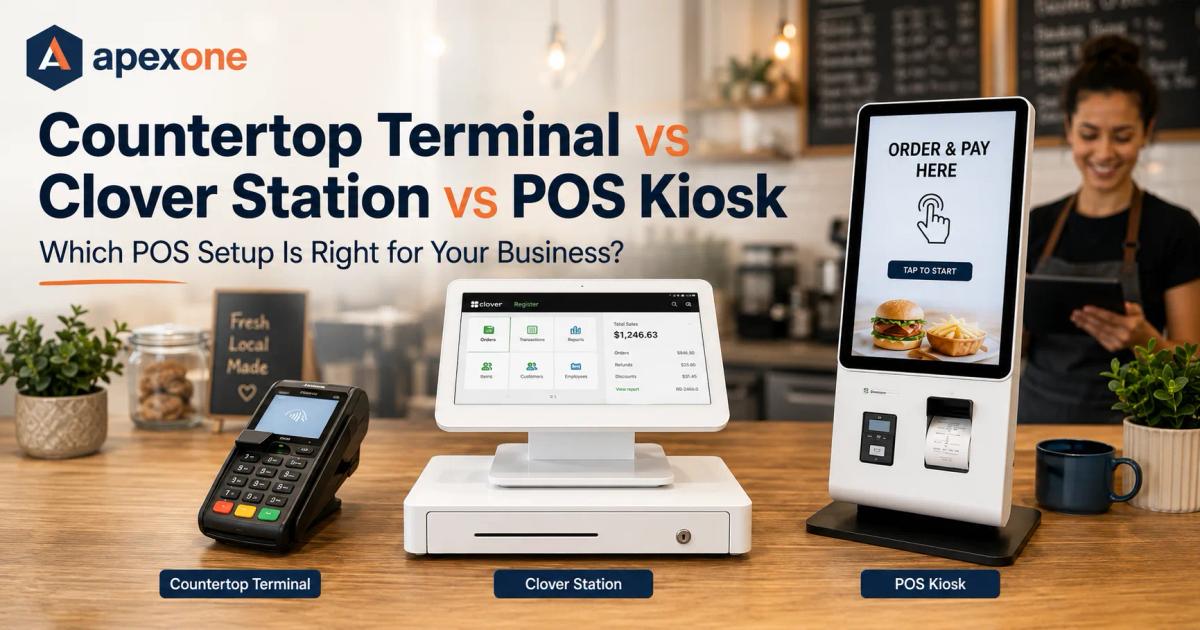
Countertop Payment Terminal vs Clover Station vs POS Kiosk Which POS Setup Is Right for Your Business?
Not every business needs the same POS setup. This guide compares countertop payment terminals, Clover Station, and POS kiosks so small business owners can choose the right payment hardware based on checkout speed, customer flow, business type, payment processing needs, and growth plans.
Choosing a POS setup can feel simple at first.
You need to accept payments, so you look for a terminal, a Clover Station, or maybe a POS kiosk. But once you start comparing options, the decision gets more serious. One device looks cheaper. Another looks more professional. Another promises faster checkout. Another has more features than you may even need.
And that is where many small business owners get stuck.
The truth is, the best POS setup is not always the biggest device or the most popular brand. The best setup is the one that matches how your business actually gets paid.
A small retail shop may only need a simple countertop payment terminal. A busy restaurant may need a full Clover Station setup with staff controls and reporting. A quick-service café may need a POS kiosk to reduce lines and let customers order faster.
So before you buy a device or switch payment providers, let’s break this down in plain English.
This guide will help you compare countertop payment terminals, Clover Station, and POS kiosk setups so you can choose the right option for your business.
Why the Right POS Setup Matters More Than the Brand Name
A lot of business owners start by asking:
“Should I use Clover, Square, Toast, or another POS?”
That question is fair, but it is not the first question you should ask.
The better question is:
“What kind of payment setup does my business actually need?”
Because a POS system is not only about taking card payments. It affects your checkout speed, staff workflow, reporting, customer experience, processing fees, receipts, inventory, tips, and how easily your business can grow.
A business with one checkout counter does not need the same setup as a quick-service restaurant during a lunch rush. A salon does not need the same tools as a grocery store. A clinic does not need the same POS experience as a bakery.
That is why the device should fit the workflow.
Apex One Payments already has a full guide on Best POS System for Small Business in 2026, but this article focuses more directly on hardware choice: countertop terminal, Clover Station, or POS kiosk.
What Is a Countertop Payment Terminal?
A countertop payment terminal is the payment device that usually sits near your register, reception desk, or checkout counter.
It lets customers pay with:
- Credit cards
- Debit cards
- Chip cards
- Tap-to-pay
- Contactless payments
- Mobile wallets
- Sometimes EBT, gift cards, or other payment types depending on the device and setup
For many small businesses, a countertop terminal is the simplest place to start.
It does not have to be complicated. The customer walks up, pays, gets a receipt, and leaves. That is enough for many businesses.
Best Businesses for Countertop Payment Terminals
Countertop payment terminals are usually a good fit for:
- Retail stores
- Salons and spas
- Small cafés
- Clinics and dental offices
- Auto repair shops
- Service counters
- Convenience stores
- Pharmacies
- Boutiques
- Smoke shops
- Small restaurants
- Local service businesses
If most customers pay at one counter, this setup may be enough.
For example, a salon may only need a terminal that supports card payments, tips, and receipts. A clinic may need a front-desk terminal with secure receipts and simple reporting. A small retail store may need a terminal that works smoothly with daily sales.
When a Countertop Terminal Makes Sense
A countertop terminal makes sense when your business needs:
- A simple checkout flow
- Easy card acceptance
- Low training time for staff
- A smaller hardware footprint
- Fast customer payments
- Lower upfront hardware complexity
- A reliable device for daily transactions
This type of setup is not trying to do everything. It is built to make payment acceptance easy.
Not every business needs a large POS station. Not every business needs a kiosk. Sometimes the right move is a simple terminal that works well, connects to clear payment processing, and helps you take payments without stress.
When a Countertop Terminal May Not Be Enough
A countertop terminal may feel limited if your business needs:
- Full inventory management
- Employee scheduling or detailed permissions
- Table management
- Kitchen routing
- Self-ordering
- Multi-location reporting
- Detailed product catalogs
- Advanced customer profiles
- Loyalty programs
- Multiple checkout lanes
If your business is growing and you feel like the terminal is only taking payments but not helping you run the business, you may need a stronger POS system for small business operations.
That is where Clover Station or a POS kiosk may become a better fit.
Free POS Terminal Option for Qualified Merchants
Many small businesses also ask about free terminal options because hardware costs can add pressure when starting or switching providers.
Apex One Payments offers qualified merchants the option to apply for a free Dejavoo QD2 terminal. This can be useful for businesses that want modern payment acceptance without a large upfront terminal cost.
A free POS terminal can be helpful, but business owners should always understand the full payment setup, including processing rates, support, device terms, and whether the terminal fits the business.
For a deeper explanation, read this Apex guide: Is a Free POS Terminal Really Free?
What Is Clover Station?
Clover Station is a more complete countertop POS setup.
Instead of only taking payments, Clover Station is designed to help businesses manage checkout, staff, sales, reporting, and more advanced POS workflows.
A Clover Station setup may include a large staff-facing screen, customer-facing display, receipt printer, cash drawer, and software tools depending on the configuration.
For businesses that need more than a basic card terminal, Clover Station can be a stronger option.
Best Businesses for Clover Station
Clover Station is often a good fit for:
- Restaurants
- Cafés
- Retail stores
- Boutiques
- Quick-service restaurants
- Bakeries
- Bars
- Salons with higher volume
- Multi-staff checkout counters
- Businesses with inventory needs
- Businesses that need better reporting
This is the type of POS setup a business may choose when it wants more control at checkout.
For example, a retail store may want better product tracking. A café may want faster counter service. A full-service restaurant may need stronger reporting and staff controls. A boutique may need customer records, refunds, and daily sales summaries.
Why Businesses Choose Clover Station
Clover Station can help when a business needs:
- A professional checkout setup
- Product or menu management
- Staff permissions
- Sales reporting
- Tip support
- Customer-facing display
- Receipt printing
- Inventory tools
- Better daily summaries
- A more complete POS experience
This is useful for businesses where checkout is more than “tap the card and go.”
If your team needs to manage products, staff, tips, orders, refunds, and reports from the same system, Clover Station may be a better fit than a simple terminal.
Apex One Payments has a detailed Clover Station Duo Review 2026 for business owners who want a closer look at Clover Station Duo.
You can also explore Apex’s full Clover terminals and POS devices page to compare Clover Station Duo, Station Solo, Mini, Flex, Flex Pocket, Go, Kiosk, and other options.
When Clover Station May Be Too Much
Clover Station is not always necessary.
It may be more than you need if:
- Your business has very simple checkout
- You do not manage inventory
- You do not need staff permissions
- You do not need advanced reports
- You only process a small number of payments
- You operate mostly in the field
- You need mobile invoices more than counter checkout
For example, a mobile service business may be better with payment links or a handheld device. A very small salon may not need a full station if a simple terminal handles tips and receipts well.
The key is not to buy more hardware than your business needs.
What Is a POS Kiosk?
A POS kiosk is a self-service ordering and payment station.
Instead of waiting for a cashier, customers can walk up to the kiosk, browse the menu or catalog, customize an order, and pay directly at the kiosk.
This type of setup is becoming more popular in quick-service environments where speed, order accuracy, and line control matter.
A POS kiosk is not just a fancy screen. It is another checkout lane.
It can help customers place orders at their own pace while staff focuses on preparing orders, helping guests, or managing operations.
Best Businesses for POS Kiosk
A POS kiosk is usually a strong fit for:
- Quick-service restaurants
- Cafés
- Coffee shops
- Bakeries
- Ice cream shops
- Juice bars
- Food courts
- Burger shops
- Pizza shops
- Fast-casual restaurants
- Event venues
- Retail catalog browsing
- Ticketing or check-in locations
If your business gets busy lines, repeated orders, or high traffic during peak hours, a kiosk may help reduce pressure at the counter.
Apex One Payments has a dedicated Apex Kiosk page for businesses that want self-ordering with integrated payments.
Why Businesses Add a POS Kiosk
A POS kiosk can help with:
- Shorter lines
- Faster ordering
- Customer-controlled ordering
- Menu photos and upsells
- Fewer order entry mistakes
- Better peak-hour flow
- Integrated payments
- More flexible staff placement
- Counter, kiosk, and online order syncing
Think about a busy lunch rush.
If every customer has to wait for one cashier, the line grows quickly. But if some customers use a kiosk, the counter is no longer the only place to order.
That can make the whole operation feel smoother.
When a POS Kiosk May Not Be the Right First Choice
A kiosk is powerful, but it is not the best first choice for every business.
A POS kiosk may not make sense if:
- Your order volume is low
- Your customers prefer personal service
- Your products require heavy explanation
- Your space is too small
- Your menu changes constantly without good system support
- Your staff is not ready to manage kiosk orders
- You only need simple card acceptance
For a small boutique or clinic, a kiosk may be unnecessary. For a busy café or quick-service restaurant, it could be exactly what helps reduce waiting.
The right decision depends on customer behavior, not only technology.
Countertop Payment Terminal vs Clover Station vs POS Kiosk: Simple Comparison
Here is the easiest way to think about it.
| POS Setup | Best For | Main Benefit | Good Fit If You Need |
|---|---|---|---|
| Countertop payment terminal | Simple checkout businesses | Easy card acceptance | A reliable way to take payments at the counter |
| Clover Station | Restaurants, retail, busy counters | Full POS tools and reporting | Inventory, staff tools, tips, and daily reporting |
| POS kiosk | Quick-service and high-traffic businesses | Self-ordering and shorter lines | Faster ordering and less counter pressure |
Each setup has a place.
The mistake is choosing based only on what looks modern.
A good POS setup should match your business model, payment flow, staff workflow, and customer expectations.
Which POS Setup Should Each Business Choose?
Now let’s break it down by business type.
Restaurants
Restaurants need speed, tips, reporting, and smooth checkout.
A full-service restaurant may need:
- Clover Station
- Handheld payment devices
- Tip adjustment
- Table-side checkout
- Staff permissions
- Daily reports
A quick-service restaurant may need:
- POS kiosk
- Countertop terminal
- Kitchen routing
- Online ordering
- Fast payment acceptance
For restaurant-specific options, explore Apex One Payments’ Restaurant POS & Payments, Full-Service Restaurant POS, and Quick-Service Restaurant POS pages.
Retail Stores
Retail stores need checkout speed, inventory, refunds, customer records, and clear reports.
A small boutique may do well with a countertop terminal. A busier store may need Clover Station or a larger POS system that supports inventory and staff controls.
Retail stores should look for:
- Product catalog
- Barcode scanning
- Return and refund tracking
- Customer records
- Sales reporting
- Countertop payments
- Multi-device support if needed
Apex has a full Retail POS and Inventory Platform page and a helpful blog on Retail Payment Processing in 2026.
Salons and Spas
Salons and spas need payments that feel smooth, especially when tipping is involved.
A salon may need:
- Countertop terminal
- Tip prompts
- Digital receipts
- Customer records
- Staff tracking
- Simple checkout
- Payment links for deposits or packages
Most salons do not need a kiosk. Some may not need a large POS station. But they do need a clean payment experience that works for staff and clients.
You can explore Apex’s Salon and Spa Payment Solutions and Personal Services POS & Payments pages.
Healthcare and Dental Offices
Clinics and dental offices need secure payment workflows, clear receipts, and front-desk-friendly tools.
A healthcare office may need:
- Countertop terminal
- Payment links
- Card-on-file options
- Digital receipts
- Reporting
- Staff permissions
- Dental treatment plan deposits
A kiosk is usually not the first choice for a small clinic, but a strong front-desk terminal and payment link workflow can make a big difference.
Apex has a guide on HIPAA-Ready Patient Payments and a dedicated Dental Office Payments & Billing page.
Service Businesses
Service businesses may not need a large counter setup at all.
Contractors, repair companies, mobile services, cleaners, consultants, and personal service providers may need:
- Mobile payment device
- Countertop terminal if they have an office
- Payment links
- Invoices
- Deposits
- Faster collections
- Simple reporting
If your business gets paid after the job, a payment link may be more useful than a big POS station.
Read Apex’s guide on Payment Processing for Service Businesses for more details.
Cafés and Coffee Shops
Cafés need fast checkout more than almost anything.
A café may need:
- Clover Station
- Countertop terminal
- Customer-facing display
- Tip prompts
- Digital receipts
- Simple menu buttons
- Kiosk if traffic is high
For smaller cafés, a strong countertop terminal may be enough. For busier cafés, Clover Station or a kiosk may help speed up the line.
Apex has a dedicated Cafés & Coffee Shops POS page for operators who want a payment setup built around counter-service flow.
Auto Repair Shops
Auto repair shops often have larger tickets than other local businesses.
That means payment processing fees can matter a lot.
An auto repair shop may need:
- Countertop terminal
- Invoice payment options
- Payment links
- Clear receipts
- Statement review
- Dual pricing or cash discount support
- Strong reporting
A Clover Station may be useful if the shop sells parts, manages front-counter retail, or needs more reporting. A kiosk is usually not necessary unless the business has a special self-check-in workflow.
How Payment Processing Fees Affect Your POS Decision
Two businesses can use similar-looking hardware but pay very different total costs.
That is because POS hardware is only one part of the payment setup.
Your total cost may include:
- Transaction rates
- Monthly software fees
- Merchant account fees
- PCI fees
- Statement fees
- Batch fees
- Equipment fees
- Gateway fees
- Chargeback fees
- Cancellation terms
- Support costs
This is why you should never choose a POS setup based only on the device price.
A “cheap” device can become expensive if the processing fees are high. A more complete POS setup can be worth it if it saves time, improves reporting, and supports better checkout flow.
If you want a full fee breakdown, read Apex’s guide on Payment Processing for Small Business in 2026.
You can also use the Payment Savings Calculator to review your current payment costs before choosing new hardware.
When a Free POS Terminal Makes More Sense
A free POS terminal may make sense when your business needs reliable payment hardware without a large upfront purchase.
This can be useful if:
- You are starting a new business
- Your current terminal is outdated
- You want to accept tap, chip, and contactless payments
- You need a simple counter checkout setup
- You want to reduce upfront hardware cost
- Your business qualifies for the offer
- The terms are clear
But “free” should always be understood clearly.
Ask:
- Is there no upfront terminal cost?
- What processing rates apply?
- Is support included?
- What happens if the device breaks?
- Do I keep or return the device if I leave?
- Does the device support my business needs?
Apex One Payments offers qualified merchants the option to apply for a free Dejavoo QD2 terminal. This is a strong fit for businesses that need modern payment acceptance and want to start with a practical terminal setup.
Why an All-in-One Payment Platform Matters
Hardware matters, but it is not the full story.
A countertop terminal, Clover Station, or POS kiosk should connect into a payment setup that helps you manage the business.
That is where an all-in-one payment platform becomes valuable.
An all-in-one payment platform can bring together:
- In-person payments
- Online payments
- Mobile payments
- POS devices
- Reporting
- Staff tools
- Inventory
- Customer records
- Kiosk orders
- Payment links
- Merchant services for small business
When these tools work together, your business becomes easier to run.
If you want to see how this looks across industries, read: What Happens When Small Businesses Switch to an All-in-One Payment Platform?
How to Choose the Right POS Setup: A Simple Checklist
Before you decide, ask these questions.
1. Where do customers pay?
At a counter? At the table? At a kiosk? Online? In the field?
2. How busy does checkout get?
If customers wait in long lines, you may need more than one payment lane or a kiosk.
3. Do you need inventory?
If you sell products, inventory tools may matter more than device size.
4. Do you need tips?
Restaurants, salons, cafés, and service businesses should make sure tipping is easy.
5. Do you need staff permissions?
If multiple employees use the POS, permissions and user tracking can help protect the business.
6. Do you send invoices or payment links?
Service businesses and healthcare offices often need payment links more than a large POS station.
7. Do you understand the processing fees?
Always review the total payment cost before choosing hardware.
8. Will this setup grow with you?
Choose a system that can handle more staff, devices, locations, and payment methods later.
For a deeper checklist, use Apex’s Small Business POS & Payment Processing Checklist.
Common Mistakes to Avoid
Mistake 1: Buying the biggest device because it looks professional
A large POS station may look impressive, but it may not be necessary for a simple business.
Mistake 2: Choosing the cheapest device without checking fees
The device price is only one part of the total cost.
Mistake 3: Ignoring customer flow
If customers wait too long, your setup may be hurting sales.
Mistake 4: Forgetting about staff training
A POS system only works if the team can use it confidently.
Mistake 5: Not asking about support
When payments stop working, support matters immediately.
Mistake 6: Not reviewing your current statement
Your current merchant statement can show whether you are overpaying before you switch.
Apex has a useful guide on 7 Signs Your Small Business Needs a Merchant Statement Review.
How Apex One Payments Helps You Choose the Right Setup
Apex One Payments helps small businesses choose payment hardware and processing tools based on how the business actually runs.
That may include:
- Countertop payment terminals
- Clover POS devices
- Clover Station setups
- Free terminal options for qualified merchants
- POS kiosk solutions
- Payment processing for small business
- Merchant services for small business
- Dual pricing support
- Retail POS solutions
- Restaurant payment solutions
- Healthcare payment tools
- Service business payment options
- Payment savings review
- Reporting and analytics
The goal is not to push one device to every business.
The goal is to help you choose the setup that fits your checkout flow, payment volume, staff needs, customer experience, and growth plans.
You can start by exploring Apex’s Products, Clover devices, Apex Kiosk, or free QD2 terminal. You can also contact Apex One Payments for help choosing the right setup.
Need Help Choosing the Right POS Setup?
Before you buy a countertop terminal, Clover Station, or POS kiosk, review your business type, checkout flow, payment volume, and current processing costs.
Start with the Payment Savings Calculator, explore Clover POS devices, review the free QD2 terminal offer, or contact Apex One Payments to talk through the best fit for your business.
Final Takeaway: Do Not Just Buy a POS Device — Build the Right Payment Setup
A countertop terminal, Clover Station, and POS kiosk can all be good options.
The right choice depends on your business.
A countertop payment terminal is usually best for simple checkout.
Clover Station is better when you need a stronger POS system with reporting and staff tools.
A POS kiosk makes sense when customer lines, self-ordering, and peak-hour speed matter.
Before you choose, think about how your business gets paid every day.
- Where do customers pay?
- How fast does checkout need to be?
- Do you need reports?
- Do you need inventory?
- Do you need a free POS terminal option?
- Do you understand your processing fees?
- Can the setup grow with your business?
The right POS setup should make payments easier, not more confusing.
If you are comparing hardware now, Apex One Payments can help you review your business type, payment flow, and current processing setup before you decide.
Start with the Payment Savings Calculator, explore Clover POS devices, review the free QD2 terminal offer, or contact Apex One Payments to talk through the best fit for your business.
FAQs
1. What is a countertop payment terminal?
A countertop payment terminal is a payment device that sits at your checkout counter and allows customers to pay with cards, chip payments, tap-to-pay, and contactless payment methods.
2. What is Clover Station best for?
Clover Station is best for businesses that need more than basic card acceptance. It is a good fit for restaurants, retail stores, cafés, salons, and busy checkout counters that need reporting, staff tools, tips, and inventory features.
3. What is a POS kiosk?
A POS kiosk is a self-service ordering and payment station. Customers can browse, order, customize, and pay without waiting for a cashier.
4. Which is better: countertop terminal, Clover Station, or POS kiosk?
The best option depends on your business. A countertop terminal is good for simple checkout, Clover Station is better for full POS needs, and a POS kiosk is best for high-traffic businesses that want self-ordering and shorter lines.
5. Do small businesses need a full POS system?
Not always. Some small businesses only need a reliable payment terminal. Others need a full POS system for inventory, reporting, staff management, tips, or multi-location operations.
6. Is a POS kiosk good for restaurants?
A POS kiosk can be useful for quick-service restaurants, cafés, bakeries, food courts, and other high-traffic food businesses where self-ordering can help reduce lines.
7. Can retail stores use Clover Station?
Yes. Retail stores can use Clover Station for checkout, sales tracking, inventory, refunds, staff permissions, and reporting.
8. Can I get a free POS terminal for my business?
Some qualified merchants may be eligible for a free POS terminal offer. Apex One Payments offers qualified merchants the option to apply for a free Dejavoo QD2 terminal.
9. How do payment processing fees affect POS choice?
Payment processing fees affect your total cost. Two businesses can use similar hardware but pay different monthly costs depending on transaction rates, software fees, account fees, and merchant services terms.
10. How do I know which POS setup is right for my business?
Start by reviewing your customer flow, checkout volume, payment methods, staff needs, inventory needs, reporting needs, and current processing costs. Then choose the setup that fits your daily operation instead of buying hardware based only on appearance.