
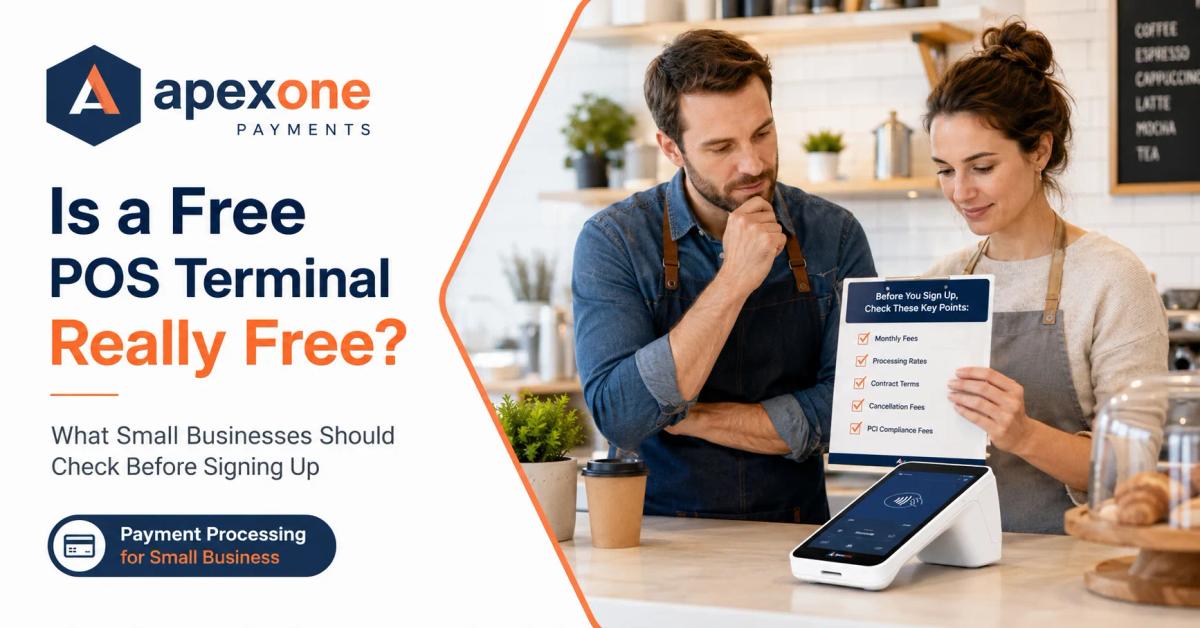
Payment Processing for Small Business Is a Free POS Terminal Really Free? What to Check Before Signing Up
Before accepting a free POS terminal, small business owners should know what “free” really means. This guide explains how payment processing for small business works, what fees to check, how to avoid hidden costs, and how Apex One Payments’ free terminal offer helps qualified merchants upgrade with more clarity and confidence.
When it comes to payment processing for small business, one offer always gets attention: a free POS terminal. But the real question is simple — can a credit card machine actually be free, or is there a catch hiding somewhere in the agreement?
The honest answer is this: sometimes a free POS terminal can be a good deal, but only when the terms are clear. Before you say yes, you need to understand the hardware, processing fees, contract, support, and what happens if your business changes later.
What “Free POS Terminal” Usually Means
A free POS terminal usually means the provider is giving you payment hardware with no upfront equipment cost. Instead of paying hundreds of dollars before you start accepting payments, you receive a terminal as part of your payment processing setup.
That sounds helpful, especially for small businesses that are watching cash flow.
A restaurant may need a new countertop device. A retail store may need a reliable terminal near the register. A salon may need a device that accepts cards and tips. A service business may need a wireless option that can move with the staff.
In those situations, a free terminal can reduce the pressure of getting started.
But “free” can mean different things depending on the provider.
Sometimes it means:
- No upfront cost
- No equipment purchase price
- No monthly rental fee
- Free hardware for qualified merchants
- Hardware included when you process with that provider
Other times, it may mean:
- The terminal is leased
- The device must be returned if you cancel
- The cost is built into higher processing rates
- There are monthly minimums or account fees
- You are locked into a long contract
- You pay a replacement fee if the terminal breaks
- You are charged if you stop processing early
That is why business owners should slow down before signing.
A free credit card machine for small business is not automatically bad. It can be a smart move when the provider is transparent. The problem is when the offer looks simple on the surface but becomes expensive after you read the fine print.
A good provider should be willing to answer every question in plain language.
Not fast. Not confusing. Not “don’t worry about it.” Just clear answers.
If you want a deeper understanding of how processing rates and fees work, Apex One Payments already has a full guide on payment processing for small business in 2026.
Payment Processing for Small Business: Why “Free” Should Always Be Checked Carefully
A free POS terminal is only one piece of your payment setup.
The bigger picture is your full payment processing cost.
You may not pay for the terminal upfront, but your business may still pay through:
- Transaction rates
- Monthly account fees
- PCI compliance fees
- Statement fees
- Batch fees
- Chargeback fees
- Gateway fees
- Minimum processing fees
- Cancellation fees
- Equipment return fees
This is where many business owners get caught.
They focus on the terminal because it is easy to understand. A device either costs money or it does not. But payment processing fees are harder to see. They show up slowly, month after month, inside the merchant statement.
That is why a “free” terminal should never be judged by the device alone.
You should ask:
What will this cost me every month after I start processing?
That is the real question.
A POS system for small business should help your business accept payments, run smoother, and understand sales more clearly. It should not create confusion around fees.
If the free terminal comes with fair processing, clear support, and simple terms, it may be a strong offer. If it comes with high rates, unclear fees, and a hard-to-cancel contract, it may not be free at all.
5 Things to Check Before You Say Yes
Before accepting any free POS terminal or free credit card machine for small business, use this checklist.
These five questions can save you from a bad agreement.
1. Is It a Lease Instead of Ownership?
This is the first thing to check.
Some providers use the word “free,” but the terminal is actually leased, rented, or provided under a condition. That means you may not own the device. You may have to return it if you cancel, or you may pay ongoing fees without realizing it.
There is nothing wrong with a provider-owned device if the terms are clear. But you should know exactly what you are getting.
Ask these questions:
- Do I own the terminal?
- Is this a lease?
- Is there a rental agreement?
- Do I return the terminal if I cancel?
- Is there a replacement cost if it is damaged?
- Will I ever be charged for the device later?
- Is the terminal tied to a contract?
This matters because POS system cost is not just about the upfront price. It is also about what happens over time.
Imagine a business owner who accepts a “free” device but later finds out they are paying a monthly equipment fee. Or they switch providers and get charged because the terminal was not returned in time.
That is the kind of surprise you want to avoid.
A transparent small business payment processor should explain the ownership clearly before you sign.
A simple answer is always better than a complicated one.
2. Are There Monthly Minimum or PCI Compliance Fees?
A terminal may be free, but the merchant account may still include monthly fees.
Some of these fees are normal in the payment processing world. Others depend on the provider and pricing model. The key is not to panic when you see fees. The key is to understand them before they show up on your statement.
Common merchant account fees may include:
- Monthly service fee
- PCI compliance fee
- Statement fee
- Monthly minimum fee
- Batch fee
- Gateway fee
- Chargeback fee
- Support fee
- Annual fee
The two fees many small business owners ask about are monthly minimums and PCI compliance fees.
A monthly minimum means your provider may expect your account to generate a certain amount in processing fees each month. If you do not hit that amount, you may pay the difference.
A PCI compliance fee is related to payment security requirements. Some providers charge it monthly or annually. Some handle it differently.
Before you accept a free terminal, ask:
- Will I have a monthly minimum?
- Is there a PCI compliance fee?
- Is there a statement fee?
- Is there a monthly account fee?
- Are there annual charges?
- Will these fees appear every month?
- Can you show me a sample statement?
This is where hidden credit card processing fees can quietly reduce profit.
A few small fees may not look serious, but if they appear every month, they add up. For example, $25 per month becomes $300 per year. If there are multiple small fees, the total grows fast.
For more details, you can read Apex One Payments’ guide on hidden credit card processing fees.
3. Is There an Early Termination Fee or Contract Lock-In?
This is one of the biggest questions.
A free terminal offer may require you to process with that provider for a specific period. That may be reasonable in some cases, but you need to know the details.
Ask:
- Is there a contract?
- How long is the contract?
- Can I cancel anytime?
- Is there an early termination fee?
- What happens if I close my business?
- What happens if I sell my business?
- What happens if I switch processors?
- Do I need to return the terminal?
- Will I be charged if I stop processing?
The issue is not only whether there is a contract. The issue is whether the contract is fair and clear.
Some small business owners sign quickly because the salesperson says, “The terminal is free.” Later, they realize they are locked into an agreement that does not fit their business anymore.
That is frustrating.
A good provider should not make you feel trapped. They should explain what happens if your business changes.
This is especially important for newer businesses. A restaurant may grow and need more devices. A retail store may add a second location. A salon may add more staff. A service business may move from countertop payments to mobile payments and invoices.
Your POS and payment processing setup should be flexible enough to support where your business is going.
If you are currently unsure whether your existing processor is still a good fit, you may want to read 7 signs your small business needs a merchant statement review.
4. What Happens If the Terminal Breaks or Needs Replacing?
Every business owner hopes the terminal works perfectly forever.
But real life happens.
Devices get dropped. Screens crack. Batteries wear down. Internet connections fail. Power issues happen. Staff members press the wrong buttons. Terminals can stop working at the worst possible time.
That is why support and replacement terms matter.
Before signing up, ask:
- Who do I call if the terminal stops working?
- Is support included?
- Is support available after normal business hours?
- What if the device needs repair?
- What if the device needs replacement?
- Is there a warranty?
- Do I pay shipping?
- How long does replacement take?
- Can I keep accepting payments while waiting?
This matters because a broken terminal can stop sales.
A busy restaurant cannot wait days to take card payments. A retail store cannot tell customers to come back later. A salon cannot make checkout awkward after the appointment. A service business cannot delay payment after the job is complete.
A POS system for small business should come with support that feels practical.
Not just a device in a box.
You need someone who can help you troubleshoot, replace, or guide you when something goes wrong.
That is one reason Apex One Payments focuses on both POS terminal solutions and payment support, not just hardware.
5. Are Transaction Rates Higher to Make Up for the “Free” Hardware?
This is the question many business owners forget to ask.
A provider may give you a free POS terminal, but increase the processing cost to make up for the hardware.
That does not always happen, but it can.
This is why you should never compare payment providers based only on the device.
You need to compare the full cost.
That includes:
- Card-present transaction rate
- Card-not-present transaction rate
- Debit card pricing
- Credit card pricing
- Monthly account fees
- PCI fees
- Chargeback fees
- Batch fees
- Gateway fees
- Equipment terms
- Contract terms
A lower equipment cost does not always mean a lower total cost.
For example, one provider may charge $0 upfront for the terminal but add higher transaction rates. Another provider may charge for equipment but offer lower processing costs. Another may offer a free terminal for qualified merchants with clear terms and fair pricing.
You need to look at the whole picture.
Ask your provider:
- What is my expected effective rate?
- What will my total monthly cost look like?
- Are these rates fixed or can they change?
- Are there extra fees for rewards cards?
- Are keyed-in payments priced differently?
- Are online payments priced differently?
- Can you explain the cost in simple words?
This is where a statement review helps.
If you already process payments, you can compare your current merchant account fees with the new offer. That gives you a better idea of whether the free terminal actually saves money.
Apex One Payments offers a Payment Savings Calculator that can help you start reviewing your current payment cost before you make a decision.
The Real Cost of a POS System for Small Business
When people search for POS system cost, they often want one simple number.
But the real answer depends on the business.
A small café, retail store, salon, auto repair shop, and mobile service business may all need different tools.
Your POS system cost may include:
- Hardware
- Software
- Payment processing
- Monthly service fees
- Staff features
- Inventory tools
- Customer features
- Tip settings
- Online payments
- Invoicing
- Payment links
- Support
- Reporting
- Additional devices
That is why the cheapest POS setup is not always the best one.
A simple countertop terminal may be enough for one business. Another business may need a full POS station. Another may need mobile readers. Another may need a POS kiosk. Another may need online payments and invoices more than physical hardware.
If you run a restaurant, your needs may include tips, table-side payments, kitchen flow, and fast checkout. You can explore restaurant payment options on the Apex One Payments restaurant solutions page.
If you run a retail store, inventory and reporting may matter more. Apex has a dedicated retail POS and inventory platform page, plus a useful guide on retail payment processing tips for store owners.
If you run a salon or personal service business, tips, customer records, and flexible checkout may be more important. You can review the salon and spa payment solutions page or the broader personal services POS and payments page.
The right POS system for small business should match how your business actually gets paid.
Do not buy hardware just because it looks modern.
Buy the setup that fits your checkout flow, customer habits, staff needs, and payment volume.
Free Credit Card Machine for Small Business: When It Can Be a Good Deal
A free credit card machine for small business can be a good deal when the offer is simple, clear, and matched to your business needs.
It may make sense when:
- You are starting a new business
- Your current terminal is outdated
- You want to accept tap, chip, and contactless payments
- You need wireless payment acceptance
- You want to reduce upfront equipment costs
- You are switching to a better small business payment processor
- You understand the processing fees
- You understand the terms
- You know what support is included
The offer becomes risky when:
- You do not know if you own the device
- The provider avoids fee questions
- Monthly charges are unclear
- The contract is hard to understand
- Cancellation terms are hidden
- Replacement terms are not explained
- Transaction rates are higher than expected
- Support is weak
- The device does not fit your business
A good free terminal offer should make your life easier, not more confusing.
That is the standard you should use.
How Apex One Payments’ Free Terminal Offer Works
Apex One Payments keeps the free terminal offer simple.
Qualified merchants can apply for a free Dejavoo QD2 terminal through the Apex One Payments free terminal page.
The offer is built around a clear idea: eligible businesses can receive the QD2 device with no terminal cost and no upfront equipment fee.
The Dejavoo QD2 is a wireless Android payment terminal designed for modern card acceptance. It can support common payment methods such as chip, tap, swipe, and contactless payments.
Here is the plain-language version of how the offer works:
1. You Fill Out the Free Terminal Form
You visit the free Dejavoo QD2 terminal page and submit your business details.
This helps Apex One Payments understand your business type, contact information, and payment needs.
2. Apex Reviews Your Business Fit
The free terminal offer is for qualified merchants. That means Apex One Payments reviews whether the device and payment setup make sense for your business.
This is important because not every business needs the same terminal. A small retail store may need a countertop terminal. A service business may need something wireless. A restaurant may need a different setup depending on its checkout flow.
3. You Understand the Payment Setup Before Moving Forward
Before you move forward, you should understand the processing setup, payment rates, support, and any business requirements.
This is where Apex One Payments should feel different from a pushy provider. The goal is not to rush you into hardware. The goal is to help you choose the right payment setup.
4. You Receive the QD2 With No Upfront Terminal Cost If Qualified
If your business qualifies, the QD2 terminal is provided at $0 upfront terminal cost.
That helps small businesses avoid a large equipment purchase before they start accepting payments.
5. You Get Support With Setup and Payment Acceptance
A free terminal is only useful if it works properly.
Apex One Payments includes support to help businesses get started with the device and payment acceptance.
That matters because setup questions are normal. Staff may need guidance. Owners may need help understanding the dashboard, transactions, receipts, or basic troubleshooting.
6. You Can Explore Other Payment Tools If Your Business Needs More
Some businesses may start with the QD2 and later need more tools.
For example:
- A retail store may need stronger inventory tools
- A restaurant may need table-side or counter payments
- A quick-service restaurant may need a POS kiosk
- A service business may need invoices and payment links
- A growing business may need reporting and analytics
Apex One Payments also has a products page where business owners can explore payment devices and platform tools.
The most important thing is that the offer should match your business, not force you into the wrong setup.
Why Transparency Matters More Than the Word “Free”
The word “free” gets attention.
But transparency builds trust.
A free POS terminal is helpful only when you know what you are agreeing to.
Before signing up with any provider, make sure you understand:
- Who owns the device
- What happens if you cancel
- What processing rates apply
- What merchant account fees apply
- Whether there are monthly minimums
- Whether PCI fees apply
- Whether support is included
- Whether replacement is covered
- Whether the system fits your business
A provider that cares about long-term relationships should welcome these questions.
If a provider gets annoyed when you ask about fees, that is a warning sign.
You are not being difficult. You are being responsible.
This is your business. Your money moves through this system every day. You deserve clear answers.
How to Compare Free Terminal Offers Side by Side
If you are comparing two or three providers, do not rely on memory.
Create a simple comparison.
Use these columns:
- Provider name
- Device offered
- Upfront cost
- Monthly equipment fee
- Ownership or return terms
- Transaction rates
- Monthly account fees
- PCI fees
- Contract length
- Cancellation fee
- Replacement policy
- Support availability
- Best fit for your business type
This makes the decision easier.
You may find that the provider with the “free” device is not the lowest-cost option. Or you may find that the free terminal offer is actually fair and useful.
Either way, you will know.
That is the point.
Good decisions come from clear information.
When You Should Not Accept a Free POS Terminal
A free terminal is not right for every business.
You may want to pause if:
- The provider will not explain the fees
- You cannot see the contract terms
- You do not know if you own or return the terminal
- The transaction rates seem high
- The support process is unclear
- The terminal does not fit your business needs
- The agreement includes a long lock-in you are not comfortable with
- You feel rushed to sign
Feeling rushed is a serious warning sign.
A good payment provider should help you compare, understand, and decide.
They should not make you feel like the offer disappears if you ask one more question.
When a Free POS Terminal Makes Sense
A free POS terminal may make sense when:
- Your current terminal is old or unreliable
- You want to reduce upfront equipment cost
- You need modern payment acceptance
- You understand the processing rates
- You understand all account fees
- You are comfortable with the terms
- Support is included
- The device fits your business type
- The provider can explain everything clearly
For many small businesses, this can be a practical way to upgrade payments without buying hardware upfront.
The key is choosing a provider that is honest about the full setup.
Final Thoughts: Free Can Be Good, But Only If It Is Clear
So, is a free POS terminal really free?
Sometimes yes.
But only when the provider is transparent about the device, payment processing, merchant account fees, support, and terms.
A free terminal should not be a trick. It should be a helpful starting point for a better payment setup.
Before you sign up, ask the right questions. Look beyond the hardware. Review the full cost. Understand your contract. Make sure the terminal fits your business.
And if you want a clear place to start, review the Apex One Payments free Dejavoo QD2 terminal offer.
Qualified merchants can apply for a free QD2 terminal with no upfront terminal cost. You can also use the Payment Savings Calculator or contact Apex One Payments to talk through your current payment setup before making a decision.
Your payment system touches every sale.
Make sure it is helping your business, not quietly costing you more than you expected.
FAQs About Free POS Terminals and Payment Processing
Is a free POS terminal really free?
A free POS terminal can be free upfront, but you still need to check the full payment processing setup. Ask about transaction rates, monthly fees, PCI fees, contract terms, cancellation fees, equipment ownership, and replacement rules before signing.
Do I own the terminal or rent it?
That depends on the provider. Some free POS terminal offers provide hardware for qualified merchants at no upfront cost, while others may involve leasing, rental terms, or return requirements. Always ask whether you own the device or must return it if you cancel.
What is the catch with free credit card machines?
The catch may be higher transaction rates, monthly account fees, PCI compliance fees, contract lock-ins, cancellation fees, or equipment return rules. Not every free offer has a catch, but every offer should be reviewed carefully.
Can I get a free credit card machine for small business?
Yes, some payment processors offer a free credit card machine for small business owners who qualify. Apex One Payments offers qualified merchants the option to apply for a free Dejavoo QD2 terminal with no upfront terminal cost.
What fees should I check before accepting a free POS terminal?
Check transaction rates, merchant account fees, PCI compliance fees, statement fees, monthly minimums, batch fees, chargeback fees, gateway fees, equipment fees, and early termination fees.
Is a free POS terminal better than buying one?
It depends on your business. A free terminal can reduce upfront cost, but buying a device may make sense if you want more control over hardware. The better choice depends on pricing, ownership, support, and total processing cost.
Can a free POS terminal work for restaurants?
Yes, but restaurants should make sure the terminal supports tips, fast checkout, table-side payment needs, receipts, and reliable support. Full-service restaurants may need more than one terminal depending on their workflow.
Can retail stores use a free POS terminal?
Yes, many retail stores can use a free POS terminal for card payments. However, retail businesses should also consider inventory tools, reporting, refunds, barcode scanning, and customer management if they need a full POS system.
What is the difference between a POS terminal and a POS system?
A POS terminal is usually the device used to accept payments. A POS system is broader. It may include hardware, software, inventory, reporting, customer management, staff permissions, and payment processing.
How do I know if my current processor is charging hidden fees?
Review your merchant statement and look for monthly fees, PCI fees, statement fees, batch fees, gateway fees, chargeback fees, and other account charges. If the statement is confusing, request a merchant statement review.
Should I switch processors just to get a free terminal?
Not always. A free terminal is helpful only if the full payment setup makes sense. Compare total cost, support, contract terms, and processing rates before switching.
How do I claim Apex One Payments’ free terminal offer?
Visit the Apex One Payments free terminal page, submit your business details, and the team will review whether your business qualifies for the Dejavoo QD2 terminal offer.