
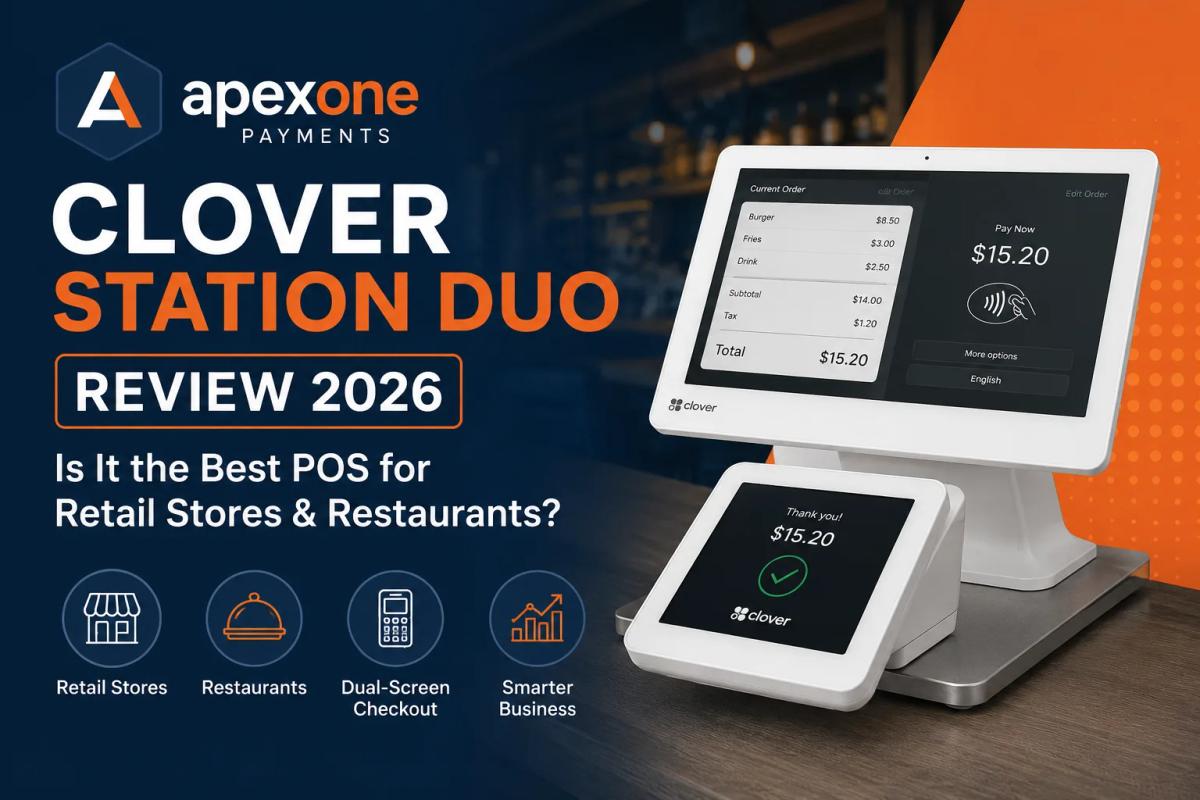
Clover Station Duo Review 2026 Best POS for Retail Stores & Restaurants?
Thinking about Clover Station Duo? Learn its features, benefits, payment processing fees, and whether it is the right POS system for retail stores, restaurants, and small businesses in 2026.
Choosing a POS system sounds simple until you actually start comparing options.
One system says it is best for restaurants. Another says it is perfect for retail stores. Some companies talk about low payment processing rates. Others focus on hardware, apps, inventory, reporting, or customer experience.
For a small business owner, it can get confusing fast.
That is why many business owners search for Clover Station Duo or Clover Duo Station when they want a modern, professional, and easy-to-use POS setup.
Clover Station Duo is popular because it gives businesses a large cashier-facing screen, a customer-facing screen, built-in payment acceptance, and tools that can help with sales, inventory, employees, and reporting.
But here is the honest truth.
The POS device matters, but it is not the only thing that matters.
Your payment processing, processing fees, merchant services provider, contract terms, support, and business type are just as important.
A great POS with the wrong payment setup can still cost your business too much.
In this guide, we will break down what Clover Station Duo is, who it is good for, what small businesses should check before choosing it, and how Apex One Payments can help you find the right POS and payment solution.
What Is Clover Station Duo?
Clover Station Duo is a countertop POS system designed for businesses that need a professional checkout station.
It usually includes two screens:
One screen faces the cashier or staff member.
The second screen faces the customer.
This setup makes checkout smoother because customers can see their order, review the total, add a tip if needed, and complete payment more easily.
For many small businesses, this feels more modern than using a basic card terminal or old cash register.
Clover Station Duo can support:
- Card payments
- Contactless payments
- Tap, dip, and swipe payments
- Customer-facing checkout
- Sales tracking
- Employee access
- Inventory tools
- Receipts
- Discounts
- Reporting
- Apps and integrations
That is why many businesses looking for POS systems for small businesses consider Clover.
It is not just a payment machine. It is a full checkout system.
You can explore Apex One Payments POS and payment products to find a setup that fits your business.
Why Business Owners Search for Clover Duo Station
Business owners usually search for Clover Duo Station because they want something better than a basic terminal.
A basic terminal may accept card payments, but it does not always help with the rest of the business.
For example, a retail store may need inventory tracking.
A restaurant may need tip management.
A salon may need staff access and customer history.
A convenience store may need fast checkout.
A small shop may need simple reporting.
Clover Station Duo gets attention because it looks professional and gives businesses a more complete checkout experience.
Business owners are usually trying to answer questions like:
- Is Clover Station Duo worth it?
- Is it good for restaurants?
- Is it good for retail stores?
- How much does it cost?
- What payment processing fees come with it?
- Can I use it with better merchant services?
- Is there a better POS for my business?
- Do I need an all in one POS system?
These are smart questions.
A POS system is not something you should choose only because it looks good on the counter. It should fit the way your business actually operates every day.
Clover Station Duo Features Small Businesses Should Know
Clover Station Duo has several features that make it attractive for small businesses.
Dual-Screen Checkout
The biggest feature is the two-screen setup.
The cashier uses one screen to enter products, manage orders, apply discounts, and complete the sale.
The customer uses the second screen to review the order and complete payment.
This helps reduce confusion during checkout and gives the customer a cleaner experience.
Built-In Payment Acceptance
Clover Station Duo supports common payment methods, including chip cards, swipe, tap-to-pay, and contactless wallet payments.
In 2026, customers expect quick and flexible payment options. If your checkout feels outdated, it can hurt the customer experience.
Sales Reporting
A good POS should help you understand what is happening in your business.
Clover can provide sales reports that help business owners see revenue, transaction activity, employee performance, and other business data.
Inventory Support
For retail businesses, inventory matters a lot.
A POS that helps track products, stock levels, and sales activity can save time and reduce mistakes.
Employee Management
Business owners can set staff permissions, track activity, and manage who has access to different parts of the POS.
This is helpful when multiple employees use the system.
Customer-Friendly Experience
The customer-facing screen makes the checkout process more transparent.
Customers can see what they are buying, confirm the total, and complete payment without guessing.
App Marketplace
Clover also has app options that may help businesses add extra features depending on their needs.
This can be useful for businesses that want more tools as they grow.
Is Clover Station Duo Good for Retail Stores?
Yes, Clover Station Duo can be a good option for many retail stores.
Retail businesses need more than just payment acceptance. They need speed, product tracking, simple checkout, and clear reporting.
If you own a clothing store, gift shop, convenience store, beauty store, smoke shop, grocery store, jewelry store, or small retail shop, a modern POS for retail store setup can help your team work faster and stay organized.
A retail POS should help with:
- Product lookup
- Barcode scanning
- Inventory tracking
- Customer receipts
- Discounts and promotions
- Returns and exchanges
- Employee permissions
- Daily sales reports
- Payment processing
- Customer checkout
Clover Station Duo can be useful because it gives the store a clean checkout counter and helps staff complete sales more professionally.
But before choosing it, retail store owners should ask:
- Does it manage my inventory the way I need?
- Can it handle my product categories?
- Does it support barcode scanning?
- Are the payment processing fees clear?
- Will I get support if something goes wrong?
- Is the software monthly cost affordable?
- Will this POS grow with my business?
The device is only one part of the decision. The full payment and POS setup matters.
Apex One Payments offers retail POS solutions that help store owners accept payments, manage sales, and improve daily operations.
Is Clover Station Duo Good for Restaurants?
Clover Station Duo can also be a strong option for many restaurants, especially quick-service restaurants, cafés, bakeries, pizza shops, food counters, and casual dining businesses.
Restaurants need fast and simple checkout. Customers do not want to wait while staff struggle with a slow POS.
A good restaurant POS system should support:
- Quick order entry
- Menu management
- Tip options
- Customer-facing payments
- Receipts
- Staff access
- Sales reports
- Discounts
- Online or takeout order support
- Smooth payment processing
For restaurants, the customer-facing screen can be helpful because customers can review the order, add a tip, and pay more easily.
That can improve the checkout experience and reduce mistakes.
But restaurants should still think carefully before choosing any POS system.
A full-service restaurant may need table management, split checks, kitchen printing, server tracking, and more advanced order features.
A quick-service restaurant may care more about speed, counter checkout, and simple menu control.
So, the best POS system for restaurant use depends on your restaurant type.
Apex One Payments helps restaurant owners choose POS and payment solutions based on how the business actually runs. You can explore restaurant POS solutions for a better fit.
Clover Station Duo vs. Basic Payment Terminal
A basic payment terminal is mainly built to accept payments.
It can handle card transactions, but it usually does not give you full business management tools.
Clover Station Duo is different because it works more like an all in one POS system.
Here is the simple difference.
Basic Payment Terminal
A basic terminal usually helps with:
- Card payments
- Receipts
- Simple transaction history
- Basic settlement
It may be enough for very small businesses that only need payment acceptance.
Clover Station Duo
Clover Station Duo can help with:
- Card payments
- Customer-facing checkout
- Sales reporting
- Product or menu management
- Inventory support
- Employee access
- Apps
- Business tools
- Better checkout experience
So, if you only need to take payments, a basic terminal may work.
But if you want checkout, reporting, inventory, and customer experience in one place, Clover Station Duo may make more sense.
That is why many business owners searching for the best POS systems for small businesses compare Clover with other POS options before deciding.
Clover Station Duo vs. Commercial Payment Kiosk
A commercial payment kiosk is usually a self-service payment station.
It can be useful in businesses where customers place orders or pay without staff help.
Examples include:
- Quick-service restaurants
- Cafés
- Food courts
- Ticket counters
- Service centers
- Retail checkout areas
- Self-ordering environments
A kiosk can reduce lines and free up staff, but it may not be right for every business.
Clover Station Duo is not the same as a full self-service kiosk.
It is more of a staff-operated POS system with a customer-facing screen.
That means your staff still manages the sale, but the customer gets a better checkout experience.
Clover Station Duo May Be Better If:
- Staff handle the checkout
- You want a professional counter POS
- Customers need to review totals
- You want customer-facing payments
- You need POS tools and reporting
A Commercial Payment Kiosk May Be Better If:
- Customers place their own orders
- You want self-service checkout
- You need to reduce staff workload
- You have high-volume ordering
- Your business model supports self-service
For many small businesses, Clover Station Duo is a more practical choice than a full kiosk because it is easier to use at a normal checkout counter.
Payment Processing Fees Matter More Than the Device
This is the part many business owners miss.
A POS device can look great, but your payment processing fees are what affect your profit every month.
When you choose Clover Station Duo or any POS system, you should not only ask about the hardware price.
You should also ask:
- What is my processing rate?
- Are there monthly software fees?
- Are there PCI fees?
- Are there statement fees?
- Are there batch fees?
- Are there chargeback fees?
- Is the equipment leased or owned?
- Is there a contract?
- Are there cancellation fees?
- What is my real effective rate?
- Who supports me if something goes wrong?
Many small businesses overpay because they only focus on the device and ignore the processor behind it.
That is a costly mistake.
A POS system should help you make money, not quietly drain profit through confusing fees.
Apex One Payments can help business owners review their current payment setup and see whether they are paying more than they should.
You can start by using the payment savings calculator.
You can also read this helpful guide on hidden credit card processing fees.
What to Check Before Choosing a POS System
Before choosing Clover Station Duo or any other POS system, take a step back and look at your business needs.
A POS should match your daily workflow.
Here are the most important things to check.
1. Your Business Type
A restaurant does not operate like a retail store.
A salon does not operate like a convenience store.
A medical office does not operate like a food truck.
Your POS should fit your industry.
2. Payment Methods
Customers want flexible payments.
Your POS should support chip cards, tap-to-pay, mobile wallets, contactless payments, and other common payment types.
3. Processing Fees
Ask for clear pricing.
Do not accept vague answers.
You should understand your total payment processing cost.
4. Hardware Cost
Ask whether the hardware is purchased, leased, rented, or included.
A “free” device may not always be truly free if the cost is hidden in fees.
5. Monthly Software Fees
Many POS systems have software plans.
Make sure the monthly cost makes sense for your business.
6. Reporting
Your POS should help you understand sales, staff activity, customer behavior, and business performance.
7. Inventory or Menu Tools
Retail stores need inventory tools.
Restaurants need menu and order tools.
Choose the system based on what you actually use.
8. Support
Support matters.
When your POS stops working, your business needs help quickly.
9. Scalability
Your POS should grow with your business.
A cheap setup may work today but limit you later.
10. Merchant Services Provider
The provider behind the POS matters.
Good merchant services for small business should include fair pricing, reliable support, and clear communication.
When an All in One POS System Makes More Sense
An all in one POS system makes sense when you want payments, sales, reporting, inventory, and customer experience connected in one place.
Instead of using one tool for payments, another for reporting, and another for inventory, an all-in-one system helps bring everything together.
This can save time and reduce mistakes.
An all in one POS system is useful for businesses that want:
- Faster checkout
- Better reporting
- Inventory tracking
- Customer management
- Employee controls
- Payment processing
- Better sales visibility
- Fewer manual tasks
For many small businesses, this is the smarter direction.
The goal is not just to accept payments.
The goal is to run the business better.
Clover Station Duo can be part of that type of setup, depending on your needs.
Apex One Payments can help you compare POS options and choose a system that fits your business instead of forcing you into something generic.
Can Apex One Payments Help You Get the Right Clover POS Setup?
Yes.
Apex One Payments helps small businesses choose payment and POS solutions based on their real needs.
That may include Clover POS options, retail POS solutions, restaurant POS systems, payment terminals, or other payment products.
The goal is not to sell every business the same device.
The goal is to understand:
- What type of business you run
- How you accept payments
- How much volume you process
- What your current fees look like
- What POS features you need
- Whether you need retail or restaurant tools
- Whether you need a countertop or mobile setup
- Whether you are overpaying now
This matters because the wrong POS can create stress.
The right POS can make checkout smoother, reporting easier, and payments more reliable.
Apex One Payments can help with:
- Payment processing
- Merchant services for small business
- POS systems for small businesses
- Clover POS options
- Retail POS solutions
- Restaurant POS solutions
- Payment savings review
- Free POS terminal options
- All in one payment solution setup
- Support for in-person and on-the-go payments
To speak with Apex One Payments, visit Contact Apex One Payments.
Final Verdict: Is Clover Station Duo Worth It in 2026?
Clover Station Duo can be worth it for many small businesses in 2026.
It is especially useful if you want a professional countertop POS system with a cashier screen, customer-facing display, payment acceptance, and business management tools.
It can be a good fit for:
- Retail stores
- Restaurants
- Cafés
- Bakeries
- Convenience stores
- Smoke shops
- Beauty stores
- Gift shops
- Quick-service restaurants
- Service businesses
But it is not only about the device.
Before choosing Clover Station Duo, you should understand the full setup, including hardware cost, software cost, payment processing fees, contract terms, support, and whether the system fits your business.
The best POS system is not always the most popular one.
It is the one that helps your business checkout faster, manage better, lower unnecessary costs, and serve customers with less stress.
Apex One Payments can help you review your options and choose the right POS and payment processing setup for your business.
FAQs About Clover Station Duo
What is Clover Station Duo?
Clover Station Duo is a countertop POS system with a cashier-facing screen and a customer-facing screen. It helps businesses accept payments, manage checkout, view reports, and run daily sales more smoothly.
Is Clover Station Duo good for small businesses?
Yes, Clover Station Duo can be a good option for many small businesses, especially retail stores, restaurants, cafés, convenience stores, and service businesses that need a modern checkout system.
What is the difference between Clover Station Duo and Clover Duo Station?
Many people use the names Clover Station Duo and Clover Duo Station to refer to the same type of Clover dual-screen POS setup. The main idea is a POS station with both a business-facing and customer-facing screen.
Is Clover Station Duo good for restaurants?
Clover Station Duo can work well for many restaurants, especially quick-service restaurants, cafés, bakeries, and counter-service food businesses. Full-service restaurants should also check if they need table management, split checks, and kitchen workflow features.
Is Clover Station Duo good for retail stores?
Yes, Clover Station Duo can be useful for retail stores that need checkout, payment processing, inventory tools, employee access, and sales reporting.
Does Clover Station Duo include payment processing?
Clover Station Duo is built for payment acceptance, but the full processing setup depends on your merchant services provider. Business owners should always review processing fees, monthly costs, and contract terms.
What fees should I check before choosing Clover Station Duo?
You should check payment processing fees, monthly software fees, PCI fees, statement fees, batch fees, chargeback fees, equipment fees, and cancellation terms.
Is Clover Station Duo better than a basic payment terminal?
Clover Station Duo is better if you need more than payment acceptance. It can help with checkout, reporting, inventory, employee access, and customer-facing payments. A basic terminal may be enough if you only need simple card processing.
Is Clover Station Duo an all in one POS system?
Clover Station Duo can work as an all in one POS system for many businesses because it combines payment acceptance, checkout, reporting, customer-facing display, and business tools.
How can Apex One Payments help with Clover Station Duo?
Apex One Payments can help business owners review their POS needs, compare payment processing options, understand fees, and choose the right Clover POS or payment solution for their business.