
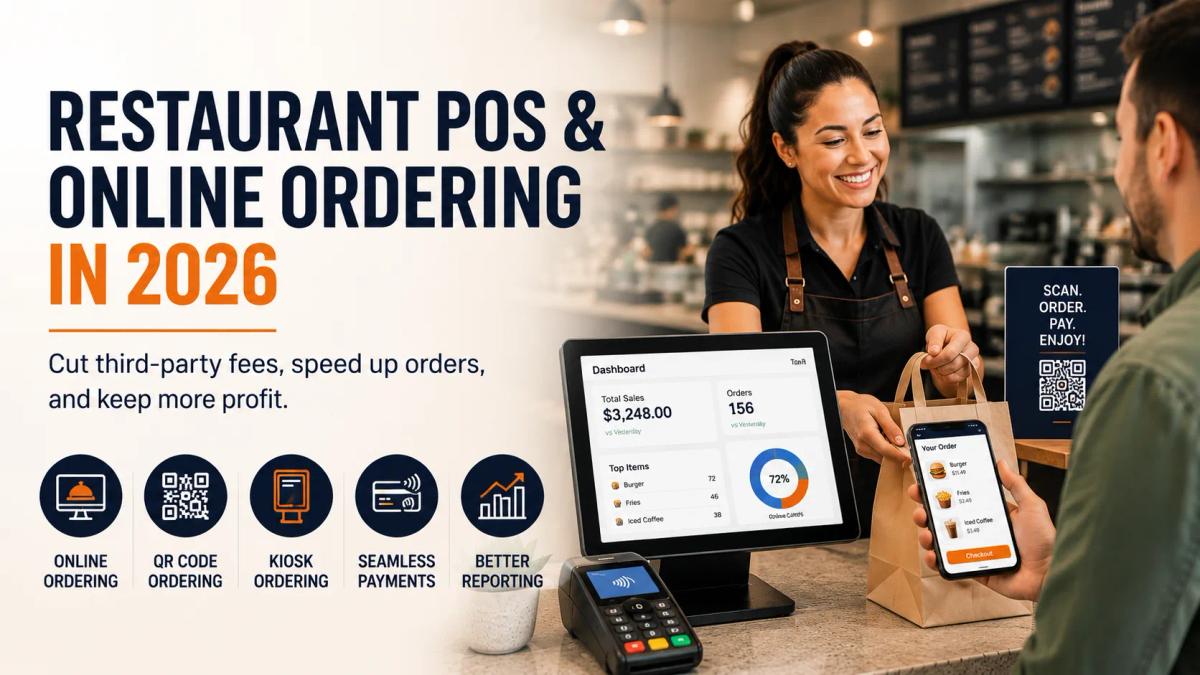
Restaurant POS and Online Ordering in 2026 How Small Businesses Can Cut Fees, Speed Up Orders, and Keep More Profit
Restaurants do not need more disconnected tools. They need a POS and online ordering setup that helps staff move faster, keeps orders organized, supports better payment processing, and helps owners protect profit. This guide explains what small restaurant businesses should look for in 2026 before choosing a POS system, online ordering platform, kiosk, or payment provider.
Running a restaurant in 2026 is not only about good food.
It is about speed, margins, staff pressure, online orders, delivery apps, customer expectations, and payment fees.
A customer may order from your website, scan a QR code at the table, walk up to a kiosk, pay at the counter, order through a delivery app, or call for pickup. Your staff then has to manage the order, send it to the kitchen, collect payment, print receipts, update reports, and keep everything moving during the rush.
That is a lot.
And when your systems are disconnected, it gets messy fast.
That is why the right restaurant POS and online ordering setup matters.
A good system should not just take payments. It should help your restaurant accept orders, process payments, manage tickets, reduce manual work, and keep more profit inside the business.
This guide breaks down what restaurant owners should look for in 2026 when comparing POS for small businesses, online ordering platforms, payment processing, QR ordering, kiosks, Clover POS, Toast POS, Square POS, and restaurant payment solutions.
Why Restaurants Need More Than a Basic Card Terminal
A basic card terminal can accept payments, but most restaurants need more than that now.
Restaurants deal with fast-moving orders, menu changes, tips, modifiers, delivery apps, pickup shelves, refunds, split payments, staff permissions, reporting, and customer expectations that change quickly.
A simple terminal may work for a very small operation, but once orders start coming from multiple places, the restaurant needs a better system.
A modern restaurant may need to manage:
- Counter orders
- Online orders
- QR code orders
- Kiosk orders
- Delivery orders
- Pickup orders
- Dine-in payments
- Tips
- Menu changes
- Kitchen tickets
- Staff activity
- Daily sales reports
- Payment processing costs
This is why many restaurant owners start searching for a restaurant POS system or POS system for restaurants instead of only looking for a card reader.
Apex One Payments has dedicated restaurant payment solutions for different business types, including restaurant POS and payments, quick-service restaurants, full-service restaurants, and cafés and coffee shops.
The Real Problem: Restaurants Are Losing Time and Profit in Too Many Places
Most restaurant owners do not wake up thinking about POS software.
They think about real problems.
The line is too long.
The kitchen is missing orders.
Delivery apps are taking a big piece of revenue.
Customers are calling to ask where their pickup order is.
Staff members are entering the same order twice.
The POS report does not match the payment batch.
The card processing fees look higher every month.
That is the real reason restaurant technology matters.
A better POS and payment setup should help reduce these daily headaches.
The goal is not to buy the most expensive system.
The goal is to choose tools that help the restaurant work better.
What Competitors Are Targeting and Why It Matters
Big POS brands are already fighting for restaurant keywords like Clover POS, Toast POS, Square POS, restaurant POS system, online ordering, QR code ordering, kiosk ordering, and payment processing.
That tells us something important.
Restaurant owners are not searching for just one thing anymore.
They are searching for a full setup:
- POS system
- Online ordering
- Payment processing
- Kiosk ordering
- QR ordering
- Delivery management
- Reporting
- Lower fees
- Better hardware
- Small business support
That is where Apex One Payments can compete.
The conversation should not only be “we offer payments.” It should help the owner understand what they need, then naturally guide them toward the right restaurant POS, online ordering, kiosk, payment processing, and support setup.
What Is a Restaurant POS System?
A restaurant POS system is the main system your restaurant uses to take orders, accept payments, send tickets, track sales, manage staff activity, and understand daily performance.
A good restaurant POS system can support:
- Counter checkout
- Table service
- Menu items
- Modifiers
- Tips
- Receipts
- Kitchen orders
- Online ordering
- Delivery orders
- Kiosk orders
- Reporting
- Payment processing
- Staff permissions
For small restaurants, the POS should be simple enough for staff to learn quickly but strong enough to handle busy hours.
This is why POS for small businesses should not be one-size-fits-all.
A coffee shop, pizza shop, food truck, bakery, and full-service restaurant all need different workflows.
What Is Online Ordering for Restaurants?
Online ordering for restaurants allows customers to place orders from a website, mobile page, QR code, or branded ordering experience instead of calling the restaurant or only using third-party apps.
Online ordering can support:
- Pickup orders
- Takeout orders
- Delivery orders
- Scheduled orders
- Menu browsing
- Order customization
- Online payment
- Customer notifications
- Kitchen ticket routing
- Reporting
The big benefit is control.
When customers order directly from your restaurant, you have more control over the menu, pricing, customer experience, and order flow.
Apex’s Quick-Service Restaurant POS page is a useful place to explore branded ordering, QR menus, kiosk ordering, pickup workflows, delivery tools, and connected restaurant payment solutions.
Why Third-Party Delivery Apps Are Not Enough
Third-party delivery apps can help restaurants get visibility, but depending on them too much can create problems.
Many restaurant owners use delivery apps because customers are already there. That makes sense. But if most of your online orders depend on outside platforms, you may lose control over parts of the business that matter.
Common problems include:
- High commission pressure
- Less direct customer data
- Less control over the customer relationship
- Menu update issues
- Order confusion during busy hours
- Harder reporting
- Different tablets for different apps
- Lower profit on delivery orders
- Less control over promotions
This does not mean restaurants should never use third-party delivery apps.
It means restaurants should not depend only on them.
A better setup gives you both options: direct online ordering for customers who already know you, and delivery order management for marketplace orders.
That is a healthier restaurant strategy.
What Is Commission-Free Online Ordering?
Commission-free online ordering means customers can order directly from your restaurant’s own branded ordering page without the restaurant paying marketplace-style commissions on every order.
The simple idea is this:
A customer visits your website.
They place an order.
The order goes into your restaurant workflow.
The payment is processed.
Your team prepares the order.
The customer picks it up or receives delivery depending on your setup.
Instead of sending every customer to a third-party marketplace, your restaurant builds its own direct ordering channel.
This is powerful because repeat customers already know your restaurant. They do not always need a marketplace to find you.
They just need an easy way to order.
Why Direct Online Ordering Helps Small Restaurants
Direct online ordering can help restaurants:
- Keep more profit from repeat customers
- Reduce phone orders
- Lower manual order entry
- Control menu pricing
- Promote pickup orders
- Build customer relationships
- Improve order accuracy
- Connect orders with POS reporting
- Create a smoother pickup experience
For example, a customer who already loves your pizza shop should not have to order through an app every time. They should be able to order directly from your website.
That can help the restaurant protect margin while still giving the customer convenience.
Why Your Online Ordering System Should Connect to Your POS
Online ordering is helpful, but only when it connects properly.
If online orders come into one tablet, delivery orders come into another tablet, and counter orders live inside the POS, staff may end up entering orders manually.
That creates mistakes.
A connected setup can help bring orders into one workflow.
This can improve:
- Kitchen ticket routing
- Order timing
- Pickup coordination
- Reporting
- Payment reconciliation
- Staff workflow
- Customer notifications
- Menu management
The idea is simple: online ordering should not create more work. It should reduce work.
QR Code Ordering for Restaurants
QR code ordering lets customers scan a code with their phone, view the menu, place an order, and sometimes pay directly from their device.
This can work well for:
- Dine-in tables
- Patio seating
- Food trucks
- Cafés
- Waiting areas
- Counter-service restaurants
- Bars
- Quick-service restaurants
- Event food vendors
For restaurants, QR ordering can reduce pressure on staff because customers can order without waiting for someone to take the order.
But it should be used carefully.
Not every customer wants to scan a QR code. Some customers still prefer a person. The best restaurant setup gives people options.
When QR Ordering Makes Sense
QR ordering can help when:
- Tables wait too long to order
- Patio areas are hard to staff
- Customers want quick reorders
- The restaurant has limited staff
- The menu is simple enough to browse
- Orders can go directly to the kitchen
- Payments can be handled securely
- Staff can still help customers who need personal service
The key is balance.
QR ordering should make the restaurant feel easier, not colder.
A friendly staff experience still matters.
Restaurant Kiosk Ordering
A restaurant kiosk lets customers place orders themselves using a touchscreen.
This works best in fast-moving environments where customers can choose items, customize orders, and pay without waiting at the counter.
Kiosks can be useful for:
- Quick-service restaurants
- Burger shops
- Pizza shops
- Cafés
- Bakeries
- Ice cream shops
- Fast-casual restaurants
- Food courts
- High-traffic takeout restaurants
- Campus food locations
Apex One Payments offers an Apex Kiosk solution for businesses that want self-ordering, integrated payments, menu browsing, order customization, and a smoother checkout experience.
Why Kiosks Can Help Restaurants
A kiosk can help restaurants:
- Reduce counter lines
- Let customers order at their own pace
- Improve order accuracy
- Display menu photos
- Suggest add-ons
- Support busy lunch or dinner rushes
- Free staff to focus on food and service
- Connect ordering and payment in one flow
That does not mean every restaurant needs a kiosk.
A kiosk should solve a real problem. If your restaurant has low order volume or customers need a lot of personal guidance, a kiosk may not be the first priority.
But for quick-service and high-traffic restaurants, kiosk ordering can be a serious advantage.
For a deeper comparison, you can also read Apex’s guide on Countertop Payment Terminal vs Clover Station vs POS Kiosk.
Payment Processing Still Matters
Online ordering and POS features are important, but payment processing still affects profit every day.
A restaurant can have great sales and still lose too much money through payment fees.
Your total payment cost may include:
- Card transaction fees
- Online payment fees
- Monthly software fees
- Equipment fees
- PCI fees
- Statement fees
- Batch fees
- Gateway fees
- Chargeback fees
- Contract terms
That is why restaurant owners should not only ask:
“What POS system should I use?”
They should also ask:
“What am I paying to accept payments?”
A good small business POS system should be paired with clear payment processing. Otherwise, the restaurant may upgrade technology but still lose money through confusing fees.
To understand the money side better, read Apex’s guide on Payment Processing for Small Business in 2026 and the article on 7 Signs Your Small Business Needs a Merchant Statement Review.
Clover POS, Toast POS, Square POS: What Restaurant Owners Should Think About
Many restaurant owners compare Clover, Toast, Square, and other POS platforms.
That is normal.
Each platform has strengths, and the right choice depends on business type, order volume, support needs, hardware, software, payment processing, and total cost.
But here is the advice I would give a restaurant owner as a friend:
Do not choose a POS only because someone else uses it.
Choose the system that fits your daily workflow.
Ask yourself:
- Do we need full-service restaurant tools?
- Do we need quick-service speed?
- Do we need online ordering?
- Do we need QR ordering?
- Do we need a kiosk?
- Do we need delivery app management?
- Do we need strong reporting?
- Do we need lower payment processing costs?
- Do we need local support?
- Do we understand the contract?
- Do we understand the hardware cost?
Apex One Payments has already published a comparison on Clover vs Square vs Toast POS, which is useful for restaurant owners actively comparing POS options.
You can also review Apex’s Clover POS devices page and the Clover Station Duo Review 2026.
What Restaurant Owners Should Look for in 2026
Before choosing a POS or online ordering system, restaurant owners should review the full setup.
Here are the most important things to check.
1. Direct Online Ordering
Your restaurant should have a direct ordering option, not only third-party apps.
2. POS Connection
Online orders should connect with the POS and kitchen workflow. Manual entry creates mistakes and slows down staff.
3. QR Code Ordering
QR ordering can help customers order from tables, patios, waiting areas, or food truck windows.
4. Kiosk Ordering
Kiosks can help quick-service restaurants handle more orders during busy hours.
5. Payment Processing Clarity
You should understand your rates, monthly fees, equipment costs, and total effective rate.
6. Reporting
A restaurant POS should show sales, payment activity, bestsellers, peak hours, and order trends.
7. Staff Workflow
The system should be easy for staff to learn and use during a rush.
8. Menu Control
You should be able to manage prices, modifiers, availability, and ordering options clearly.
9. Pickup and Delivery Flow
Orders should be easy to label, stage, and notify when ready.
10. Support
Payment and ordering problems can hurt revenue quickly, so support matters.
Which Restaurant Types Benefit Most?
Different restaurants need different tools.
Quick-Service Restaurants
Quick-service restaurants usually benefit the most from online ordering, QR ordering, kiosks, and connected payment processing.
They need speed.
Apex’s Quick-Service Restaurant POS & Payments page is a strong fit for this audience because it focuses on faster ordering, branded ordering, QR menus, kiosk workflows, pickup, delivery, loyalty, reporting, and connected restaurant payments.
Full-Service Restaurants
Full-service restaurants may need table management, staff controls, tip handling, reporting, QR order and pay, and better payment flow.
Restaurant owners can explore Apex’s Full-Service Restaurant POS page for this type of setup.
Cafés and Coffee Shops
Cafés need fast checkout, simple menus, tip support, mobile payments, and sometimes kiosk ordering.
A café with a morning rush may benefit from online ordering and pickup workflows.
Apex’s Cafés and Coffee Shops POS page is a natural fit for this audience.
Pizza Shops
Pizza shops often rely heavily on phone, online, and delivery orders.
They need strong menu customization, pickup timing, and payment processing.
Bakeries
Bakeries may need preorders, pickup orders, café-style checkout, and simple online ordering.
Food Trucks
Food trucks need mobile POS, QR ordering, quick checkout, and strong wireless payment options.
Takeout Restaurants
Takeout-heavy restaurants need direct online ordering, delivery management, pickup shelves, and clear reporting.
How a Better POS and Online Ordering Setup Helps Profit
A better setup helps profit in several ways.
It can reduce missed orders.
It can reduce phone time.
It can reduce duplicate entry.
It can help move lines faster.
It can encourage direct orders.
It can help owners understand sales.
It can make payment fees easier to review.
It can reduce operational stress.
This is why restaurant POS and online ordering should be treated as a profit system, not just a technology purchase.
The system should help the restaurant keep more of what it earns.
How Apex One Payments Helps Restaurants
Apex One Payments helps restaurants build payment and POS setups that fit the way they actually operate.
That may include:
- Restaurant POS systems
- POS for small businesses
- Payment processing
- Restaurant payment processing
- Online ordering for restaurants
- Commission-free online ordering options
- QR code ordering
- Restaurant kiosk ordering
- Clover POS devices
- Countertop payment terminals
- Free terminal options for qualified merchants
- Reporting and analytics
- Merchant services for small business
- Quick-service restaurant solutions
- Full-service restaurant solutions
- Café payment solutions
The goal is not to sell the same package to every restaurant.
The goal is to help each owner choose the right mix of tools.
You can start by exploring Restaurant POS & Payments, Quick-Service Restaurant POS, Apex Kiosk, Clover POS devices, or the free Dejavoo QD2 terminal offer for qualified merchants.
A Simple Checklist Before You Switch POS or Payment Providers
Before you switch providers, ask these questions:
Do I have direct online ordering?
Your regular customers should be able to order directly from your restaurant.
Are online orders connected to my POS?
Orders should not need to be copied from one tablet into another system.
Can I use QR ordering where it makes sense?
QR ordering can work well for patios, food trucks, waiting areas, and table reorders.
Would a kiosk reduce lines?
A kiosk can be helpful if your restaurant gets busy counter traffic.
Do I understand my payment processing fees?
Review your total cost, not just the advertised rate.
Is my hardware right for my business?
A quick-service restaurant, food truck, café, and full-service restaurant may need different devices.
Can my staff use the system easily?
A system that is hard to use will slow down the team.
Can I see clear reports?
You should be able to understand sales, orders, payments, and trends without confusion.
Do I have support when something goes wrong?
Restaurant payment issues need fast help.
Common Mistakes to Avoid
Mistake 1: Choosing a POS only because it is popular
A popular POS is not always the right POS for your restaurant.
Mistake 2: Depending only on third-party apps
Delivery apps can help, but your restaurant should also build direct ordering.
Mistake 3: Ignoring payment processing costs
A better ordering system does not help enough if payment fees are still unclear or too high.
Mistake 4: Adding a kiosk without a plan
A kiosk should solve a real problem, like long lines or order bottlenecks.
Mistake 5: Keeping disconnected tablets everywhere
Too many separate systems create staff stress and reporting problems.
Mistake 6: Forgetting the customer experience
Technology should make ordering easier, not colder or more confusing.
Mistake 7: Not reviewing contract terms
Before switching, understand hardware costs, software fees, processing rates, and cancellation terms.
Ready to Review Your Restaurant POS and Payment Setup?
Your restaurant should not lose profit because of disconnected ordering, confusing payment fees, or a POS setup that slows the team down.
Explore Restaurant POS & Payments, compare Clover POS devices, review the Apex Kiosk, or contact Apex One Payments to talk through the best setup for your restaurant.
Final Takeaway
Restaurant owners do not need more tools just for the sake of technology.
They need a setup that makes orders easier, payments clearer, and profit stronger.
In 2026, the best restaurant POS and online ordering setup should help you:
- Accept payments smoothly
- Take direct online orders
- Reduce third-party app dependence
- Support QR code ordering
- Add kiosk ordering where it makes sense
- Connect orders to the kitchen
- Improve pickup and delivery flow
- Understand reports
- Review payment processing costs
- Give customers a better experience
Apex One Payments can help restaurants review the full picture: POS, online ordering, payment processing, kiosk, Clover devices, free terminal options, and reporting.
To get started, explore Apex One Payments’ Restaurant POS & Payments, Quick-Service Restaurant POS, Apex Kiosk, Clover POS devices, or contact Apex One Payments to talk through the best setup for your restaurant.
FAQs
1. What is the best POS system for restaurants?
The best POS system for restaurants depends on your business type. A quick-service restaurant may need kiosk ordering and online ordering, while a full-service restaurant may need table management, tip handling, reporting, and strong payment processing.
2. What is online ordering for restaurants?
Online ordering for restaurants lets customers place pickup, takeout, or delivery orders through a website, branded ordering page, QR code, or connected ordering platform.
3. Why should restaurants have direct online ordering?
Direct online ordering helps restaurants take orders from their own customers without depending only on third-party marketplaces. It can help protect margins and give the restaurant more control over menu, pricing, and customer experience.
4. What is commission-free online ordering?
Commission-free online ordering means customers order directly from the restaurant’s own ordering page instead of a third-party marketplace that may charge commission on each order.
5. Is QR code ordering good for restaurants?
QR code ordering can be useful for dine-in tables, patios, cafés, food trucks, and quick-service restaurants. It works best when it makes ordering easier while still allowing staff to help customers who prefer personal service.
6. Do restaurants need kiosks?
Not every restaurant needs a kiosk. Kiosks are most useful for quick-service restaurants, cafés, bakeries, food courts, and high-traffic restaurants where self-ordering can reduce lines and speed up service.
7. How does payment processing affect restaurant profit?
Payment processing affects restaurant profit because every card transaction has a cost. Restaurants should review transaction rates, monthly fees, software costs, equipment fees, and total effective rate before choosing a provider.
8. Is Clover POS good for restaurants?
Clover POS can be a good fit for many restaurants, especially businesses that need POS devices, online ordering, QR ordering, and payment processing. The right choice depends on your restaurant’s workflow, cost needs, and support requirements.
9. Is Toast POS the only option for restaurants?
No. Toast is a known restaurant POS platform, but it is not the only option. Restaurant owners should compare POS features, online ordering, payment processing, hardware, support, and total cost before choosing a system.
10. How can Apex One Payments help restaurants?
Apex One Payments helps restaurants with POS systems, payment processing, online ordering, QR ordering, kiosk solutions, Clover devices, free terminal options for qualified merchants, reporting, and small business payment support.