
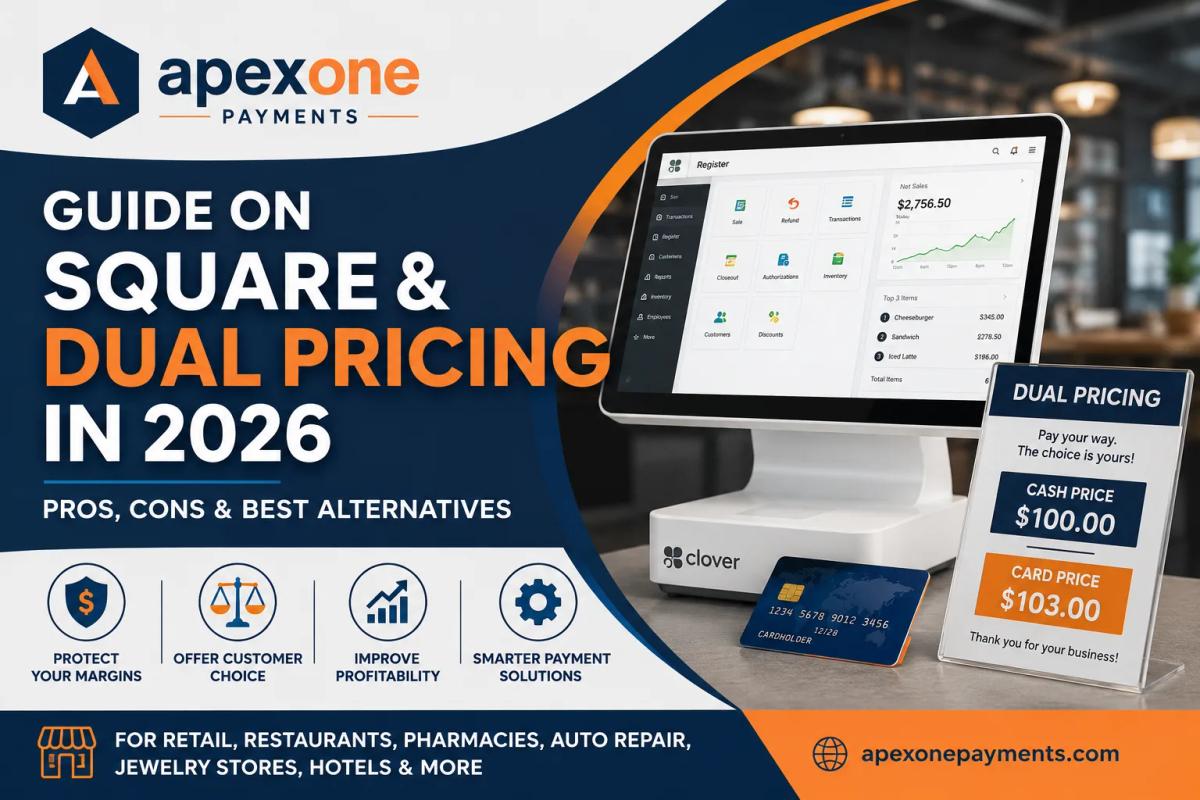
Guide on Square and Dual Pricing in 2026 – Pros, Cons & Best Alternatives
Learn how Square dual pricing works, explore its benefits and limitations, and discover why Apex One Payments may be a better alternative for small businesses looking for flexible POS systems, transparent merchant services, and lower payment processing costs in 2026.
Running a small business in 2026 is not cheap. Rent is higher. Payroll is higher. Inventory costs are unpredictable. And on top of that, every time a customer pays with a credit card, your business pays processing fees.
For restaurants, retail stores, pharmacies, auto repair shops, jewelry stores, salons, hotels, food trucks, and service businesses, those fees can quietly eat into profit month after month.
That is why many owners are searching for dual pricing as a way to manage payment costs more fairly.
The idea is simple: customers see two prices — one for cash and one for card. The card price reflects the cost of accepting credit cards, while the cash price gives customers a lower-cost option. When done correctly, this can help businesses protect margins while staying transparent with customers.
But here is the big question: is Square the right choice for this type of pricing, or are there better alternatives for small businesses?
In this guide, we will break down how Square works, what business owners should know about square dual pricing, the benefits and risks, and why Apex One Payments may be a better fit if you want an all-in-one POS system, transparent merchant services, Clover POS options, and a more flexible setup for your business.
What Is Dual Pricing?
Dual pricing means showing customers two different prices based on how they choose to pay.
For example:
| Payment Method | Customer Price |
|---|---|
| Cash Price | $100.00 |
| Card Price | $103.00 |
The goal is not to surprise the customer at checkout. The goal is to make pricing clear before payment happens.
A business may use this model to reduce the impact of card processing fees. Instead of absorbing every credit card fee, the business gives customers a choice: pay the lower cash price, or pay the card price that includes the cost of card acceptance.
This is especially useful for businesses with tight margins, such as:
- Restaurants and cafés
- Convenience stores
- Auto repair shops
- Pharmacies
- Retail stores
- Jewelry stores
- Hotels and lodging businesses
- Salons and spas
- Contractors and service businesses
The key is transparency. Customers should clearly see both prices, understand the difference, and never feel misled.
How Square Dual Pricing Works
Square is one of the most recognized POS companies in the market. It offers payment processing, POS software, invoices, online payments, and industry-specific tools for restaurants, retail, and appointment-based businesses. Square’s public pricing shows different processing rates depending on plan and payment type, including in-person and online card payments.
Square also provides tools for card surcharges in certain settings, including setup through the Square Dashboard under service charges. Square’s help documentation notes that businesses should review surcharge compliance notifications, reprint surcharge signage, and display signage at the business.
That matters because square dual pricing is not always the same as a fully managed cash discount or dual-price POS program.
Many business owners use the phrase “dual pricing” when they actually mean one of these:
| Term | What It Usually Means |
|---|---|
| Cash Discount | Customer gets a lower price for paying cash |
| Card Surcharge | Extra fee added when customer pays by credit card |
| Dual Price Display | Both cash and card prices are shown clearly |
| Service Charge | A fee added to certain transactions |
These are not always treated the same way by card networks, processors, or state rules. So before using any model, a business should confirm that the setup is compliant in its state and industry.
Pros of Square for Small Businesses
Square can be appealing because it is simple to start with. For many new businesses, that simplicity is attractive.
Some advantages include:
- Easy setup
- Recognizable brand
- Basic POS tools
- Online and invoice payment options
- No complicated equipment setup for basic use
- Industry tools for restaurants, retail, and appointments
- Published payment pricing by plan and payment method
For a brand-new vendor, pop-up shop, or very small business with low volume, Square may feel convenient.
Cons of Square for Dual Pricing
The challenge comes when your business grows or needs more control.
Business owners comparing square vs dual pricing alternatives should consider:
- Square may not be the most flexible option for advanced pricing setups.
- Surcharge and service-charge compliance can still be the merchant’s responsibility.
- Flat-rate processing may not always be the lowest-cost option for higher-volume businesses.
- Businesses may outgrow basic POS features.
- Custom pricing is generally tied to higher processing volume or premium plan conversations.
- Some industries need stronger hardware, customer-facing displays, inventory tools, reporting, and hands-on support.
Square can work for simple payment acceptance. But if your goal is to reduce processing costs, implement a clearer pricing program, and manage your business from one system, it may not be the best long-term option.
Benefits and Risks of Dual Pricing for Small Business
Using dual pricing for small business can be powerful, but it needs to be done carefully.
Key Benefits
| Benefit | Why It Matters |
|---|---|
| Better margin protection | Helps reduce the burden of card processing fees |
| More payment transparency | Customers see the cost difference upfront |
| Cash payment incentive | Encourages lower-cost payment methods |
| Predictable cost control | Makes processing expenses easier to manage |
| Better checkout conversations | Staff can explain the two prices clearly |
For many small businesses, card fees feel like a “silent expense.” You make the sale, but a portion disappears before the deposit hits your bank. A transparent pricing model can help fix that.
Common Risks
There are also risks if the setup is not handled correctly.
Business owners should watch out for:
- Poor signage
- Confusing receipts
- Staff not trained to explain pricing
- Prices not displayed clearly
- State or local restrictions
- Card brand compliance issues
- Customers feeling surprised at checkout
This is why choosing the right pos system for small business is so important. The system should support the pricing structure clearly at the counter, on the receipt, and during the customer conversation.
A pricing program should never feel like a hidden fee. It should feel like a clear choice.
Square Dual Pricing vs Better Alternatives
Square is popular, but popularity does not always mean best fit.
For many small businesses, the better question is not “Can Square take payments?” It is:
“Can my POS system help me run the business, manage payment costs, support growth, and give customers a smooth checkout experience?”
Here is a simple comparison:
| Feature | Square | Better All-in-One Alternative |
|---|---|---|
| Easy basic setup | Yes | Yes |
| POS hardware options | Yes | Yes |
| Advanced dual-price support | Limited or setup-dependent | More flexible with proper merchant setup |
| Hands-on merchant support | May vary by plan | More personalized |
| Custom payment strategy | Limited for smaller merchants | More consultative |
| Clover POS options | No | Yes through Apex One Payments |
| Free terminal options | Not always | Available through Apex One Payments offers |
| Small business merchant services | General platform | More tailored |
A better alternative should not only process payments. It should help business owners understand their fees, choose the right hardware, manage reporting, and build a payment setup that fits their actual business.
That is where Apex One Payments comes in.
Why Apex One Payments Is a Better Solution for Small Businesses
Apex One Payments is built for business owners who want more than just a basic payment app. The company positions itself as an all-in-one payments and POS platform for restaurants, retail, services, and healthcare, helping businesses accept payments, manage devices, and run operations from one dashboard.
For owners comparing Square, Clover, and other merchant services, Apex One Payments offers a more guided approach.
1. Clover POS for Small Business
If you are looking for clover pos for small business, Apex One Payments offers Clover POS devices, including Clover Station Duo. The Clover Station Duo is designed for high-volume restaurants, retail counters, and multi-location operators.
That type of setup is useful when your business needs:
- Customer-facing display
- Faster checkout
- Stronger counter presence
- Better staff workflow
- More professional payment experience
- Reliable hardware for daily volume
For restaurants, pharmacies, jewelry stores, retail shops, and auto repair counters, Clover can feel more business-ready than a basic mobile reader.
2. All-in-One POS System
Apex One Payments supports an all in one pos system approach. That matters because business owners do not want five disconnected tools.
You may need:
- Card payments
- Cash management
- Inventory
- Employee access
- Reporting
- Invoices
- Tips
- Customer tracking
- Device management
- Online or remote payments
Apex One Payments gives growing businesses a more complete setup to accept payments and manage daily operations from one place.
3. Merchant Services for Small Business
Not every business should be priced the same way.
A café with $15 tickets is different from an auto repair shop with $700 invoices. A jewelry store is different from a pharmacy. A hotel is different from a food truck.
That is why personalized merchant services for small business matter.
Apex One Payments can help business owners review their setup, understand payment needs, and choose the right processing and POS solution.
4. Transparent Pricing Conversations
Many merchants do not know their real effective rate. They see deposits, monthly statements, batch fees, PCI fees, equipment fees, and processor markups — but they do not know what is normal.
Apex One Payments focuses on helping businesses understand costs more clearly and choose solutions that make sense.
That is especially helpful if you are exploring a dual-price model, upgrading from Square, or trying to reduce monthly processing expenses.
You can also use the payment calculator to estimate your current processing costs.
5. Free Terminal Offer
For many small businesses, equipment cost is a real concern. A free terminal offer can make it easier to upgrade without adding another big upfront expense.
Instead of overpaying for old equipment or leasing terminals for years, business owners can speak with Apex One Payments about available device and terminal options.
You can request your free terminal offer or speak with the Apex One Payments team to learn which options may fit your business.
How to Choose the Right Payment System
Before choosing Square, Clover, or any other provider, ask these questions.
1. What Type of Business Do You Run?
A retail store needs different tools than a restaurant. A hotel needs different payment workflows than an auto shop.
Choose a system built around your real daily operations. If you run a store, explore retail POS solutions. If you run a café or restaurant, explore restaurant POS solutions.
2. What Is Your Monthly Card Volume?
If your business processes a small amount, basic flat-rate pricing may feel simple. But as your volume grows, even a small rate difference can cost thousands per year.
3. Do You Need Dual Price Display?
If you plan to show cash and card prices, make sure your POS, receipts, signage, and staff workflow support it clearly.
4. Do You Need Inventory or Reporting?
If you sell products, track stock, manage staff, or need daily sales reporting, do not choose a payment tool that only accepts cards.
5. Do You Want Local or Hands-On Support?
Some businesses are comfortable figuring things out alone. Others need real support when terminals go down, statements look confusing, or pricing needs to change.
6. Are You Planning to Grow?
A one-register setup may work today. But what about a second location? More staff? Online payments? Mobile checkout? Delivery? Invoices?
Choose a system that can grow with you.
Quick Comparison: Square vs Apex One Payments
| Category | Square | Apex One Payments |
|---|---|---|
| Best For | Simple startup payments | Growing small businesses |
| POS Options | Square ecosystem | Clover and other business-ready options |
| Pricing Flexibility | More standardized | More consultative |
| Dual Pricing Guidance | Setup-dependent | Better suited for guided merchant strategy |
| Hardware Support | Square devices | POS terminals, Clover devices, business-focused equipment |
| Business Types | Broad | Retail, restaurants, services, healthcare, and more |
| Support Style | Platform-based | More personalized payment support |
| Overall Fit | Basic to mid-level needs | Businesses wanting a complete payment partner |
Suggested Image Alt Texts
Use these image alt texts throughout the blog for SEO:
- Dual pricing POS system for small business checkout
- Square dual pricing comparison for small business owners
- Apex One Payments Clover POS for small business
- Merchant services for small business payment processing
- Dual pricing for retail store credit card payments
- Restaurant POS system with dual pricing options
- Square vs dual pricing alternatives in 2026
- All in one POS system for restaurants and retail
- Clover POS terminal for small business payments
- Apex One Payments free terminal offer for merchants
FAQ: Square and Dual Pricing in 2026
1. What is dual pricing?
It is a pricing model where customers see one price for cash and another price for card payments. The goal is to show payment costs clearly and give customers a choice.
2. Is Square dual pricing available?
Square provides tools related to surcharges and service charges, but merchants still need to understand compliance, signage, and state rules. Square’s help documentation includes steps for creating card surcharges and reviewing compliance notices.
3. Is dual pricing legal?
It depends on how it is structured and where your business operates. Rules can vary by state, card brand, and payment method. Always check with your processor or legal advisor before launching a program.
4. Is dual pricing the same as a surcharge?
No. A surcharge typically adds a fee to a card payment. A cash discount usually gives a lower price for cash. A dual-price model displays both prices clearly. These details matter for compliance and customer trust.
5. What businesses benefit most from dual pricing?
Restaurants, cafés, auto repair shops, retail stores, pharmacies, hotels, jewelry stores, salons, and service businesses may benefit because they often process many card payments and operate with tight margins.
6. Why compare Square vs dual pricing alternatives?
Square is easy to start with, but it may not be the best long-term fit for businesses that need more flexible pricing, stronger hardware, Clover POS options, or personalized merchant support.
7. What is the best POS system for small business?
The best system depends on your business type, payment volume, checkout process, inventory needs, reporting needs, and pricing strategy. For many growing businesses, an all-in-one POS system with strong merchant support is the better choice.
8. Does Apex One Payments offer Clover POS?
Yes. Apex One Payments lists Clover devices, including Clover Station Duo, which is designed for high-volume restaurants, retail counters, and multi-location operators.
9. Can Apex One Payments help me understand my current processing fees?
Yes. Apex One Payments can help business owners review their payment setup and explore better merchant services options. The website also includes a payment calculator that merchants can use to estimate costs.
10. Should I switch from Square to Apex One Payments?
If Square is working perfectly for your business, you may not need to switch. But if you want better guidance, Clover POS options, more flexible merchant services, or a stronger payment strategy, Apex One Payments is worth reviewing.
Conclusion: Choose a Payment Partner, Not Just a Payment App
Square is popular for a reason. It is simple, recognizable, and easy to start using. For very small businesses, that may be enough.
But in 2026, many business owners need more than basic payment acceptance.
They need a system that helps them protect margins, manage checkout, review fees, support customers, and grow with confidence.
That is why Apex One Payments is a strong alternative for businesses exploring dual pricing, Clover POS, free terminal options, and better merchant services.
Whether you run a restaurant, retail store, pharmacy, auto repair shop, jewelry store, hotel, salon, or service business, the right payment system can make a real difference in your bottom line.
Ready to stop guessing and choose a smarter payment setup? Visit ApexOnePayments.com, use the calculator, or contact the Apex One Payments team to review your current setup and find the right POS and merchant services solution for your business.