
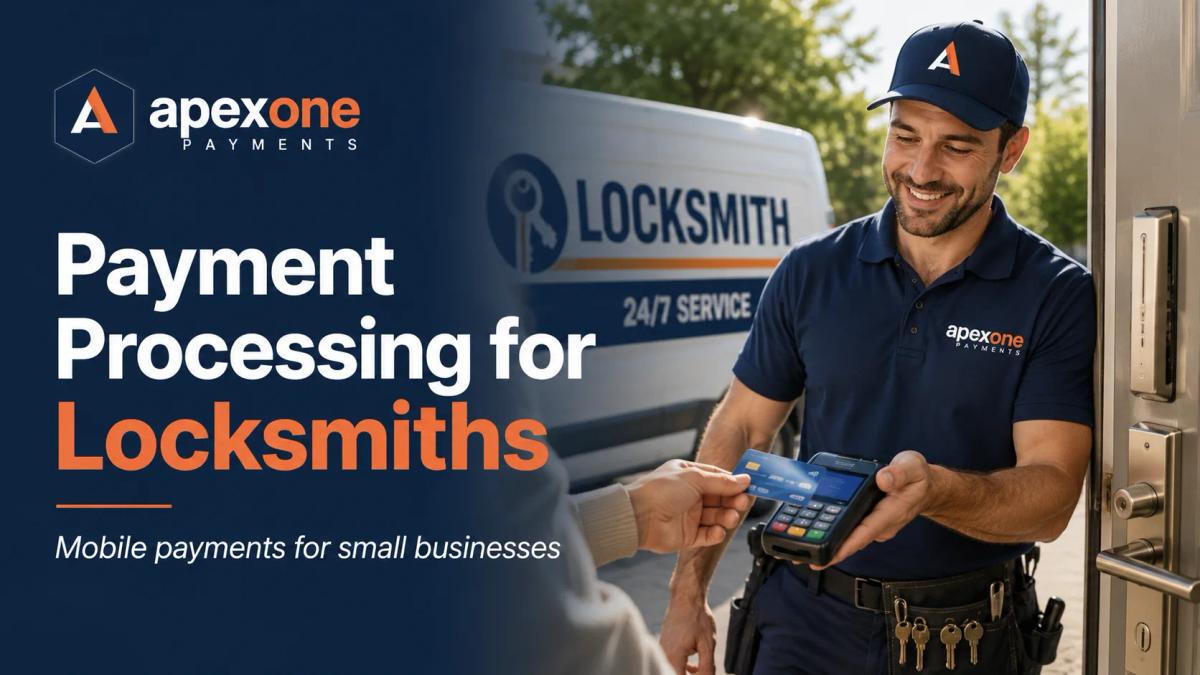
Best Payment Processing for Locksmiths How Small Service Businesses Can Accept Cards Anywhere and Get Paid Faster
Locksmiths and mobile small businesses need payment tools that work wherever the job happens. This guide explains how locksmiths can accept credit card payments on-site, use mobile card readers, send invoices, reduce payment delays, manage chargeback risks, understand processing fees, and choose the right payment setup for field jobs, storefronts, and commercial service calls.
Introduction
Locksmith work is not like running a regular store.
Most of the time, your customer is not standing at a checkout counter. You are meeting them at a house, apartment building, office, parking lot, roadside location, storage unit, retail property, or commercial building. The job may be urgent. The customer may be stressed. The price may change once you inspect the lock, door, key, or access issue in person.
Then comes the part that can become uncomfortable: collecting payment.
A locksmith can do the job perfectly and still run into payment problems. The customer does not have enough cash. A check feels risky. Manual card entry takes too long. Payment links are not always checked right away. Funds may not hit the account quickly enough. And if the customer disputes the charge later, the business owner has to prove the work was completed.
That is why choosing the best payment processing for locksmiths matters.
A good payment setup should help you take card payments on-site, send invoices when needed, reduce manual payment handling, support mobile jobs, give clean receipts, and help you look professional in front of the customer. For locksmiths and other mobile small businesses, payment processing is not just about swiping a card. It is about getting paid before you leave the job.
Why Locksmiths Need a Different Payment Setup
A retail store usually has one register, one counter, and one clear checkout process. Locksmiths do not work that way.
A locksmith may handle emergency lockouts, rekeys, lock repairs, smart lock installations, automotive key services, commercial door hardware, access control support, safe services, and after-hours calls. Every job is different. Some are quick. Some take longer than expected. Some happen late at night. Some require parts. Some involve business customers who want an invoice instead of paying right away.
That is why a basic countertop-only system is not enough for many locksmith companies.
Locksmiths need mobile payment processing that works where the job happens. A mobile card reader, tap-to-pay device, handheld POS terminal, or payment link can make a big difference because it gives the customer a simple way to pay right there.
This is also why many locksmiths search for terms like how to accept credit card payments on the go, mobile card reader for small business, credit card reader for locksmiths, and field service payment processing. They are not just looking for a payment company. They are looking for a practical answer to a daily business problem.
The Biggest Payment Problems Locksmiths Deal With
The first major problem is collecting payment after the job is done. When a locksmith finishes a lockout, rekey, or repair, the payment should be simple. But if the customer only has a card and the locksmith does not have a proper reader, the business may end up manually typing card details, calling the office, sending a payment link, or waiting for the customer to pay later. That slows everything down and creates risk.
The second problem is payment disputes. Locksmith work can sometimes lead to misunderstandings because emergency service pricing, trip fees, after-hours rates, parts, and labor may not always be clear to the customer upfront. If a customer later says they do not recognize the charge or disagrees with the amount, the locksmith needs a clean receipt, invoice details, job notes, and proof that the service was completed.
The third problem is processing fees. Small service businesses often feel card fees more than larger companies because every dollar matters. A locksmith may process smaller jobs during the day and larger emergency or commercial jobs at night. If the payment processor has unclear pricing, monthly fees, statement fees, equipment fees, or high keyed-in transaction costs, the business owner may not know the real cost until the statement arrives.
The fourth problem is hardware reliability. If a mobile card reader does not connect, the app crashes, the battery dies, or the device cannot accept tap-to-pay, the locksmith looks unprepared. In a field service business, the payment device has to be simple, charged, portable, and easy to use.
Why On-Site Card Payments Help Locksmiths Get Paid Faster
For locksmiths, the best time to collect payment is usually when the job is complete and the customer is still there.
On-site card payments make that easier. Instead of saying, “I’ll send you a link,” or “The office will call you,” the locksmith can present a mobile card reader or handheld terminal, let the customer tap, insert, or swipe, and issue a receipt immediately.
This helps both sides. The customer gets a convenient payment experience, and the locksmith reduces the chance of chasing payment later.
A mobile card reader can be especially useful for locksmiths who spend most of the day on the road. Apex One Payments has an Apex Reader page for businesses that need compact payment hardware, and locksmiths can also review Clover POS devices such as mobile and handheld options that support payments on the go.
Mobile Card Reader vs Handheld POS Terminal: Which One Makes Sense?
A mobile card reader is usually a good fit for solo locksmiths, mobile technicians, and small service businesses that need a simple way to accept cards in the field. It is compact, easy to carry, and designed for payment acceptance without needing a large countertop setup.
A handheld POS terminal may be better for locksmith companies with higher volume, multiple technicians, or more complex payment needs. A handheld device can feel more professional in front of customers and may support features that a very basic reader does not.
A countertop terminal can still be useful if the locksmith business also has a physical shop. Some locksmiths sell keys, locks, hardware, safes, door accessories, and security products from a storefront. In that case, the business may need both a countertop terminal for walk-in customers and mobile payment devices for technicians in the field.
The right setup depends on how the locksmith actually works. A shop-based locksmith, a mobile locksmith, and a commercial locksmith team may not need the same payment hardware.
Why Manual Card Entry Can Create Problems
Some locksmiths still take card numbers over the phone or manually type card details after the job. That may work in a pinch, but it is not the best long-term payment process.
Manual card entry can create higher risk because the card is not physically presented to the reader. It may also make disputes harder because the transaction does not carry the same card-present signal as a chip, tap, or swipe transaction.
That does not mean keyed payments should never be used. Sometimes they are necessary, especially for phone payments, invoices, deposits, or remote approvals. But when the customer is standing there with a card, a mobile reader or terminal is usually the cleaner option.
For locksmiths, the goal should be simple: use card-present payments whenever possible, send professional invoices when needed, and keep clear records for every job.
Invoicing on the Go Matters for Commercial Locksmith Work
Not every customer pays immediately with a card.
Commercial locksmith jobs often involve property managers, office buildings, retail locations, apartment communities, warehouses, schools, churches, medical offices, or facility managers. These customers may need an invoice, approval process, job description, receipt, or payment link.
That is where mobile invoicing and payment links can help.
Instead of writing notes on paper and waiting to create an invoice later, a locksmith can send a clear payment request after the job. The invoice should explain what was done, what parts were used, what labor was charged, and how the customer can pay.
This matters because professional billing builds trust. It also helps reduce confusion if the customer has a question later.
Apex One Payments supports small business payment workflows across professional and service-based businesses. Locksmiths that handle commercial jobs can review the Professional Services POS & Payments page because many of the same payment needs apply: mobile approvals, clear payment flows, and service-based checkout.
Chargebacks and Disputes: What Locksmiths Should Think About
No payment processor can honestly promise that chargebacks will never happen. That would not be realistic.
But locksmiths can reduce dispute risk by using better payment habits.
A strong payment process should include clear pricing, customer approval before work begins, card-present payment when possible, digital receipts, invoices with job details, signed work orders when appropriate, and proof that the service was completed.
For example, if a customer calls for an emergency lockout and the final price includes a trip fee, labor, after-hours service, and parts, that should be explained clearly before collecting payment. If the customer receives a clean receipt, the charge is easier to recognize later.
This is where chargeback protection for service businesses is less about one magic feature and more about building a better payment workflow. The right payment setup gives you better documentation, cleaner receipts, and fewer awkward gaps in the process.
Apex One Payments also has useful content around payment costs and merchant statements, including Payment Processing for Small Business in 2026 and 7 Signs Your Small Business Needs a Merchant Statement Review.
How Payment Processing Fees Affect Locksmith Profit
Locksmiths work hard for every job. Card fees should not feel like a mystery.
The problem is that many small business owners only look at the advertised rate. The real cost may include transaction fees, monthly account fees, PCI fees, equipment fees, statement fees, keyed-in fees, chargeback fees, or gateway fees.
For a locksmith, the type of transaction also matters. A card-present payment through a reader may be treated differently from a manually keyed transaction. Online invoices and payment links may also have their own pricing structure depending on the provider.
This is why locksmiths should review their merchant statement instead of guessing.
If you process a mix of mobile card payments, keyed transactions, invoices, and in-shop payments, your effective rate may be different from what you thought. Apex One Payments has a Payment Savings Calculator that can help business owners start thinking about their current processing costs before making a switch.
What Payment Devices Should Locksmiths Consider?
A locksmith’s payment setup should match the way the business collects money.
A solo mobile locksmith may only need a reliable mobile card reader and the ability to send payment links. A locksmith with a storefront may need a countertop POS terminal for walk-in key cutting and retail sales, plus a mobile reader for field jobs. A larger locksmith company with multiple vans may need several handheld devices so each technician can accept payment before leaving the job site.
The most useful devices for locksmiths usually include mobile card readers, contactless payment devices, tap-to-pay terminals, handheld POS devices, and countertop terminals for shops.
Apex One Payments offers hardware and POS options through its Products, Apex Reader, and Clover POS Devices pages. Eligible businesses can also review the option to request a free payment device through Apex One Payments’ free payment device page.
Why Contactless and Tap-to-Pay Are Useful for Locksmiths
Customers are used to tapping their card or phone almost everywhere now. When a locksmith can accept contactless payments on-site, the experience feels normal and professional.
This is especially useful during emergency jobs. The customer may already be stressed because they are locked out, late for work, stuck outside a vehicle, or dealing with a security issue. A fast tap-to-pay checkout makes the final step easier.
Contactless payments can also help reduce friction for small jobs like rekeys, duplicate keys, simple lock repairs, or service calls. The easier it is to pay, the easier it is to finish the job and move to the next one.
Reporting Helps Locksmiths Understand the Business
Most locksmiths do not only need payments. They need visibility.
A good reporting setup can help a locksmith business understand daily sales, technician payment activity, card vs cash payments, refunds, disputes, and busy service periods. This is useful for both solo operators and growing teams.
If a locksmith has multiple technicians, reporting becomes even more important. The owner needs to know which jobs were paid, which invoices are still open, which payments came from which technician, and whether the payment batch matches the work completed that day.
Apex One Payments has a Reporting & Analytics page for businesses that want better visibility into payment activity and business performance.
What Locksmiths Should Look for Before Choosing a Payment Processor
The best payment processor for locksmiths should be simple in the field, clear in pricing, and reliable when customers are ready to pay.
Before choosing a provider, locksmiths should ask whether the system supports mobile card readers, tap-to-pay, payment links, invoices, digital receipts, reporting, and support. They should also ask how fees work for card-present payments, keyed transactions, invoices, and chargebacks.
A locksmith should also think about the customer experience. Does the payment process look professional? Can the customer get a receipt right away? Can the technician collect payment without calling the office? Can commercial customers receive a proper invoice? Can the business owner review everything later?
These are the questions that matter more than a fancy sales pitch.
How Apex One Payments Helps Locksmiths and Small Businesses
Apex One Payments is a strong fit for locksmiths because the business needs are clear: mobile payments, reliable hardware, simple card acceptance, payment links, reporting, and support for small businesses that work outside a traditional checkout counter.
Locksmiths can use Apex One Payments to explore mobile card readers, POS terminals, contactless payment options, Clover devices, reporting tools, and small business payment processing options. The goal is not to force a locksmith into a retail-style setup. The goal is to help the business get paid in the field, in the shop, or after sending an invoice.
For locksmiths who also sell hardware or run a walk-in shop, Apex’s Retail POS and Inventory Platform may also be useful. For locksmiths who operate mostly as a service business, the Professional Services POS & Payments and Personal Services POS & Payments pages may fit better.
Final Takeaway
Locksmiths do not need payment processing that only works behind a counter.
They need payment tools that work in the real world.
That means accepting cards on-site, taking contactless payments, sending invoices when needed, reducing manual card entry, keeping cleaner receipts, reviewing processing fees, and using devices that can handle mobile jobs.
The right payment setup can help a locksmith look more professional, collect money faster, reduce payment confusion, and spend less time chasing unpaid invoices.
Apex One Payments helps locksmiths and small business owners review the full payment setup, from mobile card readers and POS terminals to reporting, invoicing, and payment processing.
To get started, explore the Apex Reader, compare Clover POS Devices, review Professional Services POS & Payments, use the Payment Savings Calculator, or contact Apex One Payments to talk through the right payment setup for your locksmith business.
FAQs
What is the best payment processing for locksmiths?
The best payment processing for locksmiths is a setup that supports mobile card payments, contactless payments, invoices, payment links, digital receipts, reporting, and clear pricing. Locksmiths need tools that work at the job site, not only at a countertop.
How can locksmiths accept credit card payments on the go?
Locksmiths can accept credit card payments on the go by using a mobile card reader, handheld POS terminal, tap-to-pay device, or payment link. A card reader is usually best when the customer is present because it creates a cleaner on-site checkout experience.
Do locksmiths need a mobile card reader?
Most mobile locksmiths benefit from having a mobile card reader because it allows them to collect payment before leaving the job. This can reduce delayed payments and make the customer experience more professional.
Can locksmiths send invoices from the field?
Yes. Many locksmiths use invoices or payment links for commercial jobs, property managers, and customers who need written payment details. A clear invoice can also help reduce confusion after the job.
How can locksmiths reduce chargeback risk?
Locksmiths can reduce chargeback risk by explaining pricing clearly, getting customer approval, using card-present payments when possible, sending digital receipts, keeping job notes, and documenting completed work.
What payment device is best for a locksmith business?
A mobile locksmith may need a mobile card reader or handheld terminal. A locksmith with a shop may need both a countertop terminal and mobile reader. A larger locksmith company may need devices for each technician.
Are contactless payments useful for locksmiths?
Yes. Contactless payments are useful because customers can tap a card, phone, or smartwatch and pay quickly. This is helpful for emergency jobs, mobile service calls, and small repair work.
How do payment processing fees affect locksmiths?
Payment processing fees affect locksmith profit because every card transaction has a cost. Locksmiths should review transaction rates, keyed-in fees, monthly fees, equipment fees, and total effective rate before choosing a provider.
Can Apex One Payments help locksmiths?
Yes. Apex One Payments helps locksmiths and small businesses with mobile payment processing, card readers, POS terminals, Clover devices, reporting tools, payment processing, and small business payment support.