
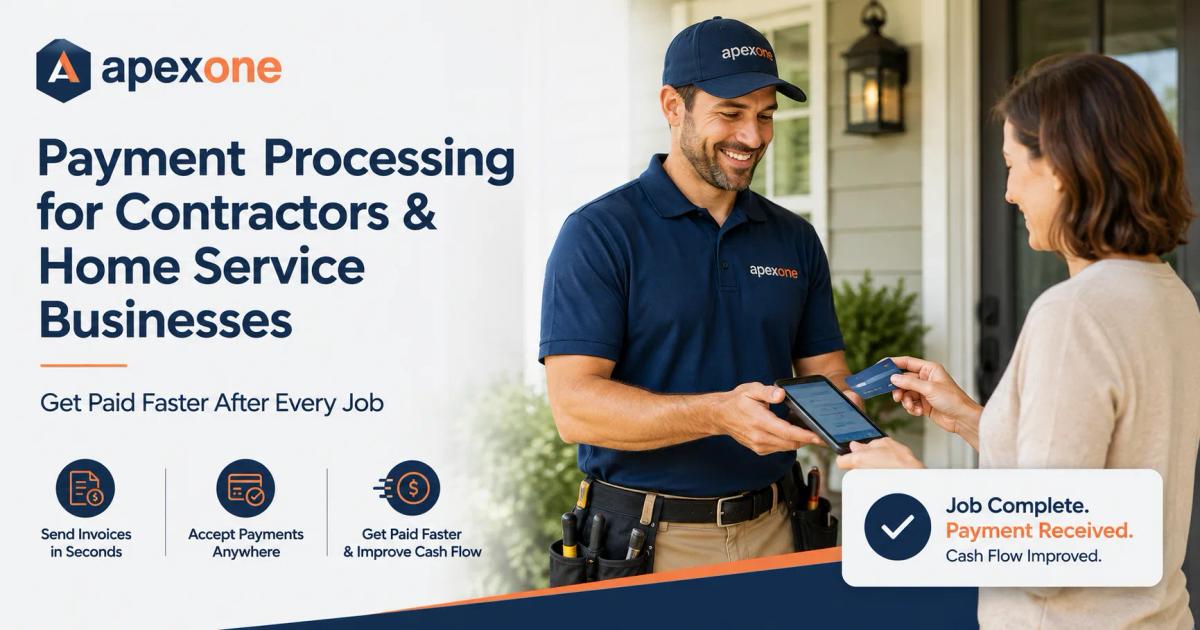
Payment Processing for Contractors and Home Service Businesses How to Get Paid Faster
Contractors and home service businesses should not have to chase payments after the job is done. This guide explains how mobile card readers, payment links, invoices, deposits, reporting tools, and the right merchant services setup can help contractors get paid faster and run a smoother business.
Finishing the job should be the hard part.
Getting paid should be simple.
But for many contractors and home service businesses, that is not always how it works. You complete the repair, install the equipment, clean the property, finish the paint job, fix the wiring, replace the part, or handle the emergency call. Then you still have to ask for payment, send an invoice, wait for the customer to respond, follow up again, and hope the money comes in soon.
That is frustrating.
A contractor’s day is already busy enough. You may be moving between job sites, answering calls, buying materials, managing crews, quoting new work, and trying to keep customers happy. The last thing you need is a payment process that slows you down.
That is why payment processing for contractors matters.
A good payment setup helps you accept cards at the job site, send payment links from your phone, collect deposits before starting bigger work, create cleaner invoices, reduce payment delays, and understand your processing fees before they eat into your profit.
This guide is written for contractors, electricians, plumbers, HVAC companies, landscapers, painters, cleaners, appliance repair businesses, garage door companies, pest control services, handymen, locksmiths, and other home service businesses that need a better way to get paid.
If you are looking for practical Payment Processing Tips, this is not just another general POS Blog. This is a real-world guide for small business owners who do the work in the field and need payment tools that work there too.
Why Contractors Need a Different Payment Setup
Contractors do not work like retail stores.
A retail shop has a counter. A cashier rings up the customer. The customer pays and leaves.
A contractor’s payment process is different. The customer may be at home, at a rental property, at a business location, or on a job site. The price may change after the work is inspected. Some jobs require deposits. Some need progress payments. Some customers want to pay by card right away. Others need an invoice for approval. Some commercial clients may pay later, while residential customers usually want to settle the bill as soon as the work is complete.
That means a basic countertop payment terminal is not enough for many home service businesses.
Contractors need field service payment processing. They need tools that work from the truck, the driveway, the office, the customer’s kitchen, the shop, or wherever the job happens.
Apex One Payments supports businesses that need to accept payments in person, online, and on the go. Contractors can explore mobile payment hardware like the Apex Reader, compare Clover POS devices, and review service-focused solutions through the Professional Services POS & Payments page.
The Real Problem: Finished Work Does Not Always Mean Collected Money
Most contractors are not trying to become payment experts.
They just want to get paid without stress.
The problem is that finishing a job and collecting payment are not always the same thing. A customer may say they will pay later. A check may bounce. An invoice may sit unpaid for weeks. A card payment may need to be keyed in manually. A customer may dispute a charge because the receipt was not clear. A business owner may not realize how much they are paying in processing fees until the monthly statement arrives.
For a small business, these problems add up.
Cash flow becomes tight. Payroll gets harder. Material costs have to be covered before payment comes in. The owner spends evenings chasing unpaid invoices instead of quoting the next job.
That is why payment processing is not just a back-office detail. It directly affects how smoothly your business runs.
A good payment setup should help you collect payment while the customer is ready, the job is fresh, and the value of the work is clear.
How Mobile Card Readers Help Contractors Get Paid On-Site
For many contractors, the best time to collect payment is right after the job is finished.
The customer can see the work. The technician is still there. The final amount can be explained. The customer can tap, insert, or swipe their card, get a receipt, and the job can be closed properly.
This is where a mobile card reader for contractors becomes useful.
A mobile card reader lets you accept credit and debit card payments away from a fixed counter. For contractors, that means you can take payments at a customer’s home, on a commercial site, in the field, or at a service location without needing the customer to call the office.
This helps with smaller jobs like repairs, inspections, emergency calls, service visits, tune-ups, cleanings, and maintenance work. It also helps larger jobs when the customer needs to pay a balance after work is completed.
Apex One Payments’ Apex Reader is a strong internal page to review if your business needs a simple payment device that supports mobile and on-the-go payments. Contractors who want more POS hardware options can also compare devices on the Clover POS Devices page.
Why Payment Links Are Useful for Home Service Businesses
Not every payment happens face-to-face.
Sometimes the customer is not on-site. Sometimes a property manager approves the work remotely. Sometimes a business owner wants the invoice sent to accounting. Sometimes a customer wants to pay after reviewing the final details.
In those situations, payment links can be very helpful.
A payment link lets you send the customer a secure way to pay without reading card numbers over the phone or waiting for a check. The customer can open the link, review the amount, and pay from their own device.
For contractors, payment links are useful for repair balances, service deposits, recurring maintenance, after-hours work, commercial accounts, and final invoices.
They also make the payment process feel more professional. Instead of sending a plain text message asking for money, your business can send a clear payment request connected to the job.
This is one of the most important Payment Processing Tips for service businesses: make payment easy while the customer is still thinking about the work. The longer you wait, the harder collection becomes.
Invoices, Deposits, and Progress Payments
Contractors often deal with jobs that cannot be paid in one simple transaction.
A plumber may need a deposit before ordering parts. A painter may collect a portion upfront, another portion halfway through, and the rest after completion. An HVAC company may require a deposit before installing a system. A landscaper may send recurring monthly invoices. A cleaner may bill weekly or monthly. A general contractor may need milestone payments.
That is why invoice payment processing matters.
A good contractor payment setup should support more than “pay now.” It should help you collect deposits, send invoices, track paid and unpaid balances, and keep payment records organized.
Deposits are especially important because contractors often spend money before the work is finished. Materials, fuel, labor, equipment, and scheduling all cost money. Collecting a deposit helps protect the business and confirms that the customer is serious.
Progress payments also help with bigger jobs. Instead of waiting until the entire project is finished, the contractor can collect at agreed stages. This keeps cash flow healthier and reduces risk.
For service businesses comparing payment tools, Apex One Payments’ Professional Services POS & Payments page is a natural fit because many professional and field-service businesses need flexible payment workflows, invoices, and clear customer payment options.
Payment Processing Fees Can Quietly Reduce Profit
Contractors know their material costs. They know labor costs. They know fuel, tools, insurance, and equipment costs.
But many do not know their true payment processing cost.
That is a problem.
The rate someone told you on a sales call may not be the full cost. Your real cost may include transaction fees, monthly fees, statement fees, PCI fees, equipment fees, gateway fees, keyed-in fees, chargeback fees, and other charges.
This is why every contractor should understand their effective rate. That means the real percentage your business pays after all processing costs are included.
For example, a contractor may think they are paying a simple card rate, but after all monthly fees and transaction costs are added, the true cost may be higher than expected.
This matters because service businesses often handle larger tickets. A small difference in processing cost can become meaningful when jobs are hundreds or thousands of dollars.
Apex One Payments has a useful guide on Payment Processing for Small Business in 2026. Contractors can also use the Payment Savings Calculator to start reviewing their current payment costs.
Why Keyed-In Payments Can Cost More and Create More Risk
Many contractors still take card numbers over the phone or manually type card details into an app.
Sometimes this is necessary. But it should not be the main payment method when the customer is standing in front of you.
Card-present payments, where the customer taps, inserts, or swipes the card, generally create a cleaner payment experience than manually keyed transactions. A mobile card reader or handheld terminal helps reduce the need to type card numbers manually.
For contractors, this matters because disputes can happen.
A customer may forget the business name on their statement. They may question the final price. They may not remember approving a change order. They may dispute a payment if the receipt does not clearly show what was done.
Using a proper payment device, sending clear receipts, and keeping job records can help reduce confusion.
A good payment setup does not remove every risk, but it gives your business a stronger paper trail.
Chargebacks and Disputes: What Contractors Should Document
No honest payment company should promise that chargebacks will never happen.
They can happen to almost any business.
But contractors can reduce risk by building a better payment process.
Before work begins, pricing should be clear. If the job may change after inspection, explain that upfront. If there is a trip fee, emergency fee, diagnostic fee, labor charge, material cost, or after-hours rate, make sure the customer understands it.
After the work is complete, send a receipt or invoice that clearly shows the service performed and the amount paid. For larger jobs, signed approval, photos, work orders, and written notes can also help.
This is especially important for businesses searching for chargeback protection for service businesses. Chargeback protection is not just a feature. It is a habit. It is clear communication, proper documentation, card-present payments when possible, and receipts that make sense.
Apex One Payments has a helpful article on 7 Signs Your Small Business Needs a Merchant Statement Review, which can help contractors understand whether their current payment process and fees need a closer look.
Best Payment Devices for Contractors and Home Service Teams
The right payment device depends on how your business works.
A solo contractor may only need a mobile card reader and payment links. A home service company with several technicians may need a device for each team member. A contractor with a showroom, shop, or office may need a countertop terminal for in-person payments and mobile options for field work.
A mobile card reader is useful when you want something simple and portable. It works well for on-site payments and field service jobs.
A handheld POS terminal is useful when your team wants a more complete device that can feel professional during customer checkout.
A countertop terminal is useful if your business has a front desk, showroom, office, or retail area where customers pay in person.
A full POS system may be useful if your business also manages inventory, products, staff, reporting, or customer records.
Apex One Payments gives contractors several places to start. You can review Products, explore the Apex Reader, compare Clover POS Devices, and check reporting tools through Reporting & Analytics.
POS for Small Businesses Is Not Just for Retail Stores
Many contractors hear the word POS and think it only applies to restaurants or retail shops.
That is not true anymore.
A modern POS for small businesses can help service companies accept payments, send receipts, track sales, review reports, manage customer activity, and understand cash flow.
For home service businesses, the POS does not have to be a big screen on a counter. It may be a mobile card reader, a handheld device, online invoice payments, or a simple dashboard that helps the owner see what came in that day.
That is why contractor owners should not ignore POS Guides or Business Payment Articles when researching payment options. A good POS guide can help you avoid buying hardware that does not fit your business.
Apex also has a useful blog on Countertop Payment Terminal vs Clover Station vs POS Kiosk, which can help small business owners understand which hardware setup makes sense based on how customers pay.
Merchant Services for Contractors: What That Really Means
The phrase “merchant services” can sound complicated, but the idea is simple.
Merchant services help your business accept and process payments.
For contractors, merchant services for contractors may include card processing, mobile card readers, payment links, invoices, deposits, reporting, chargeback support, and payment hardware.
A good merchant services provider should not confuse you with complicated pricing or push you into hardware you do not need. They should help you understand how your business accepts payments today, where money gets delayed, what fees you are paying, and what tools can make collection easier.
That is why this topic belongs in a strong Merchant Services Blog. Contractors need clear advice, not buzzwords.
Apex One Payments helps small businesses review payment tools, POS hardware, processing costs, and reporting so they can choose a setup that fits the way they work.
Reporting Helps Contractors See What Is Really Happening
Getting paid is one part of the process.
Knowing what happened after the payment is just as important.
Contractors need clear reporting because payments may come from different technicians, job types, invoices, deposits, mobile card readers, and online links. If reports are messy, the owner may not know which jobs are paid, which invoices are open, or which payment method was used.
A good reporting setup can help you see daily sales, payment activity, refunds, open invoices, technician collections, and processing trends.
This becomes even more important as your business grows. One person may be able to remember payments manually. A team of five, ten, or twenty technicians cannot run that way forever.
Apex One Payments offers Reporting & Analytics tools for businesses that want better visibility into payments and performance.
What Contractors Should Ask Before Choosing a Payment Processor
Before choosing a payment processor, contractors should slow down and ask practical questions.
Can I accept payments on the job site? Can my technicians use mobile devices? Can I send invoices and payment links? Can I collect deposits? Are receipts clear? Can I see reports? Are fees explained in plain English? What happens if there is a dispute? What hardware do I really need? Can the system grow with my business?
The right provider should be able to answer these questions clearly.
A payment processor should not make you feel trapped, rushed, or confused. You should understand how the system works, what you are paying, and how it helps your business collect money faster.
This is where Apex One Payments can stand out: not by selling every device to every business, but by helping contractors choose the right setup.
How Apex One Payments Helps Contractors Get Paid Faster
Apex One Payments helps contractors and home service businesses build payment setups that work outside the office.
That may include mobile card readers, POS terminals, payment links, invoice payments, reporting tools, Clover devices, and payment processing support for small businesses.
For a contractor, the goal is simple. Get paid when the job is done. Reduce follow-up. Make payment easy for the customer. Keep records clean. Understand fees. Use hardware that fits the way the team works.
Apex One Payments can help contractors review their current payment process and choose tools that make sense for field service, mobile jobs, commercial invoices, and in-person payments.
Contractors can start with the Apex Reader, compare Clover POS Devices, review Professional Services POS & Payments, use the Payment Savings Calculator, or contact Apex One Payments to talk through the right setup.
Ready to Get Paid Faster After Every Job?
Your payment system should help you collect money clearly, quickly, and professionally — whether you are at the job site, in the office, or sending an invoice after the work is complete.
Explore the Apex Reader, compare Clover POS Devices, review Professional Services POS & Payments, try the Payment Savings Calculator, or contact Apex One Payments to build a payment setup that fits your contracting business.
Final Takeaway
Contractors and home service businesses should not have to chase payments after every job.
You already did the work. Your payment system should help you collect quickly, clearly, and professionally.
The right setup can help you accept cards on-site, send invoices, collect deposits, reduce delayed payments, understand processing fees, and keep better records. It can also help your customers pay in the way they already prefer, whether that is card, tap-to-pay, invoice, or payment link.
Payment processing is not just a small detail. For contractors, it affects cash flow, customer experience, profit, and daily operations.
If your current setup still depends on checks, manual card entry, delayed invoices, confusing fees, or disconnected reports, now is the right time to review it.
Explore the Apex Reader, compare Clover POS Devices, review Professional Services POS & Payments, try the Payment Savings Calculator, or contact Apex One Payments to build a payment setup that helps your contracting business get paid faster after every job.
FAQs
1. What is the best payment processing for contractors?
The best payment processing for contractors is a setup that supports on-site card payments, mobile card readers, payment links, invoices, deposits, clear receipts, reporting, and transparent fees. Contractors need payment tools that work at the job site, not only in an office.
2. How can contractors accept credit card payments on the job site?
Contractors can accept credit card payments on the job site by using a mobile card reader, handheld POS terminal, contactless payment device, or payment link. A mobile reader is usually the easiest option when the customer is present.
3. Do home service businesses need a POS system?
Many home service businesses benefit from a POS system, but it does not always need to be a large countertop setup. A mobile POS, card reader, invoice payment tool, or reporting dashboard can help service businesses collect payments and track revenue.
4. What is a mobile card reader for contractors?
A mobile card reader is a portable payment device that lets contractors accept card payments outside a traditional checkout counter. It is useful for field jobs, emergency calls, home repairs, and mobile service teams.
5. Can contractors send payment links to customers?
Yes. Payment links are useful when the customer is not on-site, needs approval, or wants to pay after receiving an invoice. They are also helpful for commercial accounts and property managers.
6. Why do contractors need deposits?
Deposits help contractors cover materials, reserve scheduling time, reduce cancellations, and protect cash flow before larger jobs begin.
7. How do payment processing fees affect contractors?
Payment processing fees reduce profit on every card transaction. Contractors should review transaction rates, keyed-in fees, monthly fees, equipment costs, and total effective rate before choosing a provider.
8. How can contractors reduce chargeback risk?
Contractors can reduce chargeback risk by explaining pricing clearly, getting customer approval, using card-present payments when possible, sending detailed receipts, keeping job notes, and documenting completed work.
9. What payment device is best for home service businesses?
The best device depends on how the business works. Solo contractors may need a mobile card reader, teams may need handheld terminals, and businesses with offices or showrooms may also need countertop terminals.
10. How can Apex One Payments help contractors?
Apex One Payments helps contractors and home service businesses with mobile card readers, POS devices, payment processing, invoices, reporting, payment savings reviews, and small business payment tools designed to help them get paid faster.