
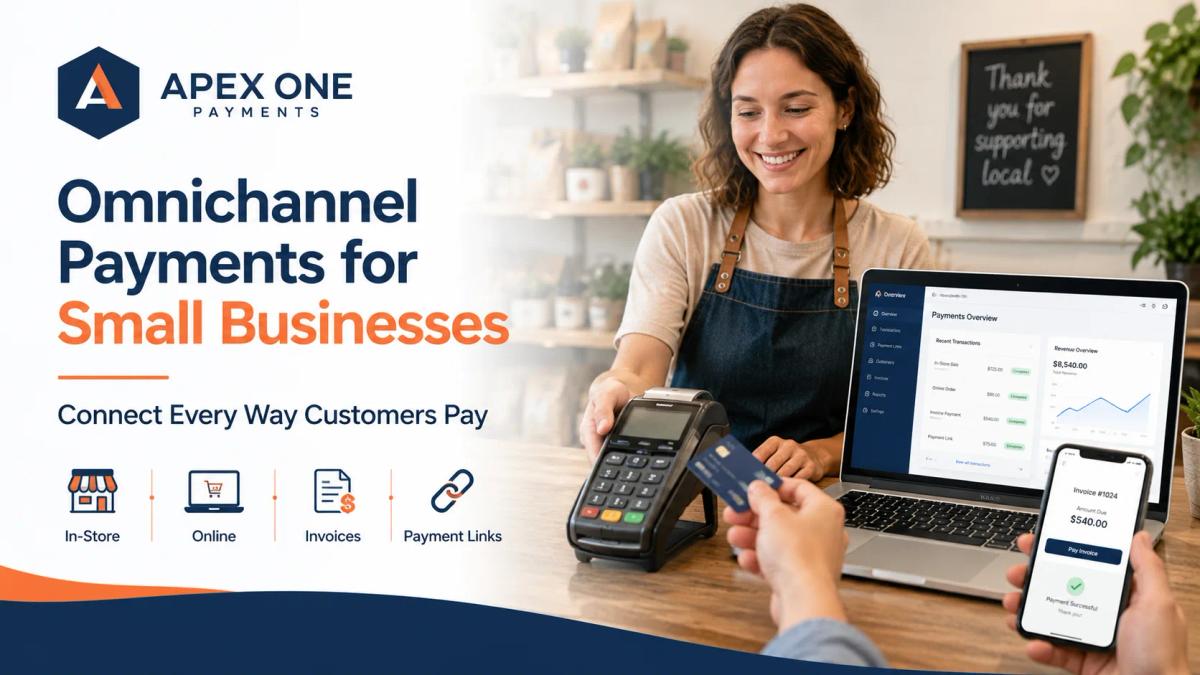
Omnichannel Payments for Small Businesses Connect Every Way Customers Pay
Small businesses no longer get paid in only one place. Customers may pay at the counter, online, through an invoice, by payment link, over the phone, or on the go. This guide explains how omnichannel payments help businesses connect every payment channel, improve reporting, reduce confusion, and create a better customer experience.
Small businesses do not get paid the same way they used to. A customer may pay at the counter with a card. Another customer may pay online after visiting the website. A client may pay through an invoice link. A patient may call the office to pay a balance. A contractor may collect a deposit before starting work. A retail shopper may buy online and pick up in-store. A service customer may pay from their phone after the job is complete.
All of these payments matter. The problem is that many businesses accept payments in different places, but they do not manage those payments in one clear system. One tool handles card payments. Another tool handles invoices. Another system tracks online orders. Another dashboard shows deposits. Another report shows refunds. Another employee keeps notes in a spreadsheet. At first, this may feel manageable. But as the business grows, disconnected payments create confusion.
This is where omnichannel payments for small businesses become important. Omnichannel payments help businesses connect the different ways customers pay, including in-store payments, online payments, invoice payments, mobile payments, phone payments, and payment links. The goal is not only to accept more payment types. The goal is to make the entire payment experience easier for customers and easier for the business to track.
Apex One Payments helps businesses review their payment processing solutions, POS systems, payment terminals, merchant services, and business payment workflows so owners can choose a setup that fits how their customers actually pay.
What Are Omnichannel Payments?
Omnichannel payments mean giving customers a connected payment experience across different channels. In simple words, your business can accept payments in more than one place while keeping the payment process organized.
A customer may pay in person through a card payment terminal. Another customer may pay through your website. A client may receive an invoice and pay through a link. A customer may pay over the phone. A mobile team may collect payment at a job site. A patient may pay a balance remotely. A retail customer may start online and finish in-store.
Omnichannel payments are about connecting these moments instead of treating each one like a separate process. This matters because customers do not think in payment channels. They simply want to pay in the way that is easiest for them. Business owners, on the other hand, need to know where the payment came from, what it was for, whether it was deposited, whether it matches the invoice, and how it appears in reports.
A strong omnichannel payment setup helps both sides. Customers get convenience. Businesses get clarity.
Why Omnichannel Payments Matter Now
Customer behavior has changed. People are used to paying online, in person, through apps, through invoices, through text links, and through mobile wallets. They expect payment to be simple, fast, and flexible. A business that only accepts payment in one way may still operate, but it may create friction for customers who expect more options.
This is especially true for small businesses that are growing beyond one simple checkout counter. A retail store may sell in person and online. A restaurant may accept counter payments, online orders, and catering deposits. A healthcare office may collect payments at the front desk and later through patient billing. A service business may collect deposits, final balances, and remote payments. A professional firm may send invoices, accept ACH, take card payments, and manage recurring billing.
When these payment channels are disconnected, the owner does not just have a technology problem. The owner has an operations problem. Disconnected payments can make reporting harder, deposits more confusing, customer service slower, and staff training more difficult. A connected payment approach helps reduce that friction.
The Real Problem Is Not Accepting Payments
Many businesses already accept payments in multiple ways. The real problem is managing those payments clearly.
A business may have a POS terminal at the counter, a separate online checkout tool, a manual invoice system, a virtual terminal for phone payments, and a spreadsheet for tracking deposits. Each tool may work on its own, but the full picture becomes messy.
The owner may ask simple questions and struggle to get simple answers. Which payments came from the store? Which came from online orders? Which invoices were paid? Which deposits reached the bank? Which payments are still pending? Which refunds were processed? Which customer paid through a link? Which batch included yesterday’s card payments?
When the business cannot answer these questions easily, the payment setup is creating extra work. This is why omnichannel payments are not only about customer convenience. They are also about business visibility.
A better payment workflow should help the owner understand what happened without jumping between multiple systems all day.
In-Store Payments Still Matter
Even as online payments grow, in-store payments remain important for many small businesses. Restaurants, retail stores, salons, clinics, convenience stores, repair shops, and service counters still need reliable in-person payment tools. Customers expect to pay by chip card, tap-to-pay, debit card, credit card, and digital wallet. They also expect the checkout process to be fast and professional.
A strong in-store payment setup usually starts with the right POS system or card payment terminal. The payment device should be easy for staff to use. It should support modern payment methods. It should provide clear receipts. It should help reduce checkout delays. It should also connect with reporting so the business can understand sales and deposits later.
Businesses that need better physical payment tools can review Apex One Payments’ POS terminals and payment hardware. For qualified businesses, Apex also offers the Free Dejavoo QD2 card payment terminal, which can help businesses modernize payment acceptance without upfront terminal cost.
In-store payments are still a major part of the customer experience. Omnichannel payments do not replace the counter. They connect the counter with the rest of the business.
Online Payments Help Customers Pay When They Are Ready
Not every customer wants to pay in person. Some customers want to pay from their phone. Some want to pay after receiving an invoice. Some want to pay through a website. Some want to complete a purchase outside business hours. Some want to pay before arriving.
Online payment processing gives businesses the ability to collect payments beyond the physical location. This can help restaurants with online orders, retailers with ecommerce sales, healthcare offices with patient balances, consultants with invoices, and service businesses with deposits or final payments.
The value is simple: customers can pay when it is convenient for them. But online payments should not be disconnected from the rest of the business. A business should be able to understand which payments came online, how they connect to customers or orders, and how they appear in deposits and reports.
That is the real advantage of a connected payment strategy.
Payment Links Make Omnichannel Payments More Flexible
Payment links are one of the easiest ways to add flexibility to a business payment workflow. A business can send a payment link through email, text, invoice, or message. The customer opens the link and completes payment online. This can be useful when the customer is not standing in front of the business.
A contractor may send a deposit link before starting a job. A professional firm may send a payment link with an invoice. A healthcare office may send a link for a patient balance. A salon may collect a deposit for an appointment. A repair shop may collect payment after the customer approves the work.
Payment links can reduce the need for phone payments, checks, or manual follow-ups. They also give customers a simple way to pay without visiting the business in person.
For omnichannel payments, payment links are powerful because they help bridge the gap between in-person service and remote payment collection. The business still needs proper reporting and records, but the payment itself becomes easier for the customer.
Invoice Payments Need to Be Connected Too
Many small businesses depend on invoices. Contractors send invoices after completing jobs. Professional firms bill clients for services. Healthcare offices may collect patient balances. Consultants bill by project, milestone, or retainer. B2B service businesses may send monthly invoices.
The problem is that invoice payments often become disconnected from card payments and POS reports. A business may send an invoice through one tool, collect payment through another tool, and then manually update records somewhere else. That creates extra work and increases the chance of mistakes.
A stronger omnichannel payment setup should make invoice payments easier to collect and easier to track. The customer should understand what they are paying for. The business should know when the invoice was paid. The payment should be connected to reporting. The deposit should be easier to reconcile. The team should not have to chase the same payment manually.
Apex One Payments’ professional services payment solutions are especially relevant for firms that need invoices, retainers, ACH payments, card acceptance, client payment options, and better billing visibility.
Invoice payments are not separate from omnichannel payments. They are one of the most important parts of them.
Phone Payments and Virtual Terminals Still Have a Place
Some customers still call to pay. A patient may call a healthcare office to settle a balance. A client may call a professional firm to pay an invoice. A customer may approve a repair over the phone. A service business may need to collect a deposit before dispatching a technician.
In these situations, a virtual terminal can help the business accept payment without a physical card reader in front of the customer. But phone payments should be handled carefully. Staff should avoid writing down card numbers, sending card details through text, or storing payment information in unsafe places. The payment should be processed through a secure system, and the customer should receive a clear receipt.
A virtual terminal is useful because it supports remote payment collection, but it works best when it is part of a larger payment workflow. A business should know when to use a physical terminal, when to send a payment link, when to use an invoice, and when a virtual terminal makes sense.
That is the kind of decision-making a connected payment setup should support.
Omnichannel Payments for Retail Stores
Retail is one of the clearest use cases for omnichannel payments. A retail customer may browse in-store, buy online, pick up at the location, return an item later, or ask about product availability before visiting. The business needs payment tools that support these customer habits.
A retail payment setup should connect in-store and online payments as much as possible. It should help the owner understand sales, refunds, deposits, products, and customer activity without creating separate reporting problems.
A retail store does not only need a card reader. It needs payment processing that supports how customers shop today. Apex One Payments’ retail payment processing solutions can connect naturally with this blog because retail businesses need payment acceptance, reporting, and customer convenience working together.
Omnichannel Payments for Restaurants
Restaurants also need connected payment options. A guest may pay at the counter. Another may place an online order. A customer may pay for catering in advance. A regular may use a gift card. A table may split a check. A delivery order may come through a digital channel.
If these payment channels are disconnected, the restaurant owner may struggle to track sales, tips, online orders, deposits, refunds, and daily reports. Restaurants need speed, but they also need clarity.
A good restaurant payment setup should support fast checkout, accurate reporting, online ordering, tip handling, and payment records that make sense after a busy shift.
Apex One Payments’ restaurant POS systems support this kind of need because restaurants are not only accepting payments at one counter anymore. They are managing several payment moments across the customer journey.
Omnichannel payments help restaurants create a smoother experience from order to payment to deposit tracking.
Omnichannel Payments for Healthcare Offices
Healthcare offices have their own payment challenges. A patient may pay at the front desk, receive a balance later, pay over the phone, use an online payment link, or set up a payment plan. Staff may need to collect payments while also protecting privacy, maintaining clear records, and reducing billing confusion.
When payment channels are disconnected, healthcare offices can struggle to match payments with patient accounts, deposits, and reports. A connected payment approach helps offices make the process cleaner.
Patients get more convenient ways to pay. Staff get fewer manual follow-ups. The business gets better visibility into payment activity.
Apex One Payments’ healthcare payment processing solutions fit this topic because healthcare practices need payment workflows that feel secure, respectful, and organized.
For healthcare businesses, omnichannel payments should not feel like a marketing trend. They should feel like a better way to collect payments without adding more stress to the front desk.
Omnichannel Payments for Service Businesses
Service businesses often deal with payment situations that do not happen at a normal checkout counter. A contractor may collect a deposit before starting work. A repair business may collect payment after approval. A consultant may invoice after a milestone. A mobile service provider may collect payment at the job site. A cleaning company may bill monthly. A professional firm may collect retainers or recurring payments.
These businesses need flexible payment options because the customer may not always be physically present. An omnichannel payment setup can help service businesses accept payments by terminal, invoice, payment link, virtual terminal, or online payment method while keeping the workflow more organized.
The goal is not just to offer more ways to pay. The goal is to reduce delays, improve payment tracking, and make collections easier.
Apex One Payments’ business payment solutions can support service businesses that need a payment system built around real customer interactions, not just a single checkout counter.
Why Disconnected Payment Tools Create Problems
Disconnected payment tools create problems slowly. At first, using separate tools may seem fine. The business accepts cards through one provider, sends invoices through another system, tracks online orders somewhere else, and checks deposits from a separate dashboard.
But over time, this creates unnecessary work. The owner may have to compare several reports to understand one day of sales. Staff may not know whether an invoice was paid. Deposits may not match sales totals. Refunds may be hard to track. Customer payment questions may take longer to answer. Reporting may become less reliable as the business grows.
That existing problem gives this new omnichannel blog a strong business reason. The new article can become the broader explanation of why connected payment channels matter.
Better Reporting Is One of the Biggest Benefits
One of the strongest reasons to consider omnichannel payments is better reporting. When payments are disconnected, reports are often messy. The owner may know total sales, but not where they came from. The business may see bank deposits, but not easily connect them to the original sales channel. Staff may update invoices manually after payment. Refunds may be hard to match.
Better reporting helps the business understand payment activity more clearly. Where did the sale happen? Was it in-store, online, invoice-based, mobile, or remote? Was the payment deposited? Was it refunded? Did it include fees? Was it tied to a customer, order, job, or invoice?
These questions matter because payment data affects cash flow, accounting, staffing, inventory, and planning. For a growing business, payment visibility is not a luxury. It is part of running the business properly.
Omnichannel Payments Can Improve Customer Experience
Customers do not care about your internal payment systems. They care about convenience. They want to pay in a way that feels simple, secure, and familiar. Some customers prefer paying in person. Some prefer online checkout. Some want a payment link. Some want to pay after receiving an invoice. Some want to use a mobile wallet. Some want a receipt by email.
A business that supports more payment options can serve more customers with less friction. But the experience must still feel connected. A customer should not feel like they are dealing with a different business every time they pay through a different channel. The payment page, invoice, receipt, and checkout process should feel professional and clear.
The best payment experience is simple for the customer and manageable for the business.
Omnichannel Payments Support Business Growth
A small business may start with one payment terminal and one location. Then the business grows. A retail store adds online sales. A restaurant adds takeout and catering. A salon adds packages and deposits. A healthcare office adds patient payment links. A contractor starts collecting deposits remotely. A professional firm begins recurring billing. A mobile service business adds field payments.
Growth creates more payment moments. If the payment system does not grow with the business, the owner ends up adding separate tools one by one. That may solve short-term problems, but it can create long-term confusion.
A better approach is to think about payment channels before they become messy. What does the business need now? What might it need in six months? Will it need online payments? Will it need invoices? Will it need mobile terminals? Will it need payment links? Will it need better reporting? Will it need staff access controls?
Apex One Payments can help business owners think through these questions instead of choosing tools randomly.
The Role of POS Systems in Omnichannel Payments
A POS system is often the center of the payment experience. For many businesses, the POS system handles checkout, receipts, sales records, refunds, staff activity, and reporting. In a more connected payment setup, the POS system can also support online and in-person payment visibility.
Payment systems become more valuable when they connect important business activity instead of separating it. For Apex One Payments, this connects directly with mapped keywords like POS systems, payment processing, merchant services, and business payment processing.
A strong POS setup should help the business accept payments and understand what happened afterward. That is the difference between a basic payment tool and a real business payment system.
Choosing the Right Payment Setup
A business should not choose an omnichannel payment setup only because the term sounds modern. The setup should match the business.
A restaurant may need POS, online ordering, tips, and fast checkout. A retail store may need inventory-connected payments and online sales. A healthcare office may need secure patient payment options. A contractor may need deposits, mobile payments, and invoices. A professional firm may need ACH, card payments, retainers, and payment links.
The right payment setup should make it easier to accept payments, track deposits, review reports, reduce manual work, and serve customers.
A business owner should ask practical questions. How do customers pay today? Where do payments happen? Which tools are disconnected? Where does staff waste time? Are invoices easy to collect? Are online payments easy to track? Do deposits match reports? Does the business need new POS terminals or payment hardware? Is support available when something goes wrong?
These questions help the business move from random payment tools to a more intentional payment workflow.
Why the Cheapest Setup Is Not Always the Best Setup
Small businesses naturally care about cost. That is smart. Payment processing fees, hardware costs, monthly charges, PCI fees, chargebacks, and reporting tools all affect the business.
But choosing the cheapest setup without looking at the full workflow can create problems. A cheap tool that does not connect with other payment channels may create more manual work. A low-cost provider with weak support may leave the business confused. A basic terminal may not support online payments, invoices, or payment links. A disconnected system may make reports harder to trust.
The real question is not only, “What is the cheapest way to accept payments?” The better question is, “Which payment setup helps my business get paid clearly, serve customers better, and manage growth with less confusion?”
That is where merchant services for small business should be viewed as a full business relationship, not just a rate quote.
How Apex One Payments Supports Omnichannel Payment Workflows
Apex One Payments helps small businesses build payment workflows that fit how they actually operate. Some businesses need in-store card terminals. Some need mobile payment hardware. Some need invoice payments. Some need online payment processing. Some need payment links. Some need virtual terminal options. Some need better reporting. Some need industry-specific POS systems.
The goal is not to force every business into the same setup. The goal is to help the business choose payment technology that supports real customer behavior and real business operations.
Apex One Payments supports payment processing, merchant services, POS systems, credit card processing, business payment processing, payment terminals, and industry-specific payment solutions for restaurants, retail stores, healthcare providers, and service businesses.
That makes omnichannel payments a natural fit for the Apex website. Business owners can also use the Apex One Payments payment savings calculator to review their current processing costs, explore merchant guides and payment resources, or contact Apex One Payments to discuss a payment workflow that fits their business.
Final Thoughts: Businesses Need Payments That Work Together
Small businesses no longer get paid in only one way. Customers pay in person, online, through invoices, over the phone, through payment links, on mobile devices, and sometimes through several channels before the purchase is complete.
That creates opportunity, but it also creates complexity. If payment tools are disconnected, the business may struggle with reporting, deposits, customer questions, staff training, and manual follow-ups. If payment channels work together, the business gets a clearer view of sales, payments, invoices, deposits, and customer activity.
Omnichannel payments are not just about offering more options. They are about making every way customers pay easier to manage.
For restaurants, that may mean connecting counter payments, online orders, and reporting. For retailers, it may mean connecting in-store and online sales. For healthcare offices, it may mean making patient payments easier to collect and track. For service businesses, it may mean connecting invoices, payment links, deposits, and mobile payments.
The right payment processing solutions should help a business accept payments confidently, track them clearly, and serve customers without unnecessary friction.
Apex One Payments can help small businesses review their current payment setup, compare POS systems and payment hardware, improve merchant services, and build a cleaner payment workflow that supports how customers actually pay today.
FAQs
What are omnichannel payments for small businesses?
Omnichannel payments for small businesses mean accepting and managing payments across different channels, such as in-store, online, mobile, invoice, phone, and payment link transactions, in a more connected way.
Why do small businesses need omnichannel payments?
Small businesses need omnichannel payments because customers now pay in many different ways. A connected payment setup helps the business improve customer convenience, reduce manual work, and understand payment activity more clearly.
Are omnichannel payments only for retail stores?
No. Retail stores are a strong fit, but omnichannel payments can also help restaurants, healthcare offices, service businesses, professional firms, contractors, salons, and mobile businesses.
What is the difference between multichannel and omnichannel payments?
Multichannel payments mean a business accepts payments in different places. Omnichannel payments go further by making those channels feel more connected for both the customer and the business.
Do omnichannel payments include invoices and payment links?
Yes. Invoice payments and payment links can be part of an omnichannel payment setup because they help businesses collect payments outside a traditional checkout counter.
How do omnichannel payments help with reporting?
Omnichannel payments can help businesses see where payments came from, how they connect to sales or invoices, and how they appear in deposits and reports. This can reduce confusion and manual reconciliation.
Do I need a new POS system for omnichannel payments?
Not always. Some businesses may only need better payment tools, while others may need a more complete POS system. The right setup depends on how your business accepts payments and what channels you need to connect.
How can Apex One Payments help with omnichannel payments?
Apex One Payments helps businesses review payment processing, POS systems, payment terminals, merchant services, online payments, invoice payments, and payment workflows so owners can choose a setup that fits how their customers pay.