
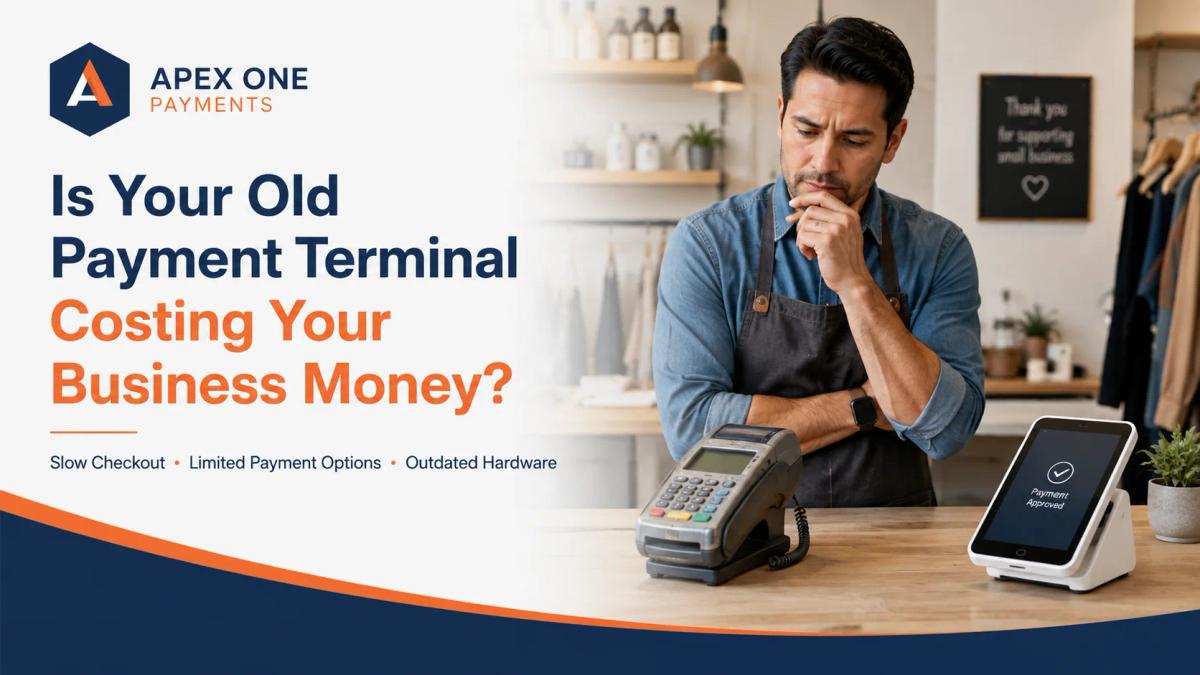
Is Your Old Payment Terminal Costing Your Business Money?
An old payment terminal may still process cards, but it can quietly hurt your business through slow checkout, failed transactions, limited payment options, weak reporting, and poor customer experience. This guide explains when it may be time to upgrade and how Apex One Payments can help.
A payment terminal is easy to ignore when it still turns on. The screen lights up, the keypad works, a customer inserts a card, and most of the time the payment goes through. From the outside, it may look like the device is still doing its job.
But an old payment terminal can cost a business more than the owner realizes. It may slow down checkout, fail during busy hours, limit modern payment options, create staff frustration, weaken reporting, and make the checkout experience feel outdated.
For many small businesses, the real cost of outdated POS hardware is not only the device itself. It is the lost time, missed sales, customer friction, and confusion that comes with using technology that no longer fits the way people pay.
This is why business owners should ask a simple question: is your old payment terminal still helping your business, or is it quietly holding it back?
Apex One Payments provides payment processing solutions, POS terminal solutions, merchant services, and payment technology for businesses that want easier, more reliable ways to accept payments. If your current terminal feels slow, outdated, confusing, or limited, it may be time to review whether your payment setup still fits your business.
Why Payment Terminals Matter More Than Many Business Owners Think
A payment terminal is not just a machine that takes cards. It is part of the customer experience, the staff workflow, the payment record, and the way a business manages daily transactions. When checkout works smoothly, most customers do not think about it. They pay, receive confirmation, and move on.
When checkout does not work smoothly, everyone notices. A customer may have to wait while the terminal reconnects. A card may need to be inserted several times. A tap-to-pay option may not be available. A receipt may fail to print. A transaction may decline because the device is slow or unstable, even when the customer’s card is fine.
These small moments can affect how people view the business. A modern business should not lose customer confidence because of outdated payment hardware.
The Hidden Cost of Slow Checkout
Slow checkout can feel normal when a business has used the same terminal for years. Employees get used to waiting, customers get used to standing there, and the owner may assume this is just how card payments work.
But slow checkout is not harmless. Every extra delay at the counter can create friction. In a restaurant, it can slow down table turnover or delay the next guest. In a retail store, it can create longer lines. In a salon, it can make the end of the appointment feel less professional. In a healthcare office, it can make front-desk payments feel more stressful.
A slow terminal can also frustrate employees. Staff members may have to apologize for the device, retry transactions, call a manager, or move customers to another register. Over time, this affects the daily rhythm of the business.
The issue is not only speed. It is confidence. Customers expect payment to be the easiest part of the purchase. When the terminal creates friction, the business feels less prepared.
Limited Payment Options Can Lead to Missed Sales
Customer payment habits have changed. Many people now expect to pay with chip cards, contactless cards, mobile wallets, tap-to-pay methods, and flexible checkout options. A terminal that only supports older swipe methods may still work, but it may not meet customer expectations.
This matters because customers often choose convenience. A person who is ready to pay should not have to ask whether your business accepts tap-to-pay. A customer using a mobile wallet should not feel like your checkout is outdated. A retail shopper should not have to search for another card because your terminal does not support the method they normally use.
For a small business, the lesson is simple. Payment hardware should support the way customers want to pay today, not only the way they paid years ago.
An Old Terminal Can Make Your Business Look Behind
Customers may not know the technical difference between one terminal and another, but they can feel when a payment experience looks outdated. A scratched-up device, faded keypad, slow screen, clunky receipt process, or terminal that keeps disconnecting can make a business look less modern.
That matters in industries where trust and presentation are important. A healthcare office wants to feel organized and professional. A restaurant wants checkout to feel smooth. A retail store wants customers to move through the buying process easily. A salon or spa wants the entire experience to feel polished from booking to payment.
Payment is often the final step in the customer experience. A good experience can be weakened by a poor checkout moment, and that is not the impression a business owner wants to create.
Failed Transactions Are Not Just Technical Problems
Every business has an occasional payment issue. A card may be declined, a network may be slow, or a customer may enter the wrong PIN. But when failed transactions happen too often because of old hardware, poor connectivity, weak setup, or unsupported equipment, the problem becomes bigger.
A failed transaction can interrupt the sale. It can embarrass the customer, make the employee unsure what to do, create a line, or force the business to accept another payment method that may be less convenient.
In some cases, failed transactions can even lead to lost sales. A customer may decide not to complete the purchase. A service customer may say they will pay later and then require follow-up. A mobile business may leave the job site without collecting payment.
A reliable card payment terminal should reduce these moments, not create them.
Outdated POS Hardware Can Create Staff Frustration
Old payment hardware does not only affect customers. It affects employees too. Staff members are the ones who deal with the device every day. They know when the screen freezes, when the connection drops, when the receipt printer fails, when the keypad sticks, or when the terminal takes too long to respond.
When the terminal is unreliable, employees may lose confidence at checkout. They may avoid certain payment types because they know the device struggles. They may call managers more often, take longer to train new staff, or make mistakes because the system is harder than it should be.
This becomes a hidden labor cost. The business may not see it as a line item on a statement, but the time still exists. Every repeated transaction, every support call, every delayed checkout, and every manual workaround takes time away from serving customers.
Poor Reporting Can Make Reconciliation Harder
A payment terminal should not only accept payments. It should also help the business understand payment activity. Older or limited payment hardware may not connect cleanly with modern reporting, POS systems, dashboards, or business workflows.
This can create problems when the owner needs to review deposits, refunds, batches, tips, chargebacks, or daily sales. A retail store may struggle to match transactions with items sold. A restaurant may have issues connecting tips, close-of-day reports, and deposits. A service business may have trouble connecting payments to invoices.
When reporting is unclear, business owners spend more time trying to understand what happened. That time could be used for operations, marketing, customer service, staff training, or growth.
Apex One Payments supports merchant services for small business, helping owners think beyond the device and look at the full payment workflow, including payments, hardware, reporting, and support.
Old Terminals Can Affect Payment Security
Payment security matters for every business that accepts cards. An old terminal may not always create a security problem by itself, but outdated or unsupported payment hardware can make it harder for a business to maintain a modern, secure payment environment.
Payment technology changes because security standards, customer behavior, card network requirements, and business needs change. A business should understand whether its payment equipment is current, supported, properly configured, and suitable for today’s payment environment.
This connects directly with PCI compliance. PCI compliance is about protecting cardholder data and using safer payment practices. A business using old devices, shared passwords, unsafe card handling, or unsupported systems may be creating unnecessary risk.
Upgrading hardware is not only about having a nicer device. It can also be part of building a safer and more professional payment process.
Contactless Payments Are No Longer a Luxury
For many customers, tap-to-pay is now normal. People use contactless cards, mobile wallets, watches, and phones to pay quickly. They expect the process to be fast and familiar. When a business cannot accept those payments, the checkout experience can feel outdated.
This is especially important in fast-moving environments like restaurants, cafés, retail stores, convenience stores, salons, and service counters. A business that still relies on older swipe-only hardware may technically be accepting cards, but it may not be accepting payments in the way customers prefer.
Modern POS terminals and payment hardware should help businesses meet customers where they already are. That means supporting more flexible payment methods, making checkout faster, and reducing friction at the final step of the sale.
The Real Cost Is Bigger Than the Hardware Price
Many business owners avoid upgrading because they only think about the cost of a new terminal. That is understandable because every business wants to control expenses.
But an old payment terminal may already be costing money in less obvious ways. It may slow down employees, frustrate customers, limit payment options, cause failed transactions, create support issues, make reporting harder, increase manual workarounds, and make the business look outdated.
The cheapest option is not always the lowest-cost option in real life. A terminal that costs nothing to keep but wastes time every day may be more expensive than the owner realizes.
When an Old Terminal Starts Hurting Customer Experience
Customer experience is not only about friendly service. It includes every step of the transaction: the greeting, the product, the service, the wait time, the checkout, the receipt, and the follow-up.
Payment is a sensitive moment because it involves money. Customers want it to feel easy, secure, and quick. An old terminal can create small moments that weaken trust. The device may look worn out, take too long, fail during tap or chip payment, print unclear receipts, or require extra steps that make the business feel behind.
For a customer, this may seem like a small issue. But small issues add up. A business that wants to look professional should not let outdated payment hardware send the wrong message.
Restaurants Need Fast and Reliable Payment Hardware
Restaurants are one of the clearest examples of why payment hardware matters. A restaurant may process payments during lunch rush, dinner service, takeout orders, bar tabs, table payments, and late-night closeout. Speed and reliability matter because delays can affect both staff and guests.
A slow terminal can hold up the line at a quick-service counter. A device that struggles with tips can create closeout confusion. A terminal that disconnects during rush hour can frustrate servers and managers. A checkout process that feels outdated can weaken the guest experience after a good meal.
A restaurant also needs reporting that supports tips, batches, deposits, refunds, and daily sales. Payment hardware should connect with the way the restaurant operates, not create more work after closing.
Apex One Payments supports restaurant POS systems and payment workflows for businesses that need smoother checkout and better payment tools.
Retail Stores Need Terminals That Support Modern Shoppers
Retail stores depend on checkout flow. Customers may browse for a long time, but the payment moment should be quick. A slow or outdated terminal can create lines and frustration, especially during weekends, sales events, holidays, or busy shopping hours.
Retailers also need clean receipts, product-level reporting, easy refunds, and reliable card acceptance. If the terminal is old or disconnected from the rest of the payment workflow, the owner may struggle to understand daily sales, returns, and deposits.
A modern retail payment setup should support chip, tap, card, and digital wallet habits while helping the store keep checkout organized.
Apex One Payments provides retail payment processing support for stores that want stronger payment acceptance, better checkout, and more reliable business payment processing.
Healthcare Offices Need Trustworthy Payment Workflows
Healthcare payment environments are different from restaurants and retail. A patient may pay a copay, balance, deposit, payment plan, or follow-up invoice. Some payments happen at the front desk. Others happen over the phone or through online tools.
An old terminal can create problems when staff are trying to keep the payment process organized. Patients may already feel stressed about medical bills, so the payment experience should feel clear, secure, and respectful.
A healthcare office also needs careful payment handling, staff access control, and reliable records. The terminal should support a clean workflow that helps the office collect payments without creating confusion.
Apex One Payments’ healthcare payment processing solutions connect naturally with this need because healthcare practices need payment technology that supports both patient convenience and administrative clarity.
Service Businesses Need Flexible Payment Hardware
Service businesses do not always collect payments at a fixed counter. A contractor may collect a deposit before ordering materials. A repair shop may take payment after work is approved. A mobile service provider may accept payment at a job site. A consultant may need to collect a project balance. A salon or appointment-based business may need payment at checkout, before service, or after a package is completed.
Old payment hardware can make these workflows harder. If the terminal only works in one location, the business may have to chase payments later. If it does not support modern card methods, the customer may have to find another way to pay. If reporting is weak, the owner may struggle to connect the payment with the job or invoice.
Service businesses need payment tools that match real life. Apex One Payments’ business payment solutions can support service-based businesses that need more flexible payment acceptance, clearer records, and better payment workflows.
Old Terminals Can Create More Manual Work
One of the biggest hidden costs of old hardware is manual work. When a payment system does not do enough, employees create workarounds. They write things down, manually enter information into another system, call customers back, re-run cards, keep separate notes, compare terminal reports to bank deposits, and track refunds in spreadsheets.
Manual work creates two problems. First, it wastes time. Second, it increases the chance of mistakes. Modern payment technology should reduce manual work, not increase it.
The business should be able to accept payments, issue receipts, review reports, and understand transactions without building a complicated manual process around an old terminal.
Equipment Fees Can Make Old Hardware More Expensive Than Expected
Some business owners think they are saving money by keeping an old terminal, but the statement may tell another story. There may be equipment fees, lease charges, maintenance costs, replacement fees, PCI-related charges, support charges, or contract terms connected to old hardware.
In some cases, a business may have paid more over time for an old terminal than it would have paid by reviewing better options earlier. This is why business owners should not only ask whether the terminal still works. They should ask what the terminal is actually costing.
A merchant statement review can help identify whether the business is paying unnecessary fees or using a setup that no longer makes sense. Apex One Payments offers a payment savings calculator that can help business owners start reviewing their current payment processing costs more clearly.
A Free Card Payment Terminal Can Remove the Upgrade Barrier
One reason businesses keep outdated terminals is simple: they do not want to pay upfront for new hardware. That is why Apex’s Free Dejavoo QD2 card payment terminal offer is an important conversion path for this topic.
A free terminal can be helpful for qualified businesses that know their current terminal is outdated but have delayed upgrading because of equipment cost. It can remove the upfront hardware barrier and help the business move toward a more modern payment setup.
A free terminal does not mean the entire payment processing relationship is free. Business owners still need to understand processing fees, account setup, qualification, merchant services, support, and the full payment workflow. But removing the upfront hardware cost can make it easier for qualified businesses to modernize their checkout.
Free Should Still Mean the Right Fit
A free card payment terminal can be valuable, but the business should still choose based on fit. A restaurant may need a terminal that supports quick checkout and tipping workflows. A retail store may need a reliable counter device. A healthcare office may need a secure front-desk experience. A mobile service provider may need wireless flexibility.
The right setup depends on how the business gets paid. That is why the conversation should not stop at “free terminal.” It should include payment methods, business type, transaction volume, reporting needs, settlement timing, chargeback risk, PCI compliance, customer experience, and support.
A free device is helpful only when it supports the business model.
When Should a Business Upgrade Its Payment Terminal?
A business should consider a payment terminal upgrade when the current device creates more problems than value. That may happen when checkout feels slow, customers ask for payment methods the terminal cannot accept, the device disconnects often, receipts are unclear, reports are hard to understand, staff complain about the system, support is difficult, fees are confusing, or the hardware no longer matches the business’s growth.
A business should also review its terminal when adding new services, opening another location, hiring more staff, accepting more card payments, adding mobile payments, using invoices, or trying to improve reporting.
The right time to upgrade is not always when the device completely stops working. Waiting until total failure can create bigger problems. A smart business reviews payment hardware before the terminal becomes a daily frustration.
What to Ask Before Replacing an Old Terminal
Before replacing an old payment terminal, business owners should ask practical questions. What payment methods do customers use most? Does the business need countertop, wireless, or mobile hardware? Does the terminal support chip, tap, swipe, and digital wallet payments? How are receipts handled? How does reporting work? What fees are connected to the device? Is there a contract? How does the terminal connect with merchant services? What happens if the device fails? Is support included? Does the setup fit the business type?
These questions help the owner avoid choosing hardware only because it looks modern or sounds inexpensive. A payment terminal is part of the full payment system, and a good provider should explain the device, the processing relationship, and the business workflow in clear language.
Business owners can also review Apex One Payments’ merchant guides and payment resources to better understand POS setup, payment processing, and hardware decisions.
Why the Cheapest Terminal Is Not Always the Best Option
It is normal for business owners to compare prices, but the cheapest device is not always the best choice. A low-cost terminal may look attractive at first, but it may come with limited features, poor support, weak reporting, unclear fees, older technology, or restrictions that do not fit the business.
A better question is not, “What is the cheapest terminal?” A better question is, “Which terminal helps my business accept payments reliably, serve customers faster, track transactions clearly, and avoid unnecessary problems?”
That is the difference between buying hardware and choosing a payment solution. Apex One Payments helps businesses look at POS terminal solutions as part of the full merchant services relationship, not just as a device sitting on the counter.
How Apex One Payments Can Help Businesses Review Old Payment Terminals
Apex One Payments helps small businesses review their payment processing, POS terminals, payment hardware, merchant services, and overall checkout workflow.
For business owners using old terminals, the first step is understanding what is not working. Maybe the device is slow. Maybe it does not support modern payment methods. Maybe reporting is confusing. Maybe support is hard to reach. Maybe the statement includes fees the owner does not understand. Maybe the business has grown and the old setup no longer fits.
Apex can help business owners look at the full picture and explore better options, including updated terminals, POS hardware, merchant services, and the Free Dejavoo QD2 offer for qualified businesses.
The goal is not to sell every business the same device. The goal is to help the business choose payment technology that supports how it actually operates.
Final Thoughts: Your Payment Terminal Should Not Hold Your Business Back
An old payment terminal may seem harmless if it still works most of the time. But “still works” is not the same as “still supports your business.”
If your terminal slows down checkout, limits payment options, creates staff frustration, weakens reporting, causes failed transactions, or makes your business look outdated, it may already be costing you money.
Modern customers expect fast, secure, flexible payment options. Small businesses need payment hardware that supports those expectations while also helping owners track sales, understand deposits, manage fees, and reduce manual work.
A payment terminal should make your business stronger, not slower. Apex One Payments can help business owners explore better payment processing solutions, review POS terminals and payment hardware, understand merchant services for small business, and consider the Free Dejavoo QD2 card payment terminal offer for qualified businesses.
If your old terminal is creating delays, confusion, or unnecessary costs, now is the right time to review your setup.
FAQs
How do I know if my payment terminal is outdated?
Your payment terminal may be outdated if it is slow, disconnects often, does not support contactless payments, creates unclear reports, frustrates staff, or no longer fits the way your customers prefer to pay.
Can an old payment terminal cost my business money?
Yes. An old payment terminal can cost money through slow checkout, failed transactions, limited payment options, staff delays, weak reporting, support problems, and unnecessary equipment or processing fees.
Should small businesses upgrade their payment terminals?
Small businesses should consider upgrading when their current terminal creates checkout problems, limits payment methods, causes reporting confusion, or no longer supports the business’s payment workflow.
What is the difference between a payment terminal and a POS system?
A payment terminal mainly accepts payments, while a POS system may include deeper business tools such as inventory, menus, staff management, reporting, customer records, and sales tracking.
Is a free card payment terminal a good option?
A free card payment terminal can be a good option when it fits the business, supports modern payment methods, and comes with clear merchant services terms. Business owners should review the full payment setup, not only the device cost.
What is the Free Dejavoo QD2 offer from Apex One Payments?
Apex One Payments offers a Free Dejavoo QD2 card payment terminal for qualified businesses. The offer can help business owners upgrade payment acceptance without paying upfront for the terminal.
What payment hardware does my business need?
The right payment hardware depends on your business type, checkout flow, payment methods, customer behavior, reporting needs, and whether you need countertop, wireless, mobile, or full POS system support.
How can Apex One Payments help with payment terminal upgrades?
Apex One Payments helps businesses review old payment terminals, compare POS hardware options, understand merchant services, improve payment processing, and choose a setup that fits how the business accepts payments.