
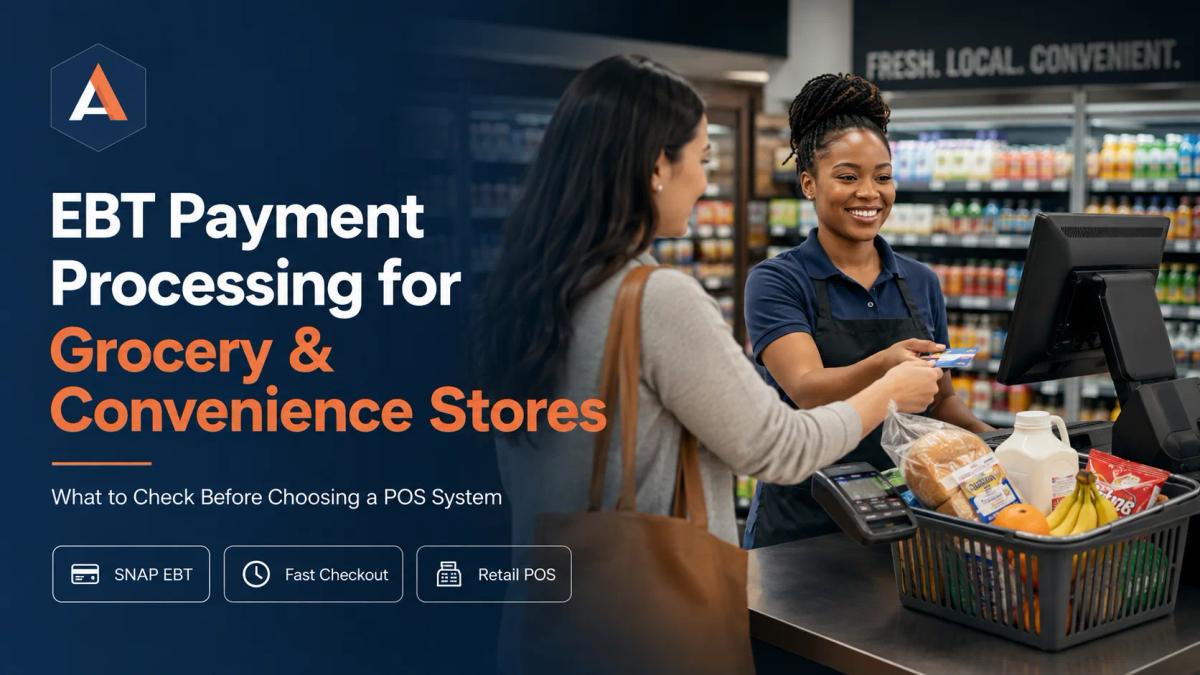
EBT Payment Processing for Grocery & Convenience Stores What to Check Before Choosing a POS System
Grocery and convenience stores need a POS setup that can handle SNAP EBT, card payments, split tender, barcode scanning, inventory, and reporting. This guide explains what store owners should check before choosing an EBT-compatible POS and payment-processing system.
Grocery and convenience store checkout is different from a normal retail sale.
A customer may walk up to the counter with milk, bread, snacks, household items, hot food, drinks, tobacco, and a few last-minute products from the register area. One payment method may not cover the full basket. Some items may be SNAP-eligible. Some may not be. The customer may use an EBT card for eligible food items and then use cash, debit, or credit for the remaining balance.
That is why EBT payment processing is not just a small feature to check off when choosing a POS system. For grocery stores, convenience stores, mini-marts, and small food retailers, it affects checkout speed, cashier workflow, product setup, reporting, customer experience, and daily operations.
The right POS and payment setup should help your store accept eligible SNAP EBT payments, process regular card payments, handle mixed baskets, support barcode scanning, keep inventory organized, and give you clear end-of-day reporting.
This article is written for US grocery and convenience store owners who are comparing payment terminals, merchant services, and POS systems. It does not replace official USDA Food and Nutrition Service guidance, and it should not be treated as legal or regulatory advice. SNAP retailer requirements should always be confirmed directly with USDA/FNS.
What it will do is help you understand what to ask before choosing a POS or payment-processing setup for your store.
What EBT and SNAP Mean for Grocery and Convenience Stores
SNAP stands for Supplemental Nutrition Assistance Program. It helps eligible households buy food. EBT, or Electronic Benefit Transfer, is the card-based system used to deliver SNAP benefits to customers.
For store owners, it is important to understand the difference between SNAP benefits, EBT cards, retailer authorization, and POS functionality.
SNAP is the benefit program. EBT is the electronic payment method used to access those benefits. Retailer authorization is the approval process that allows a store to accept SNAP benefits. POS functionality is the technology that allows a checkout system or payment terminal to process the transaction after the store is properly authorized and set up.
A POS provider or payment processor does not automatically make a store eligible to accept SNAP. USDA’s Food and Nutrition Service explains that FNS is the only source that authorizes retailers to accept SNAP benefits. Retailers that want to accept SNAP must follow the official application and authorization process.
Once a store is authorized, the retailer also needs EBT equipment and transaction services. USDA/FNS states that authorized SNAP stores must use EBT equipment and transaction services. That is where your POS and payment-processing setup becomes important.
In simple terms, the business side and the technology side both matter. A store needs proper authorization, and it needs a checkout setup that can handle the payment workflow correctly.
Why EBT Support Matters When Choosing a POS System
Some retailers make the mistake of choosing a POS system first and asking about EBT later.
That can create problems. A system may work well for a boutique, salon, or basic retail store, but grocery and convenience stores have more complex checkout needs. They often deal with high SKU counts, barcode scanning, mixed product baskets, multiple tender types, fast checkout lines, cash drawers, and end-of-day reconciliation.
If your store plans to accept SNAP EBT, the POS conversation should start with grocery and convenience store workflow, not just card acceptance.
A useful retail POS system should help your team process payments while also supporting the way your store actually sells products. For grocery and convenience stores, that often means product categories, item eligibility, barcode scanning, tender handling, receipts, inventory visibility, and reporting.
The key question is not only, “Can this system accept EBT?”
The better question is, “Can this system support our full checkout process when EBT, debit, credit, cash, and other tenders are all part of the same daily workflow?”
Start With SNAP Retailer Authorization
Before you spend time comparing terminals or POS hardware, make sure you understand the SNAP retailer authorization process.
A store cannot accept SNAP benefits simply because it has a payment terminal. Retailers must apply through USDA/FNS and meet applicable requirements. FNS also explains that retailers use their FNS number when ordering POS equipment and when the POS device is programmed.
Eligibility is not the same for every business. USDA/FNS provides guidance on staple food requirements and explains that retail food stores generally must meet Criterion A or Criterion B requirements to be eligible to participate in SNAP. Store owners should review the current FNS information directly because eligibility, application details, and requirements can change.
This is especially important for convenience stores because the product mix can vary widely. A store selling mostly non-food items or prepared hot foods may have different eligibility considerations than a store carrying a larger range of staple foods.
Before choosing a payment provider, ask yourself two questions.
First, are we eligible and authorized to accept SNAP benefits?
Second, once authorized, can our POS and payment setup properly support EBT transactions in the way our store operates?
Those two questions should be handled together, but they are not the same thing.
What to Check Before Choosing an EBT POS System
When reviewing an EBT POS system, do not stop at a simple yes or no answer.
You need to understand how the system works during real transactions. Grocery and convenience store checkout can get messy during busy hours. A cashier should not have to guess which button to press, how to split a payment, or how to handle an eligible and non-eligible basket.
Ask how the POS handles EBT transactions for authorized retailers. Ask how product eligibility is managed. Ask how the remaining balance is handled when a customer uses EBT for only part of the basket. Ask how receipts display the payment. Ask what reporting looks like at the end of the day.
The POS should help your cashier move through the sale clearly. It should not turn every mixed-tender transaction into a training problem.
The best setup is not always the cheapest device. For many store owners, the better choice is the system that helps keep checkout accurate, fast, and easy to manage.
SNAP-Eligible and Non-Eligible Products
One of the most important issues for grocery and convenience stores is product eligibility.
SNAP benefits are used for eligible food purchases. Many stores sell both eligible and non-eligible products. A customer may bring a basket to the counter that includes both types of items.
The POS workflow should help the cashier handle that situation cleanly.
For example, a customer may buy bread, cereal, bottled drinks, hot food, household supplies, and a non-food item. The store needs a checkout process that makes it clear how the eligible portion and remaining balance are handled.
This is where product setup becomes more than a back-office task. If products are not categorized clearly, the checkout process becomes harder. If cashiers have to manually figure things out during a rush, mistakes are more likely.
Before choosing a POS system, ask how eligible and non-eligible products are managed. Ask whether product categories can be reviewed and updated easily. Ask what happens when a cashier scans a mixed basket. Ask how the receipt displays the payment.
A good POS provider should be able to explain this in plain language.
Mixed Baskets and Split Tender
Split tender is common in grocery and convenience store transactions.
A customer may pay for eligible food items with SNAP EBT and pay the remaining balance with debit, credit, cash, or another method. Another customer may split a purchase between cash and card. In some stores, gift cards or other tender types may also be part of the payment mix.
Your POS should make this process easy for the cashier and clear for the customer.
Ask how split tender works during checkout. Can the cashier see the remaining balance clearly? Can the customer understand what was paid with each method? Does the receipt make sense? Can the manager review tender activity later?
This matters because grocery and convenience stores are speed-sensitive. A payment flow that requires extra steps or manual workarounds can slow down the line and frustrate customers.
A smooth split-tender process is one of the most practical things to check before choosing an EBT-capable POS setup.
Checkout Speed and Cashier Workflow
Checkout speed is not just about convenience. It affects customer satisfaction and staff pressure.
Convenience store customers often expect a fast visit. Grocery customers may have larger baskets and less patience for checkout problems. If your system slows down during mixed payments, barcode scanning, or tender selection, the line can build quickly.
Look at the cashier experience carefully. Can staff scan items quickly? Can they find products without barcodes? Can they handle weighed or variable-price items if your store sells them? Can they move between EBT, debit, credit, cash, and other tenders without confusion?
Training also matters. A POS system may have many features, but if it is hard for cashiers to use, it can create mistakes during busy hours.
When comparing providers, ask for a walkthrough of common grocery and convenience store transactions. Do not only watch a basic card sale. Ask to see a mixed basket, split payment, refund workflow, product lookup, manager override, and end-of-day report.
Barcode Scanning and Product Management
Grocery and convenience stores usually carry a large number of products. Even a small neighborhood market can have hundreds or thousands of SKUs.
That makes barcode scanning and product management central to the POS decision.
A good grocery store POS system should help your team scan products quickly, update prices, manage categories, and keep the product catalog clean. If the catalog is messy, the payment process becomes messy too.
Ask how products are added. Ask whether bulk updates are possible. Ask how categories are managed. Ask whether staff can easily update prices when vendors change costs. Ask how the system handles products without barcodes, seasonal products, and items sold by weight or quantity.
Payment acceptance is important, but grocery payment processing works best when the POS and product catalog are organized together.
If your store sells a mix of groceries, drinks, snacks, household items, and prepared foods, product setup deserves serious attention before you choose a system.
Inventory and Reporting
A good POS system should help you understand what is happening in your store.
Inventory and reporting are especially important for grocery and convenience businesses because margins can be tight and product movement changes quickly. Store owners need to know what is selling, what needs to be reordered, what is sitting too long, and how different tender types are affecting daily totals.
Good reporting should help you answer simple questions.
How much did we sell today? Which categories performed best? Which products need attention? How much was paid by card, cash, or other tender types? Are refunds or voids increasing? Are end-of-day totals easy to reconcile?
Apex One Payments provides payment and POS guides that can help business owners think through hardware, payment processing, and operational decisions. For grocery and convenience stores, these resources can support a broader review of the full checkout workflow.
Reporting does not need to be complicated. It needs to be clear enough for owners and managers to make better decisions.
Support for Other Payment Methods
EBT may be the reason you are researching this topic, but your store still needs to accept other payment methods.
Customers may want to pay with debit cards, credit cards, cash, contactless cards, mobile wallets, and sometimes gift cards. A convenience store may have customers who want to get in and out quickly. A grocery store may have larger basket sizes and mixed tender needs.
This is why retail payment processing should be viewed as a complete checkout system, not just a single payment type.
Ask how the POS handles regular debit and credit payments. Ask how contactless payments work. Ask whether receipts are clear across different tender types. Ask how refunds are handled. Ask how reports separate payment methods.
A store that accepts EBT but struggles with regular card payments, reporting, or checkout speed still has a payment problem.
POS Hardware and Payment Terminals
Hardware matters because grocery and convenience stores are physical checkout environments.
Your store may need a countertop POS station, a card payment terminal, barcode scanner, receipt printer, cash drawer, customer-facing screen, and possibly multiple checkout lanes. Smaller stores may need a simpler setup. Larger stores may need a more complete front-counter system.
Before choosing POS hardware, think about your daily workflow. How many lanes do you need? How many employees use the system? Do you need a customer-facing display? How often do customers use contactless payments? How important is barcode scanning? Do you need EBT and regular card payments at the same lane?
A terminal that works for a small service business may not be the right fit for a grocery or convenience store. The checkout environment is different, and the hardware should match that reality.
When a Larger Countertop POS System Makes Sense
Not every store needs a large countertop POS setup, but some do.
A small corner store may be able to run efficiently with a focused payment terminal and scanner. A busier grocery or convenience store may need a stronger counter setup with a clear cashier display, customer-facing screen, receipt printing, cash drawer, and better staff workflow.
If your store is comparing countertop POS options, the Clover Station Duo may be worth reviewing as part of your hardware research. It is relevant for businesses that want a more complete counter checkout setup rather than a simple standalone terminal.
The right choice depends on your product mix, transaction volume, checkout speed, reporting needs, and staff workflow.
Connectivity and Reliability
A grocery or convenience store payment system has to work when customers are standing in line.
Ask about internet requirements, backup options, update schedules, support availability, and what happens if a connection issue occurs. This is especially important for rural stores, busy convenience locations, or businesses with older infrastructure.
Do not wait until there is a line at the counter to find out how support works.
Ask how quickly help is available. Ask what troubleshooting steps staff should know. Ask whether the provider understands retail checkout environments. A system that looks good in a demo still has to perform during real store traffic.
Security and Payment Handling
Retail stores handle sensitive payment information every day.
Staff should not write down card numbers, store card details in unsecured places, or create workarounds that put payment information at risk. A proper payment setup should help reduce unnecessary manual handling of sensitive information.
Security also affects customer trust. Shoppers expect their payment to be handled professionally, whether they are using a card, mobile wallet, cash, or EBT card.
When comparing providers, ask how payment data is handled, what security practices are supported, and how the system helps staff avoid unsafe habits. For SNAP-related requirements, rely on USDA/FNS and your approved provider rather than assumptions.
Pricing and Processing Considerations
Cost matters, but the lowest advertised price is not always the lowest total cost.
Grocery and convenience stores should review the full cost of the system. That may include hardware, software, payment processing, support, equipment, setup, add-ons, and other monthly charges.
It is also important to understand how different payment methods are handled. EBT, debit, credit, cash, and gift cards do not all follow the same payment flow. Ask clear questions before signing an agreement.
If you already have a payment provider, review your current statement carefully. Look at the full cost, not only the rate you were told during the sales conversation.
Apex One Payments offers payment processing services and business payment solutions for retailers and other businesses. If you are comparing your current setup, the first step is to understand what you are paying now and what you actually need from a POS/payment system.
Questions to Ask a POS Provider Before Choosing a System
Before choosing a POS system for a grocery or convenience store, ask questions based on real checkout scenarios.
- Does the system support EBT transactions for authorized SNAP retailers?
- How does the POS handle SNAP-eligible and non-eligible items?
- Can customers use EBT and another payment method in the same checkout?
- How does split tender work for cashiers?
- Does the system support barcode scanning and product categories?
- Can the POS support inventory tracking for grocery and convenience products?
- What reports are available by tender type, product category, and sales period?
- What hardware is required for the store’s checkout flow?
- How are fees structured?
- What support is available if checkout or payment issues happen?
The right provider should be able to answer these questions clearly. If the answers are vague, slow down before making a decision.
Common Mistakes to Avoid
One common mistake is assuming that any retail POS system can support EBT just because it accepts regular card payments. EBT is a specific tender type with its own authorization and setup considerations.
Another mistake is focusing only on the payment terminal and ignoring the product catalog. If product setup is messy, checkout will be messy too.
Some retailers also forget about split tender until they are already live. That can create confusion when customers buy eligible and non-eligible items together.
Another mistake is choosing a system based only on upfront cost. A cheaper setup may become more expensive if it slows checkout, lacks reporting, requires extra workarounds, or does not fit your store’s tender mix.
The final mistake is waiting too long to check official SNAP retailer requirements. Since authorization comes from USDA/FNS, retailers should review official FNS information early in the process.
How Apex One Payments Can Help Retail Businesses
Grocery and convenience stores need payment tools that fit real retail operations. That means practical hardware, reliable payment acceptance, fast checkout, clear reporting, and support for the way customers actually pay.
Apex One Payments provides payment processing, merchant services, POS solutions, payment terminals, and business payment technology for retail businesses. The company’s retail page includes grocery and convenience stores as part of its retail focus.
Apex should not be treated as a shortcut around USDA/FNS authorization. Store owners still need to follow the proper SNAP retailer process. But once a business is reviewing payment terminals, POS hardware, and retail payment processing workflows, Apex One Payments can help the owner think through the setup that makes sense for the store.
If you are reviewing your current retail payment setup or looking for a POS and payment solution that fits your store’s workflow, talk with Apex One Payments about your business requirements.
Final Takeaway
EBT payment processing is not just a feature to add to a POS checklist.
For grocery and convenience stores, it affects checkout flow, product setup, tender handling, receipts, reporting, customer experience, and daily operations.
The right POS system should help your store accept payments accurately while keeping the line moving. It should support your broader retail needs, not just EBT alone.
Before choosing a provider, confirm your SNAP retailer requirements with USDA/FNS, ask the right POS questions, review hardware carefully, understand your processing costs, and choose a setup that fits your store’s real workflow.
When the payment process is clear, customers move faster, staff feel more confident, and the store owner gets better visibility into the business.
FAQs About EBT Payment Processing for Grocery and Convenience Stores
What is EBT payment processing?
EBT payment processing is the system that allows an authorized retailer to accept Electronic Benefit Transfer cards for eligible SNAP purchases. It requires proper retailer authorization and a POS or payment setup that can process EBT transactions.
Can grocery stores accept SNAP EBT through a POS system?
Yes, but the store must first be authorized by USDA/FNS to accept SNAP benefits. After authorization, the retailer needs EBT equipment and transaction services that support SNAP EBT transactions.
What should a grocery store look for in an EBT-compatible POS?
A grocery store should look for EBT transaction support, clear product setup, barcode scanning, split tender, reporting by payment type, inventory tools, secure payment handling, reliable hardware, and support that understands grocery or convenience store checkout workflows.
Can customers pay for eligible and non-eligible items in the same transaction?
Customers may bring eligible and non-eligible items to checkout together, so the POS workflow should help the cashier handle mixed baskets and remaining balances clearly. Store owners should confirm how the system manages eligible items, non-eligible items, split tender, and receipts.
Does a store need USDA/FNS approval to accept SNAP?
Yes. USDA’s Food and Nutrition Service is the authority that authorizes retailers to accept SNAP benefits. A payment processor or POS provider does not replace that authorization process.
What payment methods should a convenience store POS support?
A convenience store POS should generally support card payments, debit, cash, contactless payments, mobile wallets, gift cards where relevant, and EBT if the store is authorized and properly set up. The exact needs depend on the store’s product mix and customer base.
Is EBT the same as regular credit or debit card processing?
No. EBT uses card-based transaction technology, but SNAP EBT has program rules, retailer authorization requirements, and product eligibility considerations that are different from regular credit or debit card processing.