
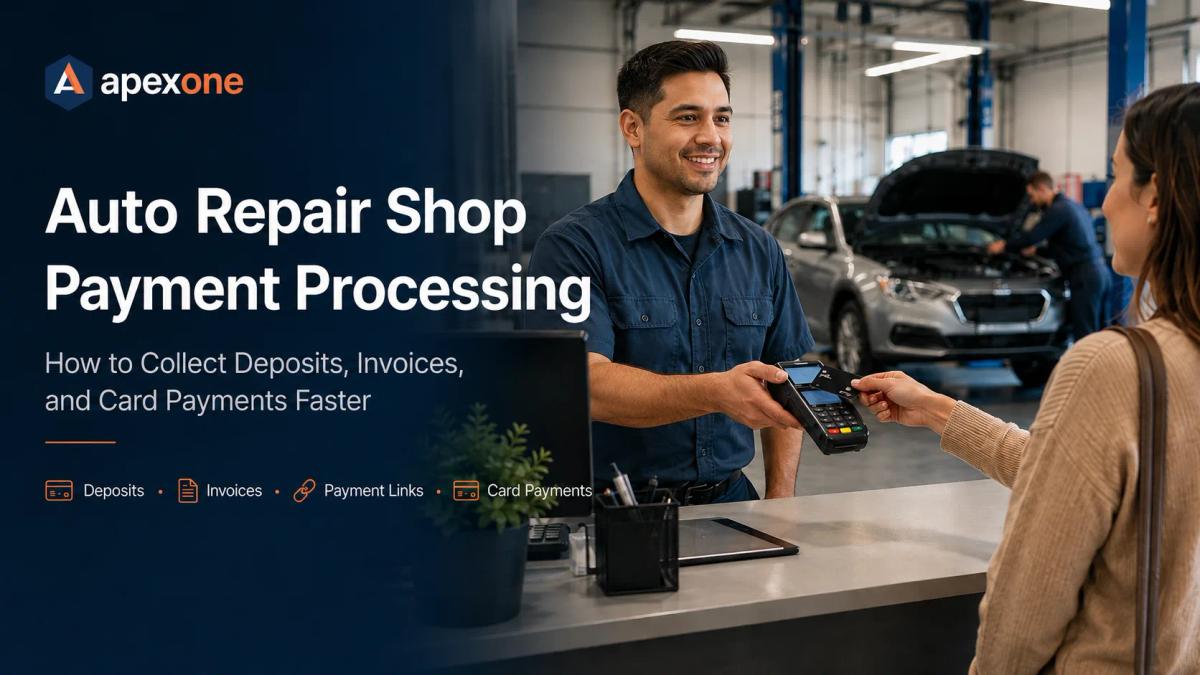
Auto Repair Shop Payment Processing Collect Payments Faster
Auto repair shops often deal with changing repair bills, deposits, invoices, remote approvals, and higher-value payments. This guide explains how the right payment processing setup can help mechanics and automotive service businesses collect faster, reduce manual follow-up, and make payment easier for customers.
Auto repair shops do not have a simple checkout process.
A customer may come in for a brake job, diagnostic, tire replacement, transmission repair, oil leak, engine issue, or body repair. The final bill can change after diagnosis. A shop may need a deposit before ordering parts. A customer may approve work over the phone. A final invoice may include labor, parts, taxes, shop supplies, diagnostic fees, and additional repairs.
That is why auto repair shop payment processing needs to do more than run a card at the front counter.
A good payment setup should help your shop collect deposits, accept card payments in person, send payment links, create clear invoices, reduce unpaid balances, and keep better records without slowing down the service desk.
For auto repair businesses, the goal is simple: finish the job, collect payment faster, and make the process easier for both the customer and the shop.
Why Auto Repair Shops Need a Different Payment Setup
A retail store usually has a fixed price and a quick checkout. Auto repair is different.
A repair order can change after the vehicle is inspected. A customer may approve extra work by phone. A shop may need to order parts before starting. A vehicle may sit for several days while the customer waits for approval or payment. A final invoice may include several line items, from labor and parts to diagnostics and additional services.
That makes payment collection more complicated.
Auto repair shops often need to handle deposits for parts or larger repairs, card payments at the counter, payment links by text or email, invoices for approved work, final balances before vehicle pickup, commercial or fleet account payments, clear receipts, daily reporting, open balance tracking, and secure payment handling.
A basic terminal may work for simple transactions, but many mechanic shops need a more flexible setup that supports the way repair work is actually sold, approved, completed, and paid.
For shops comparing checkout options, customer payment tools, and service-friendly workflows, Apex One Payments offers payment solutions for service businesses that can support companies collecting payments in person, online, and on the go.
Common Payment Problems in Auto Repair Shops
Most shop owners do not want to become payment experts. They just want to get paid clearly and on time.
But payment problems can create real pressure inside an auto repair business.
A customer may approve work, but delay the deposit. A shop may finish a repair, but still wait for final payment before releasing the vehicle. A service advisor may take card details over the phone because there is no easier payment option. A customer may question the invoice because the receipt does not clearly show what was approved.
These issues create extra work for the front desk and can slow down cash flow.
The payment process should support the repair process. When the customer approves the work, your shop should have an easy way to collect a deposit. When the vehicle is ready, the customer should have a simple way to pay the balance. When a payment is made, the receipt should be clear enough to avoid confusion later.
Mobile Card Readers Help Mechanics Take Payments Beyond the Counter
Some payments happen at the front desk. Others happen near the vehicle, at a customer location, or through a mobile service call.
That is where mobile payment processing can help.
A mobile card reader allows a mechanic, service advisor, or mobile technician to accept card payments away from a fixed counter. This can be useful for mobile mechanics, roadside service, tire service, pickup and delivery repairs, off-site diagnostics, or shops that want more flexible checkout options.
When a customer is ready to pay, the shop should not have to send them back to the front desk, ask them to call later, or manually write down card details. A mobile payment option can make the payment moment feel more natural and professional.
POS Hardware and Payment Devices for Auto Repair Shops
The right payment device depends on how your shop operates.
A repair shop with a busy front counter may need a reliable countertop terminal. A mobile mechanic may need a portable reader. A larger service center may need more than one device so different team members can collect payments without creating a line at the front desk.
When reviewing POS hardware, auto repair shops should think about where payment usually happens, how often customers pay remotely, whether deposits are collected before parts are ordered, and how easily staff can provide receipts.
Some shops may only need a simple payment terminal. Others may need a more complete countertop POS setup. If your business is comparing a larger countertop system for checkout and staff use, the Clover Station Duo may be worth reviewing as part of your hardware research.
The goal is not to buy the biggest system. The goal is to choose payment devices that match the way your shop sells, approves, completes, and collects repair work.
Deposits Can Protect Cash Flow on Larger Repairs
Some auto repair jobs require money upfront.
If your shop needs to order expensive parts, reserve technician time, or begin a larger repair, a deposit can help protect your cash flow and confirm that the customer is serious.
Deposits may be useful for engine repairs, transmission work, custom or special-order parts, large tire orders, body work, fleet repairs, major brake or suspension jobs, and diagnostic-to-repair approvals.
The key is to make the deposit process simple.
If the customer is in the shop, collect the deposit with a card terminal or reader. If the customer approves the work by phone or text, send a payment link instead of asking them to read card numbers out loud.
A clear deposit receipt should show what was paid, what the deposit applies to, and whether any balance remains. That protects the shop and gives the customer a cleaner experience.
Invoices and Payment Links Make Remote Payments Easier
Auto repair is often invoice-heavy.
Customers want to see what they are paying for, especially when the ticket includes diagnostics, parts, labor, taxes, supplies, and additional work. A clear invoice helps the customer understand the total and gives the shop a better payment record.
Payment links can make that invoice easier to pay.
Instead of saying, “Call us when you are ready to pay,” your shop can send a secure payment link by email or text. The customer opens the link, reviews the amount, and pays from their own device.
This can help when the customer is not at the shop, a fleet manager needs to approve the bill, a business owner is paying remotely, a customer needs to pay before pickup, a deposit is required before parts are ordered, or the shop wants to reduce phone-based card entry.
Auto repair shops are not always dealing with simple one-time counter sales. A flexible payment workflow can make collections easier, especially when approvals, invoices, deposits, and final balances happen at different points in the repair process.
Payment Security Matters in Auto Repair
Auto repair shops handle customer names, phone numbers, vehicle information, invoices, and card payments. Payment data should be handled carefully.
For a shop owner, that does not mean you need to become a compliance expert. It does mean your team should avoid risky habits such as writing card numbers on paper, saving card details in spreadsheets, texting card numbers, or re-keying card details when a secure option is available.
A safer workflow uses secure payment tools, clear receipts, and better records so staff are not handling raw card information more than needed.
Chargebacks and Disputes: What Auto Shops Should Document
Disputes can happen when a customer does not understand the repair, forgets what they approved, questions the final amount, or does not recognize the business name on their statement.
Before work begins, make sure the estimate is clear. If the final amount may change after diagnosis, explain that upfront. If there is a diagnostic fee, storage fee, restocking fee, emergency fee, shop supply charge, or special-order part, make sure the customer understands it.
When the customer pays, the receipt or invoice should clearly show the business name, date, amount paid, work performed, parts or service categories, deposit amount if any, remaining balance if any, payment method, and any relevant refund or cancellation terms.
This does not prevent every dispute, but it gives your shop a stronger record if a question comes up later.
Reporting Helps Shop Owners See What Is Actually Collected
Getting paid is only one part of the process. Knowing what was collected, what is still open, and where payments came from is just as important.
Auto repair shops may collect payments from several places: front counter transactions, mobile card readers, payment links, invoices, deposits, and commercial accounts.
Without clear reporting, it becomes harder to know which invoices are still unpaid, how much was collected today, which payments came from card readers, which payments came from invoice links, whether deposits are being collected before parts are ordered, and whether processing costs are increasing over time.
Apex One Payments has a reporting and analytics product page for businesses that want visibility into payment activity and performance.
For an auto repair shop, better reporting can help the owner spend less time guessing and more time managing the business.
Pricing and Fees: What Auto Repair Shops Should Watch
Auto repair shops often process higher-ticket transactions than many small retailers. That means payment processing fees deserve a closer look.
The rate you were quoted is not always the full cost. Your real cost may include transaction fees, monthly fees, PCI-related fees, keyed-entry costs, batch fees, equipment fees, chargeback fees, and software-related charges.
If your shop takes many keyed payments over the phone, your cost profile may be different from a shop that mostly takes card-present payments.
If you are not sure what your shop is really paying, the Apex One Payments payment savings calculator can be a useful starting point for reviewing your current processing costs.
A Simple Checklist Before Choosing a Payment Processor
Before choosing a payment setup for your auto repair business, ask whether your shop can collect deposits before ordering parts, accept card payments at the counter, send payment links when customers are not in the shop, support mobile mechanics or off-site staff, create invoices that are clear and easy to pay, reduce manual card entry, understand daily collections and open balances, identify true processing costs, use hardware that fits the way your shop operates, and get support when payment issues come up.
The right provider should be able to discuss these questions clearly. You should not feel pushed into hardware or software that does not fit your shop.
How Apex One Payments Can Help Auto Repair Businesses
Auto repair shops need payment tools that fit the way repairs are approved, completed, and paid.
Apex One Payments supports payment processing, POS terminal solutions, credit card processing, business payment technology, payment devices, reporting tools, and business payment solutions for service-focused companies.
For an auto repair shop, that may mean using a countertop setup for customer pickup, payment devices for flexible checkout, invoice-friendly payment workflows, reporting tools, and a review of current processing costs.
This does not need to be a hard sales conversation. A better first step is to look at how your shop collects payments today and where delays are happening.
If you are dealing with unpaid invoices, manual card entry, confusing processing fees, or too much follow-up, it may be worth taking a closer look at your current setup and talking with Apex One Payments about what would fit your business.
Final Takeaway
Auto repair shops should not have to chase every payment after the work is done.
A better payment setup can help your shop collect deposits, accept cards at the counter, send payment links, process invoices, reduce manual card handling, improve reporting, and make payment easier for customers.
The right processor should not just give you a terminal. It should help your shop collect money in the way your business actually works.
For mechanics, tire shops, brake shops, service centers, mobile mechanics, and automotive repair businesses, payment processing is not only about accepting cards. It is about protecting cash flow, reducing friction, and giving customers a simple way to pay when the repair is ready.
FAQs
What is auto repair shop payment processing?
Auto repair shop payment processing is the system a repair business uses to accept and manage customer payments, including card payments, deposits, invoices, payment links, mobile payments, and counter checkout.
What payment methods should an auto repair shop accept?
Most auto repair shops should be able to accept credit cards, debit cards, contactless payments, digital wallets, invoice payments, and payment links. Some shops may also need deposit collection depending on their business model.
Why are payment links useful for mechanics?
Payment links are useful when the customer is not at the shop, needs to approve work remotely, or must pay a deposit before parts are ordered. The shop can send a payment link by text or email so the customer can pay from their own device.
Do auto repair shops need mobile payment processing?
Not every shop needs mobile payment processing, but it can be helpful for mobile mechanics, roadside services, pickup and delivery repairs, tire services, and shops that want more flexible checkout options.
How can auto repair shops reduce payment disputes?
Shops can reduce disputes by explaining pricing clearly, getting approval before extra work, collecting deposits with clear receipts, sending detailed invoices, and keeping records of completed repairs and customer authorization.